What's new

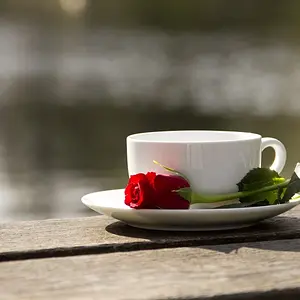
A flower or two for you..c&c please

marmots said:
you really need to learn how to take constructive criticism better
my eyes still dont know where to go in these images
sure the flower is the clear subject, but there is still no actual center

I didn't feel like I was taking it badly. I didn't say anything negative or attempt to argue with anyone. I post pictures here for criticism. Not once have I been offended by any c&c that anyone has given me. I always thank people for their input whether I agree or not. What was it that I said that caused you to say I need to learn to take criticism better? I "respectfully" disagreed with the previous poster and thanked him anyway. I understand that not everyone is going to like my pictures and I have no issues with that. I'm genuinely confused about your last post. ????
 
412 Burgh said:
Wish on #1 the foreground wasn't oof

Very fair assessment. Otherwise would you say that it is a relatively good photo? Assuming you had taken it, would you be relatively proud of it?

I'd be proud. I'm not as harsh as some other people. I think art is judgmental, but if I dislike something I'm not going to bash it and try to pull out all the 'rules' of art. but that's just me.
 
412 Burgh said:
I'd be proud. I'm not as harsh as some other people. I think art is judgmental, but if I dislike something I'm not going to bash it and try to pull out all the 'rules' of art. but that's just me.

Lol, thank you. If you didn't like it at all and stated so I would've been perfectly ok with that. Thanks again for your c&c.
 
I didn't feel like I was taking it badly. I didn't say anything negative or attempt to argue with anyone. I post pictures here for criticism. Not once have I been offended by any c&c that anyone has given me. I always thank people for their input whether I agree or not. What was it that I said that caused you to say I need to learn to take criticism better? I "respectfully" disagreed with the previous poster and thanked him anyway. I understand that not everyone is going to like my pictures and I have no issues with that. I'm genuinely confused about your last post. ????

what i meant is that you disagreed with someone with more experience than you, who had a valid point
i was simply trying to make his advice more clear, and make everyones advice more clear to you, because this isn't the first, nor the second time you have disagreed with someone who had a valid point
when someone says something about your photo that you disagree with, or just don't understand, ask them what they meant instead of flat out disputing it
if they said something that didn't fit others will usually tell both of you
 
:thumbup:I liked #1 best of the set. I think it is a huge step up from other recent work, as others have said. So good for you!!! I do think too, that despite the focus of the shot, along with the lighting and detail you captured that it needs a bit more of a center grounding. You certainly should keep going with your efforts in Macro and I'll bet in the next time or two or three you find that yourself and on your own.

Oh, and the colors...nice!
 
marmots said:
what i meant is that you disagreed with someone with more experience than you, who had a valid point
i was simply trying to make his advice more clear, and make everyones advice more clear to you, because this isn't the first, nor the second time you have disagreed with someone who had a valid point
when someone says something about your photo that you disagree with, or just don't understand, ask them what they meant instead of flat out disputing it
if they said something that didn't fit others will usually tell both of you

I have read through the few threads that I have started and have been unable to find one instance prior to this thread where I disagreed with someone. My disagreeing doesn't in any way mean that I am correct. It simply meant that I did not see what he was saying. Perhaps you are correct in stating that I should have asked him to be more clear and I appreciate your clarifying it for me. I was in no way saying that he is wrong, I was simply stating I disagreed bc I didn't see what he saw. I am here to learn and grow and am in no way trying to be a know it all. I appreciate your elaboration of what you meant.
 
GeorgieGirl said:
:thumbup:I liked #1 best of the set. I think it is a huge step up from other recent work, as others have said. So good for you!!! I do think too, that despite the focus of the shot, along with the lighting and detail you captured that it needs a bit more of a center grounding. You certainly should keep going with your efforts in Macro and I'll bet in the next time or two or three you find that yourself and on your own.

Oh, and the colors...nice!

Thank you, I have been reading and trying to apply what I have learned here and through various other sources. What exactly do you mean by center grounding? Perhaps I am misunderstanding what you all mean by that? Can you give me an example of what you mean in one of my photos?
 
I would have liked to have seen a specific focal point rather than an overall focal point across the flower...the dew drops on the far edge. Sharp, sharp, sharp. You did good though...really good!
 
I think #2 is quite lovely. I not only recognize them as flowers but I'm pretty sure those are King Huberts -- hard to miss. I would make three tweaks to that photo. I'd trim just a little off the left side. I'd open it in software that provides a Levels correction and pull the highlight slider just a tad to the left. This will raise the highlights a little and add a smidge of contrast. Finally I'd shift the color a few points orange. Be happy to show you if you like.

Joe
 
GeorgieGirl said:
I would have liked to have seen a specific focal point rather than an overall focal point across the flower...the dew drops on the far edge. Sharp, sharp, sharp. You did good though...really good!

Gotcha, now that I know what you're referring to I will work on that the next time. Thanks for the clarification!
 
clanthar said:
I think #2 is quite lovely. I not only recognize them as flowers but I'm pretty sure those are King Huberts -- hard to miss. I would make three tweaks to that photo. I'd trim just a little off the left side. I'd open it in software that provides a Levels correction and pull the highlight slider just a tad to the left. This will raise the highlights a little and add a smidge of contrast. Finally I'd shift the color a few points orange. Be happy to show you if you like.

Joe

Thank you. I haven't really dabbled in editing yet. I'm trying for the most part to get the basics down, composition, rule of thirds, lighting, etc. Now that you have peaked my interest have a go at it. I'm interested to see how your recommended changes will improve the photo. My photos are always ok to edit.
 
clanthar said:
I think #2 is quite lovely. I not only recognize them as flowers but I'm pretty sure those are King Huberts -- hard to miss. I would make three tweaks to that photo. I'd trim just a little off the left side. I'd open it in software that provides a Levels correction and pull the highlight slider just a tad to the left. This will raise the highlights a little and add a smidge of contrast. Finally I'd shift the color a few points orange. Be happy to show you if you like.

Joe

Thank you. I haven't really dabbled in editing yet. I'm trying for the most part to get the basics down, composition, rule of thirds, lighting, etc. Now that you have peaked my interest have a go at it. I'm interested to see how your recommended changes will improve the photo. My photos are always ok to edit.

OK, here it is:

6125302659_b3658cc439_z.jpg


The biggest change I made was to adjust Levels. This is the histogram for your original:

6125313557_2c52eb66fc.jpg


The graph falls short of reaching the right corner. The left corner of a histogram is black and the right corner is white. If the graph doesn't reach the right corner you know the highlights aren't quite bright enough. Your graph has a tail reaching to the right but it just doesn't get there. So I shifted the histogram to the right a little. This brightens the highlights and raises the contrast and that's the biggest change I made.

I've spent the last 30 years married to a botanist and so I've photographed a lot of flowers. I even pick up their names here and there so I recognized King H and my experience tells me he's a little more orange -- hard to say of course. Anyway I tweaked the color 5 points orange in Photoshop.

Very lovely photo -- congrats.

Joe
 
clanthar said:
OK, here it is:

The biggest change I made was to adjust Levels. This is the histogram for your original:

The graph falls short of reaching the right corner. The left corner of a histogram is black and the right corner is white. If the graph doesn't reach the right corner you know the highlights aren't quite bright enough. Your graph has a tail reaching to the right but it just doesn't get there. So I shifted the histogram to the right a little. This brightens the highlights and raises the contrast and that's the biggest change I made.

I've spent the last 30 years married to a botanist and so I've photographed a lot of flowers. I even pick up their names here and there so I recognized King H and my experience tells me he's a little more orange -- hard to say of course. Anyway I tweaked the color 5 points orange in Photoshop.

Very lovely photo -- congrats.

Joe

Wow, that's beautiful. I really like what you did with it. What version of photoshop are you using? I've never seen a histogram. If I don't plan on trying editing until I'm better with my photos out straight out of camera, do I need to learn the histogram now?
 
clanthar said:
OK, here it is:

The biggest change I made was to adjust Levels. This is the histogram for your original:

The graph falls short of reaching the right corner. The left corner of a histogram is black and the right corner is white. If the graph doesn't reach the right corner you know the highlights aren't quite bright enough. Your graph has a tail reaching to the right but it just doesn't get there. So I shifted the histogram to the right a little. This brightens the highlights and raises the contrast and that's the biggest change I made.

I've spent the last 30 years married to a botanist and so I've photographed a lot of flowers. I even pick up their names here and there so I recognized King H and my experience tells me he's a little more orange -- hard to say of course. Anyway I tweaked the color 5 points orange in Photoshop.

Very lovely photo -- congrats.

Joe

Wow, that's beautiful. I really like what you did with it. What version of photoshop are you using? I've never seen a histogram. If I don't plan on trying editing until I'm better with my photos out straight out of camera, do I need to learn the histogram now?

You took the photo and it is beautiful.

Editing supports what you do behind the camera, but getting it right at the camera end is a pre-req to any successful editing. I used Photoshop version 11 but that's immaterial. I would have done the same with GIMP (GIMP.ORG). Good editing software implements the same core functions in the same way.

Understanding digital image histograms can be very useful to improving both your editing abilities as well as your picture taking abilities. Here's the place to start learning: Understanding Digital Camera Histograms: Tones and Contrast

Go back to look at your originals and they're a tad flat -- it's slight, but it's amazing how a slight difference can mean so much. The electronics in our cameras do well, but it's still up to us to finish off the slight details.

Joe
 
clanthar said:
You took the photo and it is beautiful.

Editing supports what you do behind the camera, but getting it right at the camera end is a pre-req to any successful editing. I used Photoshop version 11 but that's immaterial. I would have done the same with GIMP (GIMP.ORG). Good editing software implements the same core functions in the same way.

Understanding digital image histograms can be very useful to improving both your editing abilities as well as your picture taking abilities. Here's the place to start learning: Understanding Digital Camera Histograms: Tones and Contrast

Go back to look at your originals and they're a tad flat -- it's slight, but it's amazing how a slight difference can mean so much. The electronics in our cameras do well, but it's still up to us to finish off the slight details.

Joe

Ok thanks for the link. I will start reading it as soon as I get off work. I will also take a look into some editing software. I have the free version of photoshop but imagine it's very limited in it's functions. Thank you thank you thank you for all of your help!
 

Create an account or login to comment

You must be a member in order to leave a comment

Create account

Create an account on our community. It's easy!

Log in

Already have an account? Log in here.

New Topics

Back
Top Bottom