What's new

Can you tell????

kaylahunsader

TPF Noob!
Joined
Mar 26, 2011
Messages
40
Reaction score
0
Location
Hendersonville
Can others edit my Photos
Photos OK to edit
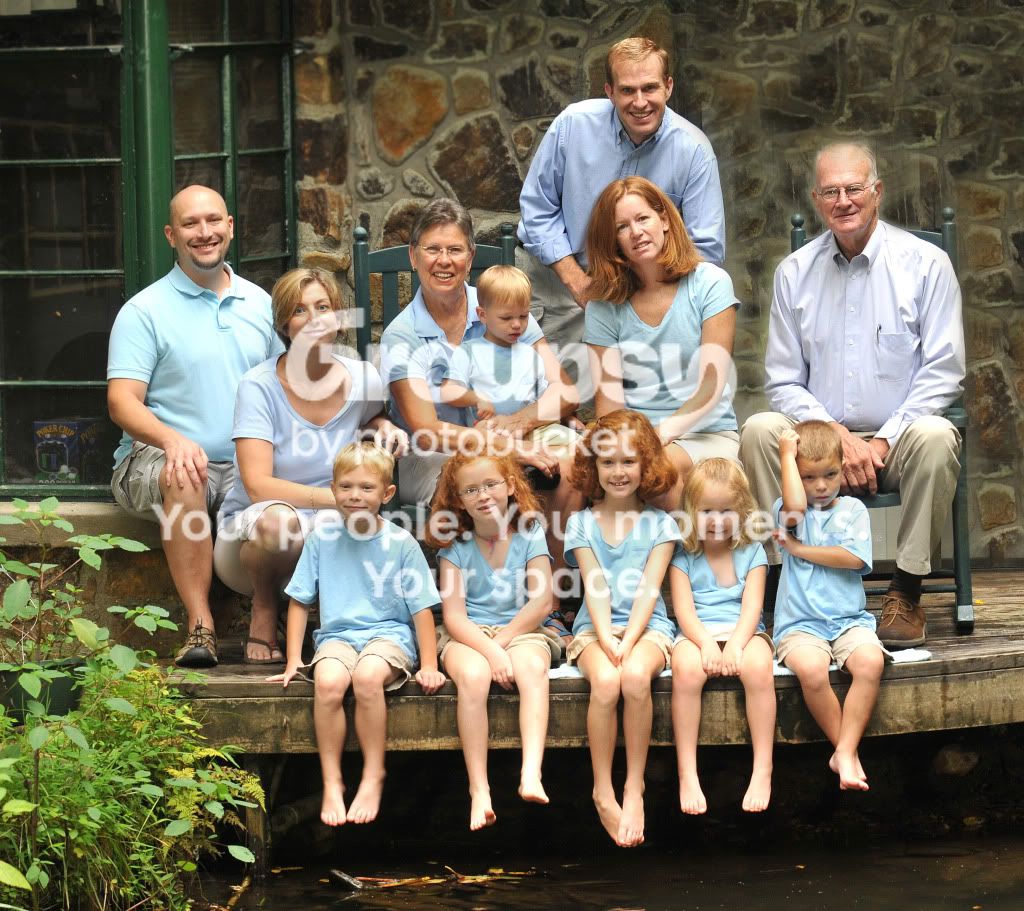
I got some advice earlier today to clone the rock wall to fill in the glass behind this family portrait. This portrait is by no means the greatest in the world, but does this work and make it look any better. I am afraid you can tell where I cloned it really bad???

1. This was the original
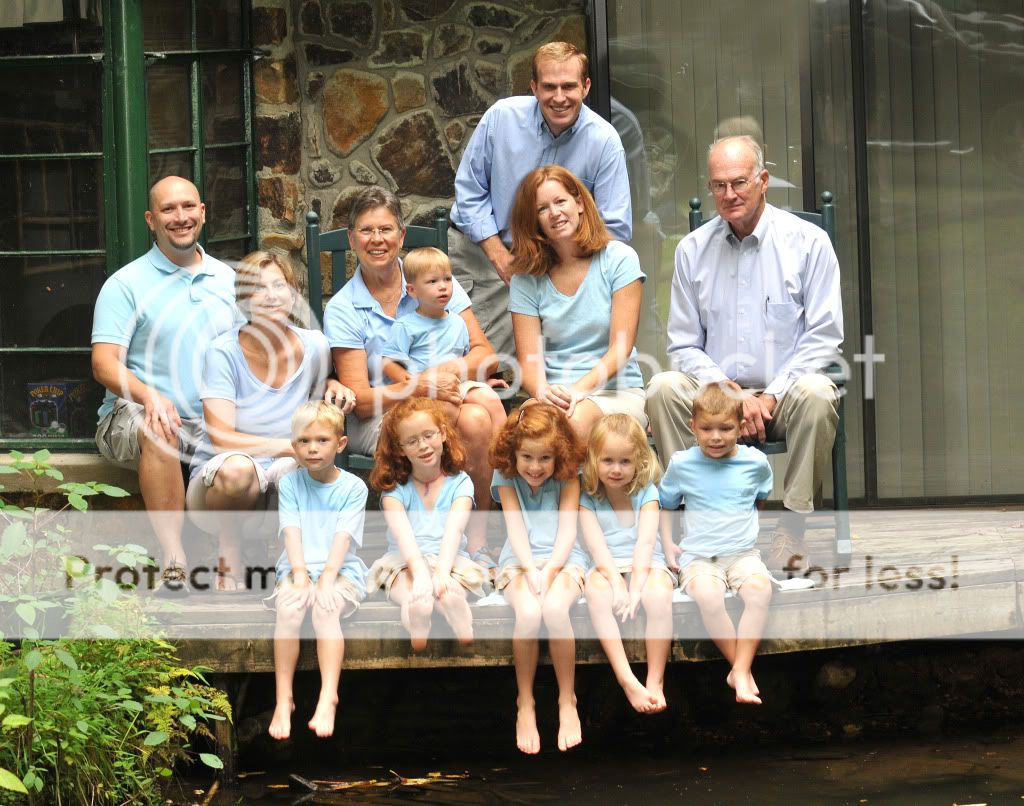
LindsayandBrentWedding010w.jpg


2.
LindsayandBrentWedding009wF2.jpg


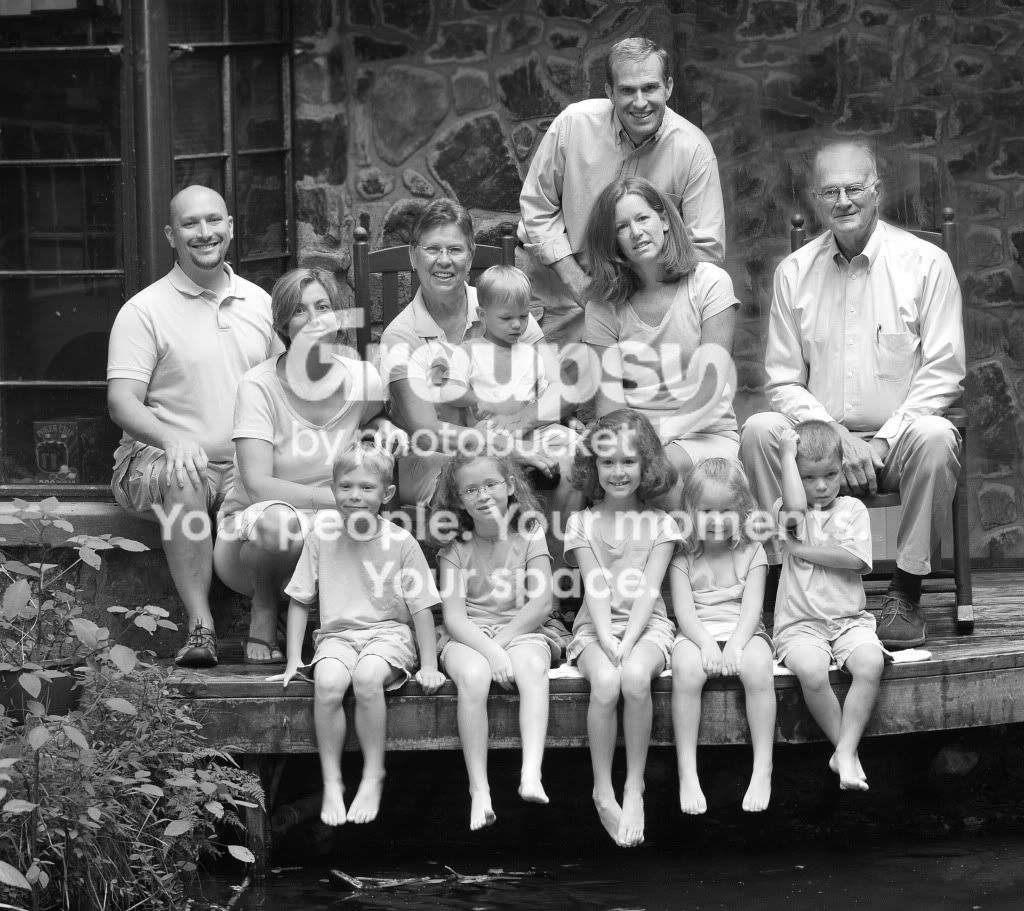
3. Put in black and white
LindsayandBrentWedding009wF3.jpg


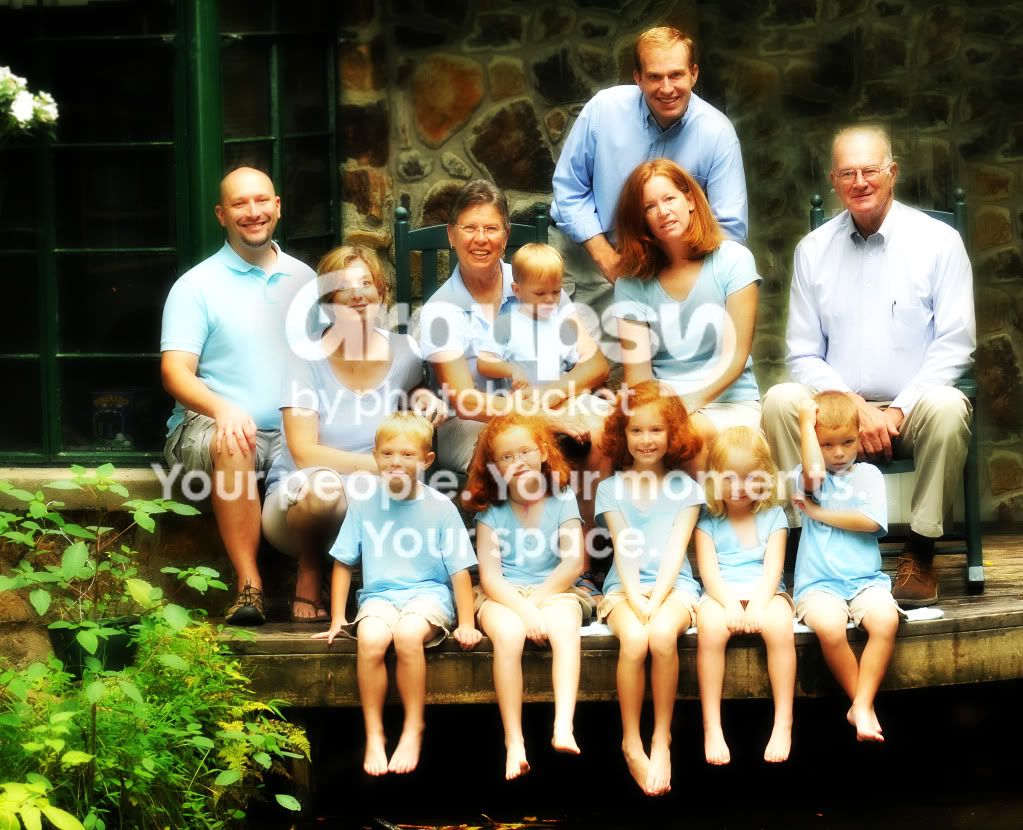
4. A little more photoshop effect
LindsayandBrentWedding009wF1.jpg
 
Yea, it's very obvious. Would it be easier to clone out the reflections?
 
I don't think that original goes with the edits...or you changed the man to looking at the camera and smiling. There seems to be a halo behind his head. I don't know if I would have noticed it as much if I didn't know it was edited. The last one is too overdone for my taste.
 
Next time just choose your background wisely. Really.... stay away from that photoshop effect. Eww.
 
The guy on the right is glowing. So unfortunately yes it's obvious.
 
He kind of looks like a ghost :P

Not sure that you can save it, I think your best bet would be to blur the background :)
 
#4...No.

What Photoshop editing software, and what relase level of it, do you have? Elements 9? CS5?

Are you editing a Raw file, or a JPEG?
 
Yes you can tell. The two biggest problems are

1) Obviously, the masking of the guy to the right needs some work. ( assuming you are using photoshop )

2) you are trying to replace the glass with a patterned rock. You only have a small amount to choose from as your base copy, so any repeating pattern is going to be quite apparent. You need to take the stones one at a time and resize and rotate slightly as to create a new and unique pattern. This is how I would attempt it if I really wanted it to look very real. This will make it easier to line the stones up since you only have to line the gray grout areas as opposed to overlapping rocks of different shapes and colors.

You would need a Hi Res RAW file to really do this well.
 

Create an account or login to comment

You must be a member in order to leave a comment

Create account

Create an account on our community. It's easy!

Log in

Already have an account? Log in here.

New Topics

Back
Top Bottom