

padrepaul77
TPF Noob!
- Joined
- Jan 28, 2009
- Messages
- 155
- Reaction score
- 2
- Location
- Twin Cities, MN
- Can others edit my Photos
- Photos OK to edit
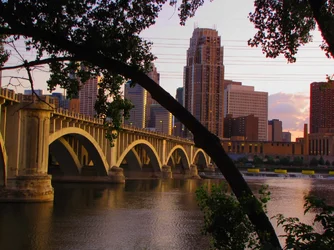
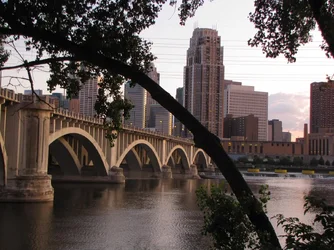
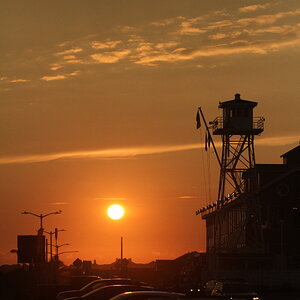
Was toying with the elements and color and hue...makes quite a difference. In general do you find using it to enhance the sky or sunset shots is best? And how high should you go before the color becomes too strong? I guess it's a matter of personal taste. I'm attaching two images; one the one shot with no post-processing; the other with some color adjustment. I definitely like the enhanced color a little more...any suggestions?
Thanks,
Paul
Thanks,
Paul


![[No title]](/data/xfmg/thumbnail/31/31047-a219a8303cd90075f802f2e993dac0ce.jpg?1734159154)

![[No title]](/data/xfmg/thumbnail/34/34343-b06994e286a2089b404358d95c37eaf0.jpg?1734164871)
![[No title]](/data/xfmg/thumbnail/34/34685-17f2466cddc9890af6ca67c65e2e7d5c.jpg?1734165691)