Typically when you save with Web Compression, there is an option to leave Exif intact or remove it. You might check that. Not familiar with PSE, so maybe someone else can answer that question...
Just trying to help!

If you 'save for web' the EXIF are stripped.
Convert to sRGB and save as jpeg will leave exif intact.
Charlie and Lew,
My fault here but, just to be clear with you both, I'm okay with keeping the Exif data intact for now. Someday when I win the lotto maybe I'll be concerned with removing it. Right now I like to leave it in so that others can learn from what I did whether it be right or wrong.
In regards the sharpness.
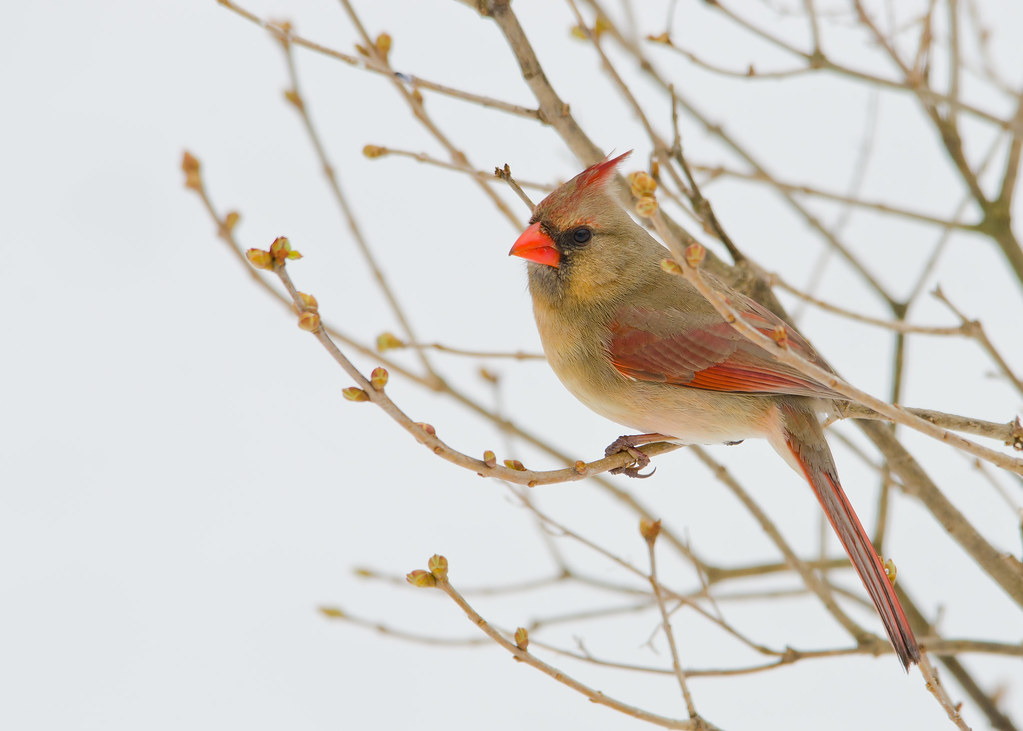
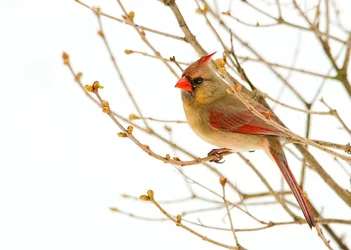
Magnify this until the bird is almost full screen and and it suddenly starts to look terrific and certainly not oversharpened.
I think the oversharp look is a visual phenomenon due to seeing sharp, relatively contrasty body in the midst of a relatively calm, low-key image.
It looks hyper-real and 'too sharp'.
Lew,
I actually did like this image in PSE10 at 100%. It wasn't until I zoomed out to print size in PSE10 that I noticed... something(not even sure how I would describe it). That something is what brought the question to my mind of, can something be over sharpened. It wasn't until I looked at it on flickr that I thought maybe it was just how it was being displayed on PSE10 that was making int look off to me but, by that time I had already opened the can of worms. I'm happy I did bring it up though because I still learned a few important things here.
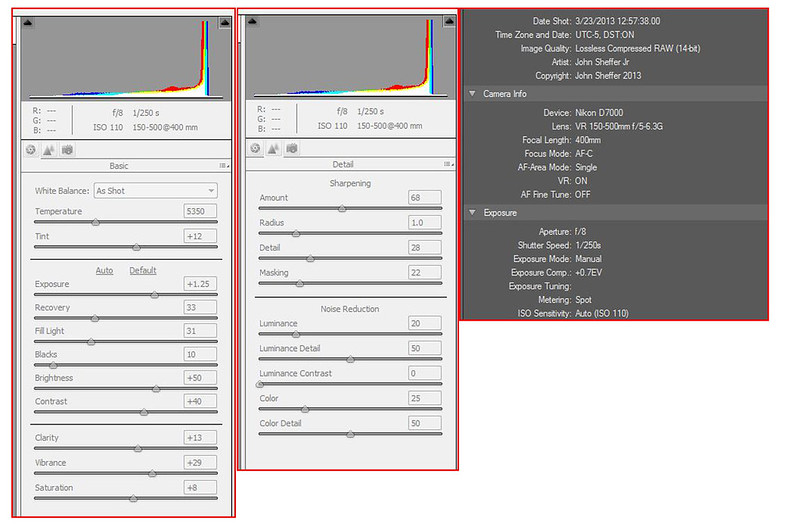
Okay, by your admission you were shooting in manual and with auto iso the camera chose 1/250.
Yet your focal length was 400mm. Tsk, tsk
Don, I'm assuming your throwing this out in jest because of the "Tsk, tsk
". Unless there is something I'm missing. I do know that the shutter speed (which I choose) should be at least the same as the focal distance on the lens but, I was using VR 1 which allows for 4 stops, so I assume that I'm all good here. If I'm wrong let me know. I should also say I know it only prevents camera shake and that it doesn't give me 1/4000 shutter speed (but wouldn't that be cool).
Don't give up on Elements just yet.
Try Enhance > Adjust Lighting > Levels. Click on the eye dropper on the far right and click on the image to set white point.
Or > Enhance > Adjust color > Remove color cast. Same deal with the eye dropper.
Ideally you would adjust the exposure on the raw but until you calibrate your monitor perhaps you could download a color chart with a known white value that you can use as a visual reference ?
By that I mean, place the image somewhere on your screen so you can see it when processing the raw.
Cheers, Don
PSE10 actually does have a raw wb eyedropper. I just failed to use it because... well I guess I have a couple reasons why but, now I'm not sure if I was right so I may have to get back to you on that. It's a great idea to compare something that I know is white to whatever I'm editing. I'm thinking I could probably use the photo that Charlie edited as a resource.
In either case, I have learned quite a bit here and I appreciate you all taking the time to help me improve. :hail:
What I took away today,
I need to pay close attention to the colors making sure that my whites are white. <-- That for me is like the horizons in a landscape photograph. I never thought about it until it was pointed out. Hopefully this will be the same thing for me. After all, I did see in my original photo that the background was a blueish gray. I made the choice to save the photo like that without thinking about it (hopefully not again).
I really need to pick up that Mac so that I can learn/run CS6 and LR4 (which are for mac only and sitting on a shelf here still wrapped in their boxes)






 I'm quickly learning that I really need to get a monitor calibrator and I really now want to get a Mac so that I can run CS6 and LR4 both of which I have still unwrapped in the box.