What's new

Noise

Ptyler22

TPF Noob!
Joined
May 23, 2008
Messages
789
Reaction score
0
Location
Massachusetts
Can others edit my Photos
Photos NOT OK to edit
What's the best way of getting rid of noise using pp without making the whole picture blurry? I would like to be able to make large prints from the pictures, if that makes a difference in your response. If you use photoshop what settings do you have the reduce noise feature set to?
Thanks alot guys, and girls
 
i've heard that gaussian blur helps.. but i dont think it will if your making large prints...because its a blur..
 
i've heard that gaussian blur helps.. but i dont think it will if your making large prints...because its a blur..

Ya, that helps quite a bit actually. Because the picture is a flower, so the background has some noise but not the flower so I can just use the eraser and undo the blur on the flower. Thanks
 
I use mac, but they also have mac software, I'll try it out. Thanks
 
Hey ptyler.

There really isn't a way to get rid of noise without SOME degradation in the image. All algorythms are basically going to smooth out the colors, and that's going to lead to some occasional mis-steps.

If it's actually NOISE (as in unexpected or undesirable variations of color on a pixel by pixel basis) then programs like NeatImage and NoiseNinja are your best bet as they will reduce the noise without the overly destructive effects of things like blur.

Can you post an example of an image you have a problem with and include a 100% crop of it as well?

Thanks!
 
This is the 100%, not a crop though just the whole picture 100%.
http://image65.webshots.com/765/2/57/24/2182257240101958189lGePGb_fs.jpg
http://rides.webshots.com/photo/2182257240101958189lGePGb?vhost=rides
if the first link doesn't work then try this one, and click the picture and then click fullscreen
And this is a reasonable size
IMG_9741.jpg


I don't know what half of this means but this is the FULL EXIF. This was shot at ISO 800 but I didn't think 40d's were supposed to be noisy like that even up to 1600. I noticed even at low ISO like 400 The reds are quite noisy, the 40d can't handle red, do you think it's a problem with my camera or are they all like that?

File Name IMG_9741.JPG
Document Type JPEG Image
File Size 4416252 bytes
Color Model RGB
Depth 8
DPI Height 72
DPI Width 72
Orientation 1
Pixel Height 2592
Pixel Width 3888

Exif Properties

Aperture Value 8.375
Color Space 1
Custom Rendered 0
Date Time Digitized 2008:08:31 03:03:50
Date Time Original 2008:08:31 03:03:50
Exif Version 2.2.1
Exposure Bias Value 0
Exposure Mode 1
Exposure Program 1
Exposure Time 0.004
Flash 16
FlashPix Version 1.0
FNumber 18
Focal Length 105
Focal Plane Resolution Unit 2
Focal Plane X Resolution 4438.356
Focal Plane Y Resolution 4445.969
ISO Speed Ratings 800
Metering Mode 5
Pixel X Dimension 3888
Pixel Y Dimension 2592
Scene Capture Type 0
Shutter Speed Value 8
Sub-second Time 59
Sub-second Time Digitized 59
Sub-second Time Original 59
White Balance 0

GPS Properties

GPS Version 2.2

Canon Maker Notes

AspectRatioInfo 0
Camera Serial Number 1420703008
Continuous Drive 5
Flash Exposure Compensation 0
LensModel EF28-135mm f/3.5-5.6 IS USM

TIFF Properties

Date Time 2008:08:31 03:03:50
Make Canon
Model Canon EOS 40D
Orientation 1
Resolution Unit 2
X Resolution 72
Y Resolution 72

 
Last edited:
whats the mac software yor gonna try out?

The one in the link from the guy below your first post, it's called neat image. I haven't gotten it to work yet, but I'm workin on it.
 
cut out a part that shows the noise and put that up at 100% so we can see. On my monitor, at that size, I don't really see much noise.

I see some camera shake (looks like you should have used a faster exposure, or you may have missed the focus by just a touch) and/or and some areas that are underexposed (and underexposed areas can be a touch noisy even on LOW ISOs)
 
OK, heres the crop, and I lightened the dark areas a bit
IMG_9741crop.jpg
 
Yuppers, that's noisy alright. You can see that its far less so where it is exposed properly, so that's part of your problem, the rest may well be your ISO. It's not really THAT bad given the circumstances. Personally, I wouldn't worry too much about it. I can show you ISO 200 pictures I've taken where I can see slight noise in underexposed areas. Had you taken this from the other side I bet you wouldn't have seen even a tiny bit of noise.
 
OK. that's good. I could have gotten on the other side if I had a press pass. That track must be GREAT if you have a pass. Not so great without.
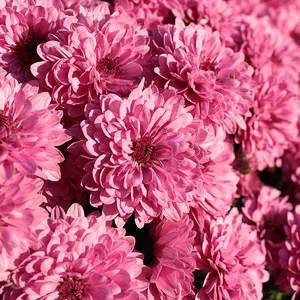
How about this picture, it's not big but, I want to print this big, I worked on the noise in the background out with the gaussan blur and then used the eraser to take it off the flower. Do you think if I printed a 12x18 that I would see the noise in the flower on te print?
DPP07D8090E140801without.png
 
oof, see that looks weird to me. I expect the background to be a bit noisy... btw, that flower pic looks a bit underexposed to me as well.

To be honest, I think you're agonizing over something that few people would notice and even fewer would care about. I have to dash out for a bit, but I'll try to post a pic later to show you an example.
 
Ok, here is one of my shots that I'm rather proud of with some 100% crops of the sky and the windows. You'll see there is noise. These are at ISO200.

peasenoise.jpg
 

Create an account or login to comment

You must be a member in order to leave a comment

Create account

Create an account on our community. It's easy!

Log in

Already have an account? Log in here.

Back
Top Bottom