What's new

Photoshop question

clarinetJWD

The Naked Spammer
Joined
May 11, 2005
Messages
5,787
Reaction score
98
Location
Houston, TX
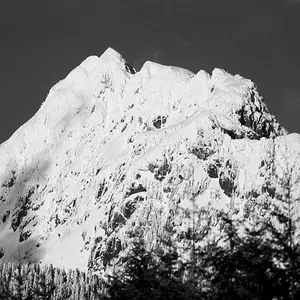
Alright, so I have a black and white background image. What I want to do is create a gradient (or similar) adjustment layer to color the image based on how dark or bright each part is.

i.e. if it's white, it would be colored by one end of the gradient, and black the other, and in between based on the gradient. Please help!
 
I'm pretty good at photoshop but I don't understand your question. :( I get lost where you say "based on how dark or bright each part is." I bet I could help if I got a better feel of it :)
 
OOOOOHHHHH wait I think I get it.

Isn't that just a duotone? You take a B/W image and duotone it with, say, orange and purple (that's your light to dark gradient: orange to purple...what hideous colors, don't use them!) well then you set the dark end of your duotone to purple and the light end to orange. The lighter parts of the photo will be orange and the darker ones purple. And everything in between will be varying orange-ish purplish. ??? Is that what you mean?
 
You may want to look into blending with difference or overlay modes using black or gray layers.
 
PachelbelsCanon350D said:
OOOOOHHHHH wait I think I get it.

Isn't that just a duotone? You take a B/W image and duotone it with, say, orange and purple (that's your light to dark gradient: orange to purple...what hideous colors, don't use them!) well then you set the dark end of your duotone to purple and the light end to orange. The lighter parts of the photo will be orange and the darker ones purple. And everything in between will be varying orange-ish purplish. ??? Is that what you mean?
That's it!
 
Good! Just do that then. Convert the image to b/w. then go to image > image mode: and choose duotone. Then you can pick the colors for your duotone (make sure you select duotone from the drop down menu as I believe it defaults to monotone). To save it and print it and use it for web and all, you need then convert it back to RGB when you are finished.
 
PachelbelsCanon350D said:
Good! Just do that then. Convert the image to b/w. then go to image > image mode: and choose duotone. Then you can pick the colors for your duotone (make sure you select duotone from the drop down menu as I believe it defaults to monotone). To save it and print it and use it for web and all, you need then convert it back to RGB when you are finished.
Thanks a ton. I'll get right on it, I have another IR shot I wanted to do this too ;)
 
Oh, well...I got ti to work, but didn't like how it turned out anyways, so I processed it in a completely different way anyways!
 

Create an account or login to comment

You must be a member in order to leave a comment

Create account

Create an account on our community. It's easy!

Log in

Already have an account? Log in here.

Back
Top Bottom