What's new

Removing / softening a shadow - help please

Jo Fright

TPF Noob!
Joined
Oct 1, 2007
Messages
4
Reaction score
0
Can others edit my Photos
Photos OK to edit
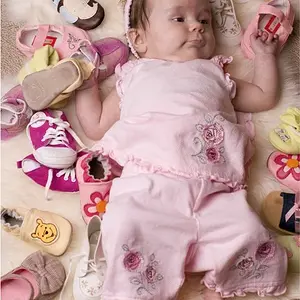
Im trying to remove or soften/blend the shadow on moms face in this picture.
Any suggestions from you CS2 gurus?

Thanks for the help!!

F15mochaweb.jpg


-Jo
 
Use the dodge tool set to midtones.
 
Excellent! Thank you!!
 
Another trick is to use the the history brush set to Screen mode at about 20%.

This lightens but still retains detail.

Just tried that and it did not seem to work on this image - normally use it to lighten eyes.
 
Just taking a break from other things. I didn't spend more than five minutes on this, so it isn't perfect. But one very good method to blend a shadow is to create duplicate layers, try Gaussian blurs and/or motion blurs, create layer masks on the blurred layers, then paint in the blur over the original shadows. Here I used a gaussian blur layer mask and a horizontal motion blur layer mask to smooth out most of the shadow on the cheek. More could be done to make it seem more natural but you get the idea. There is still a faint edge of the shadow but another round of layer masks would smooth it out. Going back with another layer mask of the duplicate image with a tiny amount of the Add Noise plugin could make it all seem quite natural.


F15mochaweb.jpg
 
what an awesome trick. I never would have thought to use the Gaussian or motion blur to soften a shadow like that.
 
Thanks for all of tips!!
 

Create an account or login to comment

You must be a member in order to leave a comment

Create account

Create an account on our community. It's easy!

Log in

Already have an account? Log in here.

New Topics

Back
Top Bottom