What's new

Tried a new method...

Pallycow

TPF Noob!
Joined
Nov 16, 2012
Messages
1,697
Reaction score
520
Location
United States
Can others edit my Photos
Photos OK to edit
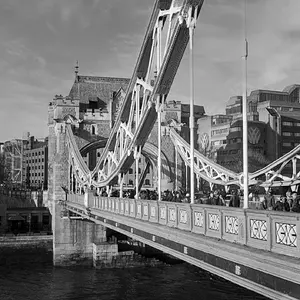
This is not very scenic...but was for practice while I was out today. I compiled this with 19 images stitched together. Kept/locked focal point in center to keep dof on all images the same. It was supposed to be 20 images, 10 on top and 10 on bottom, but I screwed up, lol...so I had to crop in from the right where the missing image was.

There is a lot of ca and I overprocessed a bit on the noise removal...but idc about that for this experiment. full version is pretty neat as the detail of the whole image is pretty awesome when done this way. Now I have the idea I look forward to a cool spot to try it in.

Curious as to comments, suggestions, or thoughts.

8210157238_c810f6091c_o.jpg
 
It could just be the compression method used to resize the image for posting, but I'm seeing a TON of moiré.

I also see a lot of perspective distortion across the entire image.
 
I see what you're going for. Please do not stop practicing this. I can see the concept working and you look like you'll be the one to get it down pat. Thanks for sharing this and cannot wait until you poo your pants from the awesome shots you'll end up getting!
 
Yeah, I'm gonna have to message him after work. I tried all the different automated methods there is in ps and they all had the distortion...so I dunno what to do.

thanks
 
I also been working on this technique after I saw that sparky bought a gigapan. So far I've found that the technique works best with distance because you get nearly unmanageable distortion with wide angles. How far depends on what lens you are using. Second thing I've found is that it's best to correct the distortion in each frame before stitching them together. Thankfully Lightroom can do this automatically, but the more of a correction you have to make the lower the quality. So the best way is to shoot at a focal length that has no distortion. If you have a prime lens, that's the one to use. If not, find where you have no distortion...for example on my 17-55 its right at about 44mm.
 
I cheat. I shoot with a 10mm in portrait orientation.

The trick is to keep the camera level & plumb, with the horizon in the center of the frame. Then crop out what I don't want in post.
 
I was going to use my 50mm prime, and I guess I should have. this lens I used at 24mm has a lot of distortion in its own.

easy spot to get to, and others in the area I can practice with. I was thinking that including the railing right in front of me would lead to a problem as it is just too close to not get some sort of crazy distortion.

I have another spot in mind to try out so i'll post when I get it done next week.
 
I was going to use my 50mm prime, and I guess I should have. this lens I used at 24mm has a lot of distortion in its own.

easy spot to get to, and others in the area I can practice with. I was thinking that including the railing right in front of me would lead to a problem as it is just too close to not get some sort of crazy distortion.

I have another spot in mind to try out so i'll post when I get it done next week.

The curvature of the railing is a result of the extreme FOV in the image, and it's natural it would look like it does in the image. Your brain sees what it remembers to be a straight line (the handrail), and it assumes it is straight. In reality, it IS curved.... and the image bears that out.

The issues I see are twofold:

1. Everything is keystoned.... the buildings are leaning away from the center of the shot. Even the handrails do this. Keeping things vertical in even a 360° pano is easy to correct in post. But if it's a result of the method you use to take the shots, it's better to correct it in the field.
2. Tons of moiré in the buildings. This may simply be the by-product of the algorithm used to resize the image for posting. Hopefully, it's not a result of the stitching software.
 
I'm pretty sure it's the condensing of the file for viewing on here as the original is a massive file. lol.

it seems like you can just grab the middle of the photo and pull down and the buildings will lean back the right way, lol.
 
I'm pretty sure it's the condensing of the file for viewing on here as the original is a massive file. lol.

If that's the cause, I'd say you need to find another method.

it seems like you can just grab the middle of the photo and pull down and the buildings will lean back the right way, lol.

You might be able to, but I can't. That should be done as part of the PP then.
 

Create an account or login to comment

You must be a member in order to leave a comment

Create account

Create an account on our community. It's easy!

Log in

Already have an account? Log in here.

Back
Top Bottom