What's new

A Blue Hue With Mennon White Balance Cap on Lumix G1?

andreiru

TPF Noob!
Joined
Oct 29, 2010
Messages
22
Reaction score
0
Hey.

I was wondering if someone could give me some suggestions on ways of avoiding the 'blue factor' when setting white balance with a white balance filter/cap? I get a blue photograph with my Lumix G1. I do the following: 1. screw the cap on, 2. set zoom to telephoto, 3. point at light and take a snap with the "pre" white balance setting on the Lumix G1 camera. I've experimented a bit and still get a blue photo no matter, so a little baffled by this. Thank you. :thumbup:

~ Andrei Petunin.
 
Shoot RAW (if you can, I don't know lumix well), and then correct your white balance in PP.

Also remember, you need to use the lighting that you plan to be shooting in when you set your white balance. All lights have different temperatures (hues) to them.
 
Post an example, correcting it in post kind of defeats the purpose of using the cap. You sure your screen doesn't have a blue hue to it?
 
Hey, Rancor. Thanks for your reply. I can shoot RAW. I much prefer JPEG though. Have never tried post process anything properly. JPEGs come out very well IMO. Lumix G1 is awesome. I just received the cap so perhaps I ought to experiment more. The blue comes out very strong so far.

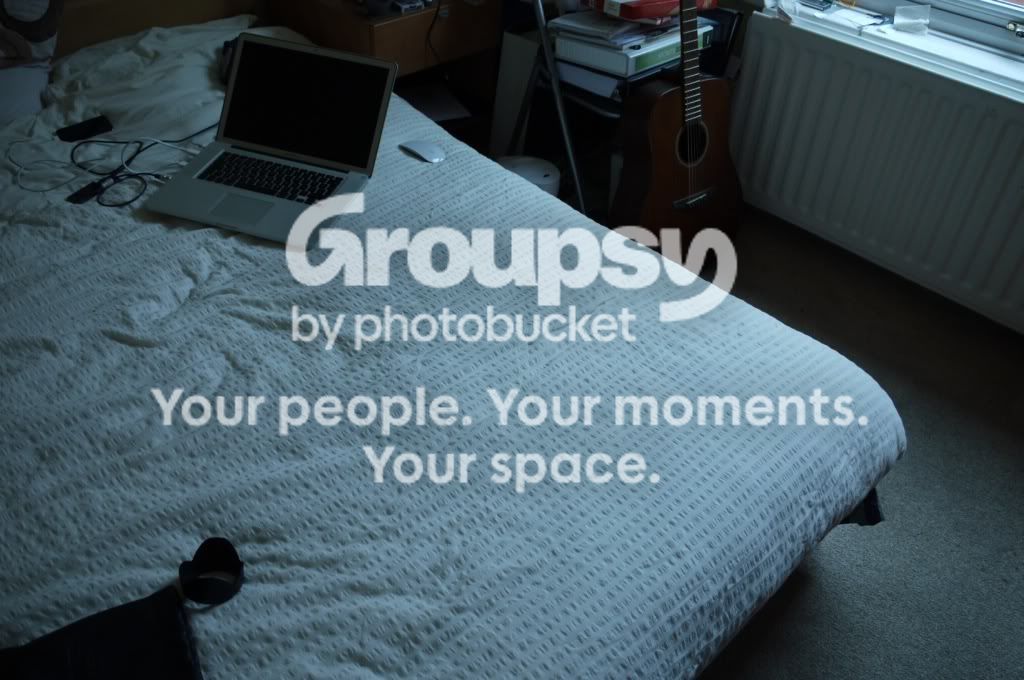
Example attached, Ryan.

P1030991.jpg
 
Do you know the benefits to shooting raw? You could easily fix the WB in that photo if it were in RAW. It may not look as good if you change the WB of a JPEG.
 
There is a reason that JPEGs may look better on your camera, thats because RAW files require PP. The thing is, no JPEG will ever look as good as a properly PPed RAW file. They simply can't.
 
How long does PP take and how easy is it? What programs are there for a MAC, preferably free or cheap/good ones?

I would still like to know what's wrong with my cap. Here's a photo of it.

P1030997.jpg
 
It's very easy, if you learn how to do it. If you have Adobe Lightroom, Adobe photoshop, or Aperture (I think), they all handle RAW files and allow you to adjust the WB of photographs.
 
Okay, the cap is designed to provide a white base to set your custom white balance too, but that custom level is based off of the light you use to create it. If you point your camera at a tungsten bulb (regular light) and then shoot in moon light, your going to get a bluish hue since moonlight is reflected sunlight and it is still passing through earths atmosphere which acts as a natural blue filter, done and done.
 
As a newb, since Tyler isn't, I'd suggest lightroom 3. Its amazingly easy. White balance is as simple as "click the white balance tool, then click any spot in the image that is supposed to be true white or true black, and that's it." It takes anywhere from 5 minutes to a couple of hours to PP an image, depending on how much work it needs and how much effort you want to put into it.
 
Try this one. Put the cap on, point your camera to your subject, shoot, and use that as your custom white balance. Make sure you turned off your AF.
 
Five minutes per image is a lot of time if you've got a hundred or a thousand images that aren't that important. Per lot (say 50) would be okay though I suppose. I am happy with them being 95% right... If the cap won't work, I'll just carry something white around with me. I've heared that white coffee filters do the trick...? I'll download the Lightroom trial and experiment. It's the only one with a trial anyway.

Hey, Stryker, I did try that... Poiting in all directions for the setting stage. It doesn't change much - still comes out very blue. What does the "turn off AF" do? Isn't that for when your camera refuses to snap with a cap on (due to being unable to focus)? Mine snaps fine at both: AF & MF.
 
If you actually have 100-1000 keepers after a day of shooting, your GOOD. Lightroom 3 has a built in rating system. I usually run through all of my shots, say 200, and give the ones that are workable a 1 star. Then I filter so I'm only viewing the 1 star shots, then I go through those and give the ones I like 2 stars, then filter again to only view 2 star shots, then I go through a third and final time and give the shots I love 3 stars. Then I PP the 3 star shots. Its usually about 10-20 out of 200.

Yes, good photos take time and effort. If your going to spend 8 hours shooting, whats 1 more to make your shots look the best they can.

There are tons of lightroom tutorials on youtube, just start watching.
 
Wow, PP is amazing. With no experience I've managed drastically improve a JPEG image. Much sharper, better colours. Super-sharp, actually. Speechless. I'd love to see these results straight out. PP is rather good, if not great, for difficult images - under artificial lighting in particular. Perhaps I can improve upon my photography now that I know pre-set white balance is better. Thank you very much, guys.
 

Create an account or login to comment

You must be a member in order to leave a comment

Create account

Create an account on our community. It's easy!

Log in

Already have an account? Log in here.

Back
Top Bottom