What's new

a dumb question about ordering photos in different sizes

Joined
Aug 7, 2011
Messages
740
Reaction score
84
Location
South Range, WI
Can others edit my Photos
Photos OK to edit
So I know the only dumb question is the one that is not asked so I'm going to ask b/c I kinda have a clue to the answer but wanna hear what yal have to say...

When ordering prints (I use mpix.com) each picture is different when it comes to the sizes that I can order. I really wanted to order this picture of my sisters puppy blown up in at least an 8x11 but this biggest I could go was a 5x7. Why is that? Some pictures I can order up to 16x24. I figure it is b/c of the actually quality of the picture? If I zoom in'd a lot then I would have lost quality which mpix just figures to not offer in bigger size because it wont come out nice? Well if thats the case these pics of the puppy were barely cropped so I'm just confused.

Here are the pictures I wanted to order feel free to CC also :)

Number 1

IMG_2503 by Rebecca Andresen Photography, on Flickr
1/1000, f5.0, iso 1600


Number 2

IMG_2495 by Rebecca Andresen Photography, on Flickr
same as first

Thanks!
 
Rebecca, I would first check the file size. That is the only reason that I'm aware of for limiting print size. Maybe when you cropped it you accidentally saved it at a low resolution. I've done that myself before. I'm assuming your files are normally large enough to print at 8X11.
 
I would say you did something wrong when you exported. Not sure if the files on your Flikr are the same ones you were sending in for print, but the ones on your Flikr are small, so the images have either been cropped like crazy, or you've exported incorrectly.
 
WHY are you shooting at 1600 ISO outdoors on what looks like a nice day? You don't need a shutter speed of 1000 for a puppy....

That high of an ISO will give you photos that may not be enlargeable (not with any quality at least) , at least not like 100 or 200 ISO would be. Always use the lowest ISO that you can.. based on the other settings you want to use.
 
Last edited:
I really wanted to order this picture of my sisters puppy blown up in at least an 8x11 but this biggest I could go was a 5x7. Why is that?
Because neither photo has enough pixels.

It depends on the pixel dimensions of your photo, and the aspect ratio of the rectangle (print) you want.

The top photo you posted is on Flickr at 667 x 1000 pixels. Mpix's lowest allowable PPI (pixels-per-inch) is 100 PPI.

Lets do some basic math: 667 pixels divided by 100 PPI = 6.76 inches (the pixels cancel out leaving only the inches) - 1000 pixels divided by 100 PPI = 10 inches

That maximum size that photo can be printed at is 6.67 inches x 10 inches. The photo has a 3:2 aspect ratio, which is the aspect ratio most DSLR cameras make.

To print it at 16x20 we do the math again but use some basic algebra to solve for the PPI rather than the inches. So - 1000 pixels divided by 16 inches = 62.5 PPI which is less thyan Mpix's minimum of 100 PPI.

To print a 16x24 at Mpix your photo has to have at least 1600 x 2400 pixels to meet the minimum of 100 PPI. The more pixels you have, the better.

The bottom photo is in Flickr at 1000 x 667 pixels. The convention is to always state the width first. So assuming having enough pixels, the second would be a horizontal 24 x 16 and the top one would be a vertical 8x12 .

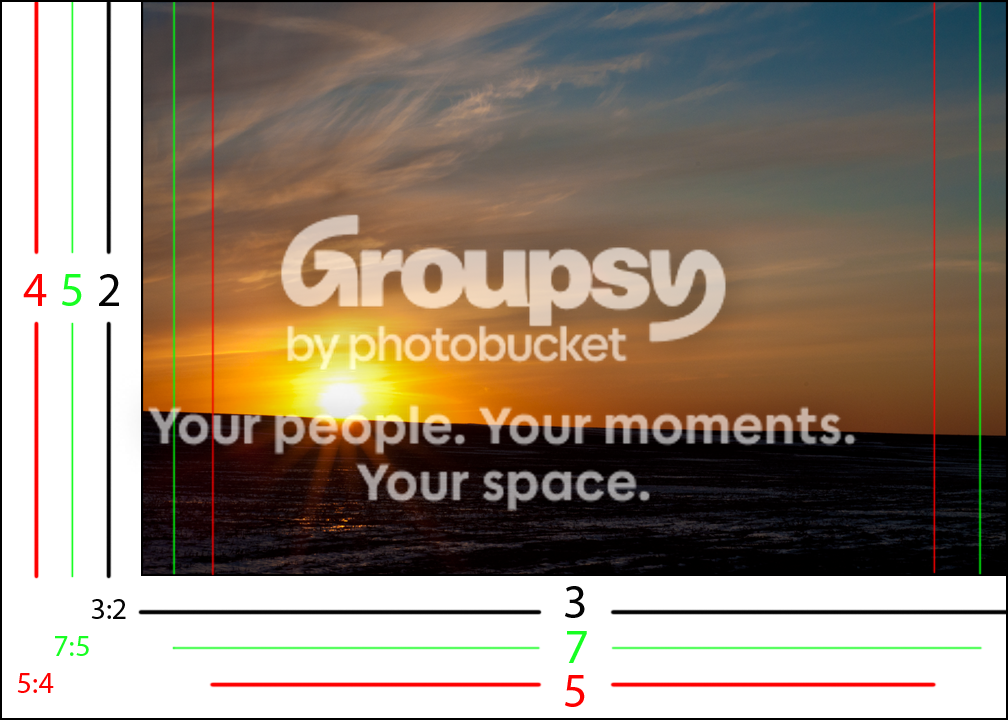
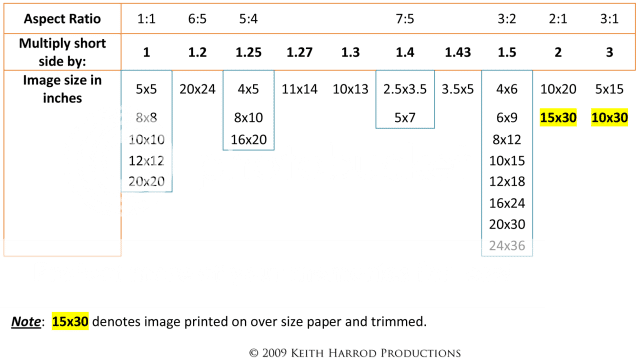
To print that photo as a 5x7 (7:5 aspect ratio) or and 8x10 (5:4 aspect ratio) it would have to be cropped, because those rectangles have a different shape than the 3:2 has.

AspectRatio.png


AspectRatioChartv2.png
 
Last edited:
Thanks for all the great info KmH I went back into my library to see what the originals data was. I always save a copy of the pic dunno why but I do so I still have the original to work with. The originals data are: 5184x3456. I had edited my photo in lightroom so like someone else had mentioned it is how i'm exporting them b/c I went and resized them and I'm able to order all sizes again :)

I also just checked my exporting feature and I had the box checked for resizing. and the data there said no larger then 1000x1000 so that def was more my problem :)

Thanks for the replies guys :)
 
Just to add something...when you are exporting for images meant to be viewed on the web, you are best to stick to something smaller than 1000 pixels (and less than 100PPI). You should probably also set the compression/quality slider down a few notches. It will drastically reduce the file size, but the file won't look at different.

When you are exporting for printing, you will want a larger image. The rule of thumb is that you want 300 pixels per linear inch of print, so a 5x7 would need 1500x2100, but Mpix will accept files as low as 100 pixels per inch.

Now, because you're using Lightroom, you can save your export settings as a Preset. So put in all the setting for a web export, then save it. Do the same for a print export. Next time, you just have to choose the preset and you're ready to go.
 
Thanks Big Mike! I've never used export preset before! Will do from now on will make life easier :) You know what else I also just noticed is picnik kills ur pixels too! One of those puppy pics I had cloned out a leash. Well I looked at my data before and after I lost about 2000 pixels from there. I dont like the clone tool in lightroom i like the one in cs5 better or picknik. How you can just slide over it I hate all the bubbles in lightroom and feel like they dont come out that well when I do use that tool. So on my day off today I am installing cs5 onto the laptop :) so I wont lose pixels :) Thanks for the advice :)
 
...when you are exporting for images meant to be viewed on the web....(and less than 100PPI).
Why Mike?

How does the PPI effect the web displayed photo?

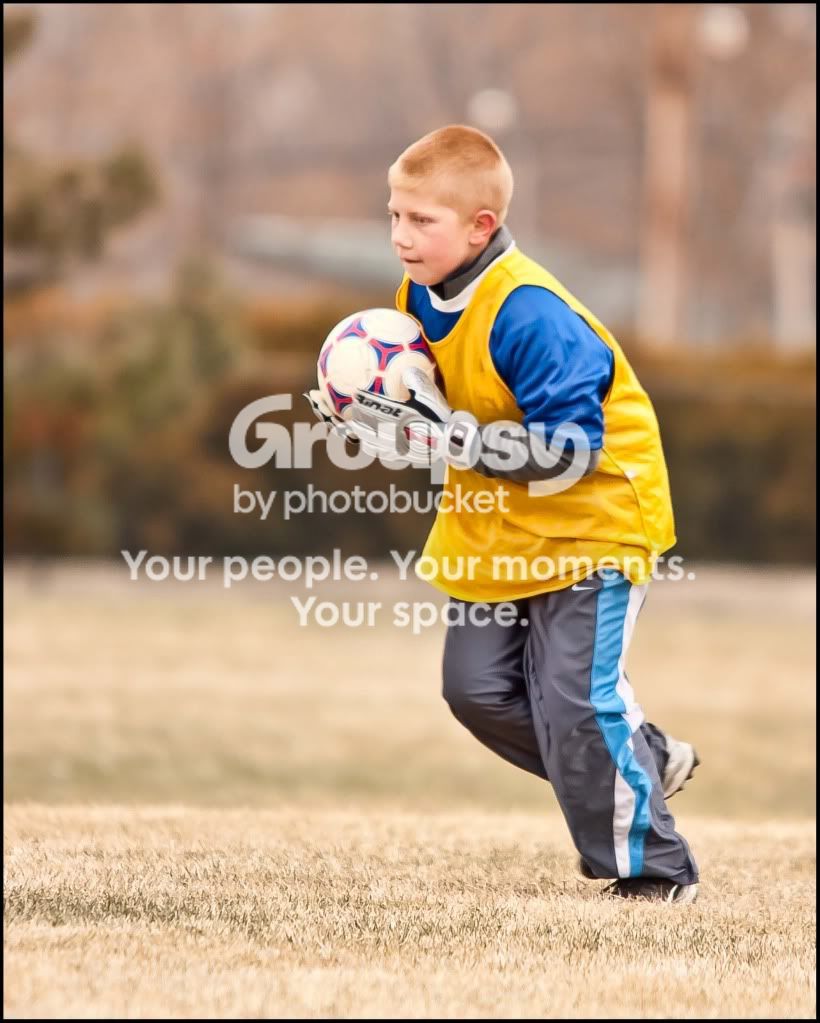
Here are 2 versions of the same photo (2155 x 2689 pixels). The only difference between the 2 is 1st was set to 10 PPI and the other was set to 500 PPI:

Ysoccer10ppi3editCopy.jpg


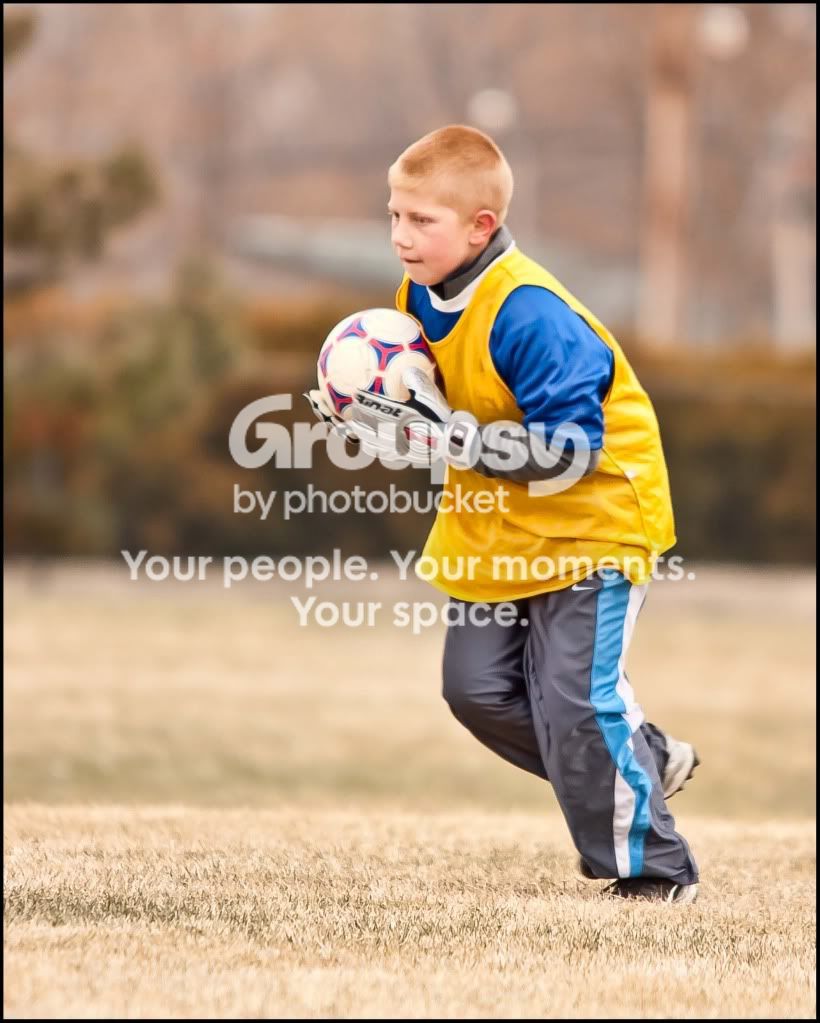
500 PPI:

Ysoccer500ppi3editCopy.jpg
 
I was under the impression that a browser would take into account the PPI for viewing size....I guess not.

b.t.w.....Dimensions: 820px × 1,023px (scaled to 800px × 998px)
 
Thanks for all the great info KmH I went back into my library to see what the originals data was. I always save a copy of the pic dunno why but I do so I still have the original to work with. The originals data are: 5184x3456. I had edited my photo in lightroom so like someone else had mentioned it is how i'm exporting them b/c I went and resized them and I'm able to order all sizes again :)

I also just checked my exporting feature and I had the box checked for resizing. and the data there said no larger then 1000x1000 so that def was more my problem :)

Thanks for the replies guys :)


Also check ISO on camera before every shoot :sexywink:
 

Create an account or login to comment

You must be a member in order to leave a comment

Create account

Create an account on our community. It's easy!

Log in

Already have an account? Log in here.

Back
Top Bottom