Well. First of all, I said the histograms will be similar, not the same, and for the sake of this discussion they are going to be close enough.
Second, it's not about what I can display, it's about useable detail in post production. So while I certainly cannot print or display the entire AdobeRGB gamut, I can use that information to fit the image into another gamut which I can print or display. If my entire red channel is blown to bits, and my green and blue channels are vastly under exposed, I cannot use information from any of those channels to make useable information about the subject when going to a specific device, you'll loose all subtlety in tone and color that is there.
No detail is no detail, period. Sure it might look great, but it is overexposed within that channel. If I want this effect I can always remove the detail from the other channels; it's much harder to put it back in. And this is why I use AdobeRGB, not because it looks pretty, not even because I can print, display or capture the entire AdobeRGB gamut. Rather because it covers a greater color space than my camera's native gamut. Using adobe RGB I know that if a channel clips it's beyond the physical capabilities of my camera, and not the theoretical capabilities of my workflow.
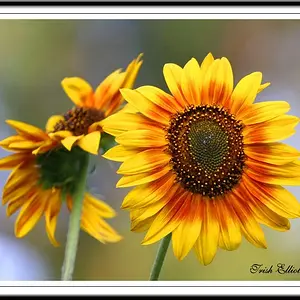
As a result, in practice I hardly ever run into this situation except when shooting a scene where the brightest feature is not white. Because I am a firm believer in exposing to the right, i'll meter off this bright feature and stop up as far as I can. Even if one or two channels clip, because I've already exposed at the outer limits of my camera's latitude, I can still decrease exposure and still be within, and usually beyond, the appropriate zone.
If you approach exposure, raw data and your working profile as WYSIWYG, then you're under utilizing your camera's abilities.
---
Overread - When you drop the exposure level in post, do you regain detail? If so, you could also try dragging the color temperature to a higher value (cooler color/away from yellow) and placing the imposed version on luminance mode, this will provide detail from the other channels without significantly cutting the overall brightness of the yellows.
If you are getting useable information then you aren't actually clipping in exposure, otherwise decreasing exposure in the RAW processor will not have any effect, but rather pushing the channel beyond the working gamut.



![[No title]](/data/xfmg/thumbnail/42/42329-331b54ea6493a8cdd21d8e624fe97e85.jpg?1734176827)