What's new

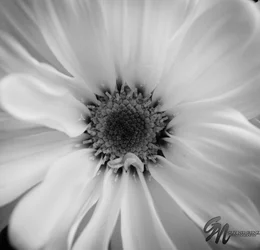
B&W Daisies

G2Photo

TPF Noob!
Joined
Jun 26, 2014
Messages
61
Reaction score
10
Can others edit my Photos
Photos NOT OK to edit
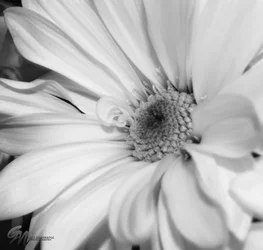
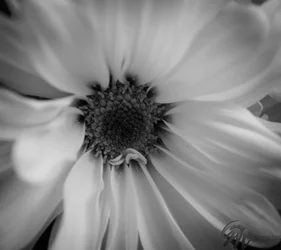
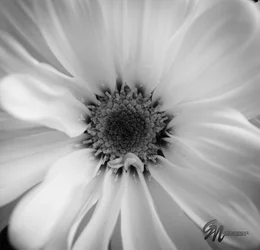
Just some pictures from a bouquet I bought my wife for our anniversary.
$daisy1cstamp (1 of 1).webp$daisy3cstamp (1 of 1).webp$daisy8cstamp (1 of 1).webp
 
#3 for me, just fix those petals on the left (on my crappy screen they look blown out, but even if they're not blown out, they're too bright comparing to others and therefore eyes going straight there)
 
Thanks, there was something bothering me about that photo and you nailed in I wanted the petals blurred in that photo with the main focus on the center, but you are correct about the petals in the lower left.
 
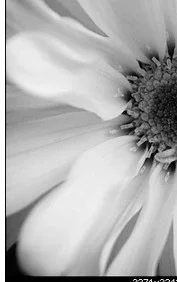
I'm thinking about this part of the photo, to be clear enough, it's not just "lower part"

$Screenshot_1.webp
 
You were completely right. :D Here it is with the edit. My eyes seem to be drawn more to the center of the photo now. Let me know what you think.
$daisy8cstamp (1 of 1).webp
 
I would go just a bit further, I mean, I would tone it down just a bit more because it's still the brightest part of the photo

Use info panel, measure approximate values that are in the rest of the picture and compare with that brightest part and adjust accordingly

 
For my taste, all are very good, but my favorite is #1. It looks as though you could melt into the petals.
 
Thank you!
 
I think like mimi54, the first is my favourite. I think the angle to take the picture make it more volume.
 
Thanks!
 

Create an account or login to comment

You must be a member in order to leave a comment

Create account

Create an account on our community. It's easy!

Log in

Already have an account? Log in here.

Back
Top Bottom