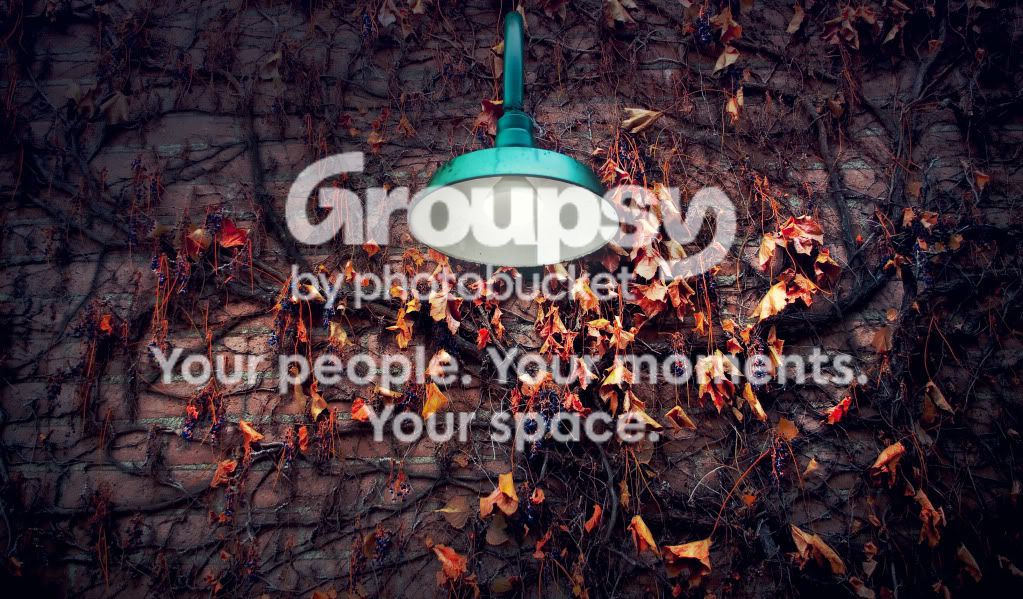
Excellent processing.
Do you care to share how you did it?
Took a nice photo and made it into a wow photo IMO.
Thanks for the feedback

As far as steps taken I will do my best to describe it.
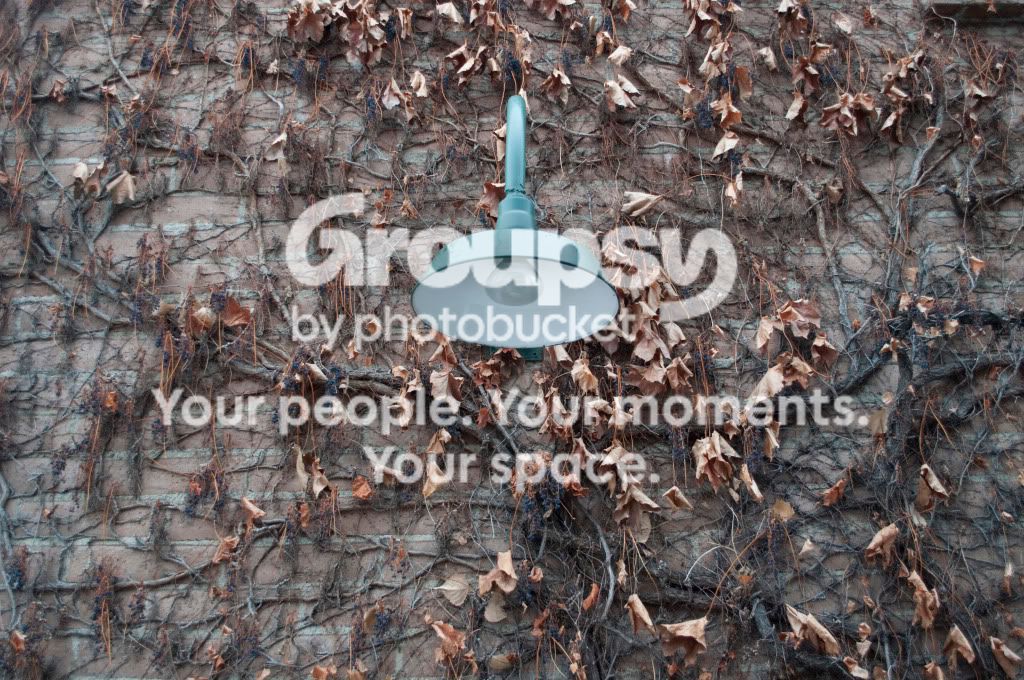
1. I imported the RAW file into Lightroom2 and adjusted levels such as Exposure, Clarity, Saturation, Blacks, etc. I also added vignetting to darken the corners up.
2. Then I imported that file into Photoshop CS4 where I created a blue gradient on the upper half to make it look more like night time.
3. I used the "Outer Glow" and "Inner Glow" fx options to help make the light bulb look lit.
4. I used the dodge and burn tools to make the vines look more prominent
5. Then I added 3 adjustment layers. "Color Balance" (used to help tone the photo with the colors I wanted. "Curves" (used to manipulate the overall color information of the shot. This is a good adjustment layer to experiment with), and then "Brightness & Contrast".
5. Finally I added a blue box that covered the entire image, I dropped the opacity to 10% and changed the blending option to exclusion. This helped create the nighttime feel as well.
I hope that was helpful. The shot still needs a bit of work, but I'm pleased with the transformation thus far.




![[No title]](/data/xfmg/thumbnail/38/38263-ad5e4c9e677626ddb5b1e7cdf9ebe40e.jpg?1734172152)