What's new

C & C First Moon Shot

PBSNature

TPF Noob!
Joined
Nov 13, 2011
Messages
13
Reaction score
1
Location
Chuluota, Florida
Can others edit my Photos
Photos OK to edit
Hi all. I am new to the forum and photography in general. I took this picture of the moon with my cheaper non DSLR camera. I was using a 6mp Canon PowerShot S3 IS with a Tiffen 58mm Enhancement filter and a lens hood. I was on a tri-pod zoomed in at 48x (12x Optical and 4x Digital). I was shooting in manual mode at ISO 100, Fstop at 8.0, Manual focus, and Shutter Speed at 1/50s. I also had it set to black and white for color mode. I know some people I have talked to set their camera at ISO 200 with fstop at 8.0 and Shutter Speed at 1/250th but for some reason my camera just doesn't take shots that well in this setting. Now I used CHDK on my camera to allow me to shoot with Raw files as well so that I can edit them in Photoshop CS5. I did tweak the luminosity settings a little and the curve settings a tad to kinda darken up the valley's and such that you see. Anyways I just want to know what I could do differently besides getting a nicer camera (Really want a Canon DSLR). Also I checked the live histogram as I shot this and the exposure of the shot fell well within the White and Black range without jumping off the chart. (Still learning how to read them but my basic understanding is keep the lines in between without going out and exposure will turn out fine for most pics). Alright I think that's enough info for one post lol. I look forward to what you guys think. Thanks for helping a new guy like me out :)

Post Processing done to the picture. I could probably have centered it better with the crop.
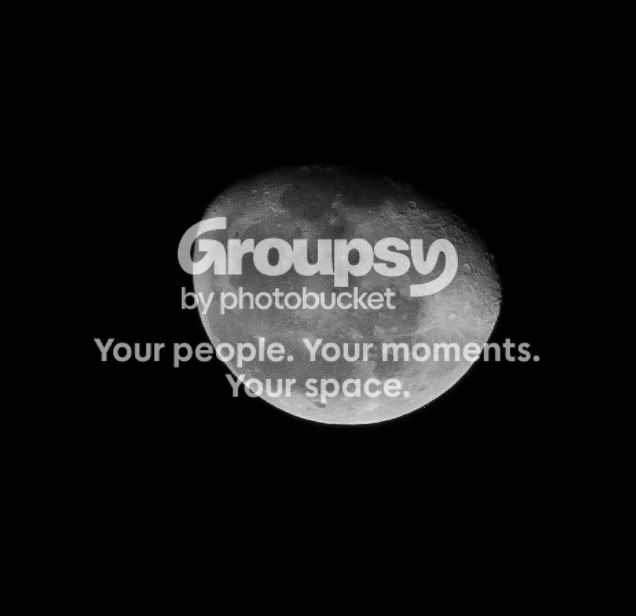
Moon1_2.jpg


I decided to add the before shot as well. This is straight from my camera no editing done to it. Just compressed into jpeg by canon. I also have a .raw version of this as well thanks to CHDK.
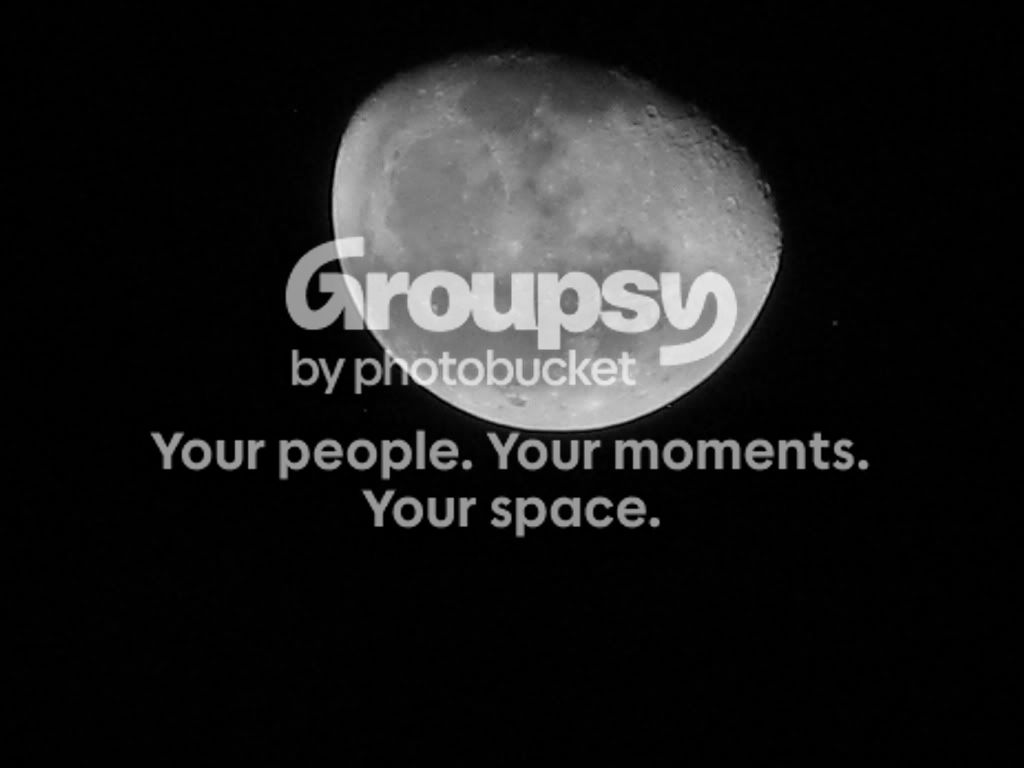
IMG_6117.jpg
 
Last edited:
Really not bad. You may gain some little extra detail if you do b/w conversion with green filter (since you have the RAW, you may do it in pp).
 
I will go give that a shot right now! Thanks for the advice.

Ok here is the same shot with the color channels set to Monochrome with red and blue both at 0% and green at 100%. I believe this is what you were saying. I messed with the green numbers some adding and subtracting but too much green brightened the bottom of the moon making it looked washed out and I had to compensate by lowering the red channel down to darken it. So 100% with the others at 0 seemed to be the best compromise.

Moon_B-W_Green.jpg
 
Last edited:
Those came out pretty good, the real question is how good do they look printed 5x7 to maybe an 8x10?

Next time try it without using the in camera digital zoom. You should see better results cropping in post production that letting the camera do things. Not sure what the enhance filter did for you either, next time try a few without it to see the difference, that may have been why your exposure settings worked at a lower shutter speed since that cuts a little light. Since the moon is a moving target you want to try and keep the shutter speed up a bit more than the 1/50 you were at to keep things their sharpest. The settings the other person told you about look to be for a full moon, which basically is full sunlit. Even the tiniest bit of the moon in shadow causes a lot of light drop off, to your eye it may not seem like it since it's still looking so bright in the dark sky, but on the camera it really shows.
 
Thanks for the reply Tony. I will give it a shot tomorrow night without the filter or digital zoom. Hopefully if all goes well I get an even clearer image. Those settings were for a full moon which is what I was shooting a few nights ago when researching the best settings. Like I said I am new to photography so messing with the settings is still something I am getting used to and frequently google other people's settings to get an idea of whats going on and how they affect the picture. As far as printing, I can print out a 5x7 later and see how it comes out. I don't have photo paper as large as 8x10 atm but I would assume that the larger print size quality will drop off. I will give your suggestions a try though as I love experimenting with new and fun ways to take a photo and if it increases the detail post production I will be a very happy camper as I am trying to squeeze out as much as I can with what I have to work with. Thanks again so much for the tips!


Also I have been looking at getting a telephoto lens maybe like a 3.5x for shots like this. Would that impair quality without using the digital zoom and just having it set at 12x optical with the 3.5x telephoto lens?
 
Last edited:

Create an account or login to comment

You must be a member in order to leave a comment

Create account

Create an account on our community. It's easy!

Log in

Already have an account? Log in here.

New Topics

Back
Top Bottom