What's new

C&C Jewelry Photos

margosoriginals

TPF Noob!
Joined
Aug 20, 2011
Messages
117
Reaction score
12
Location
Ohio
Can others edit my Photos
Photos OK to edit
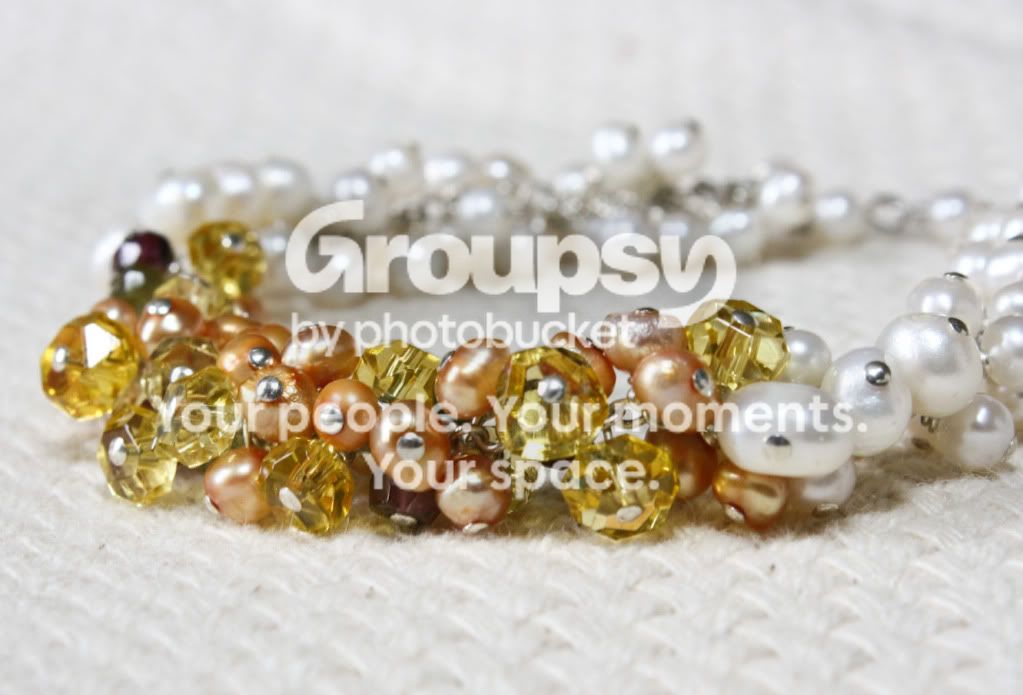
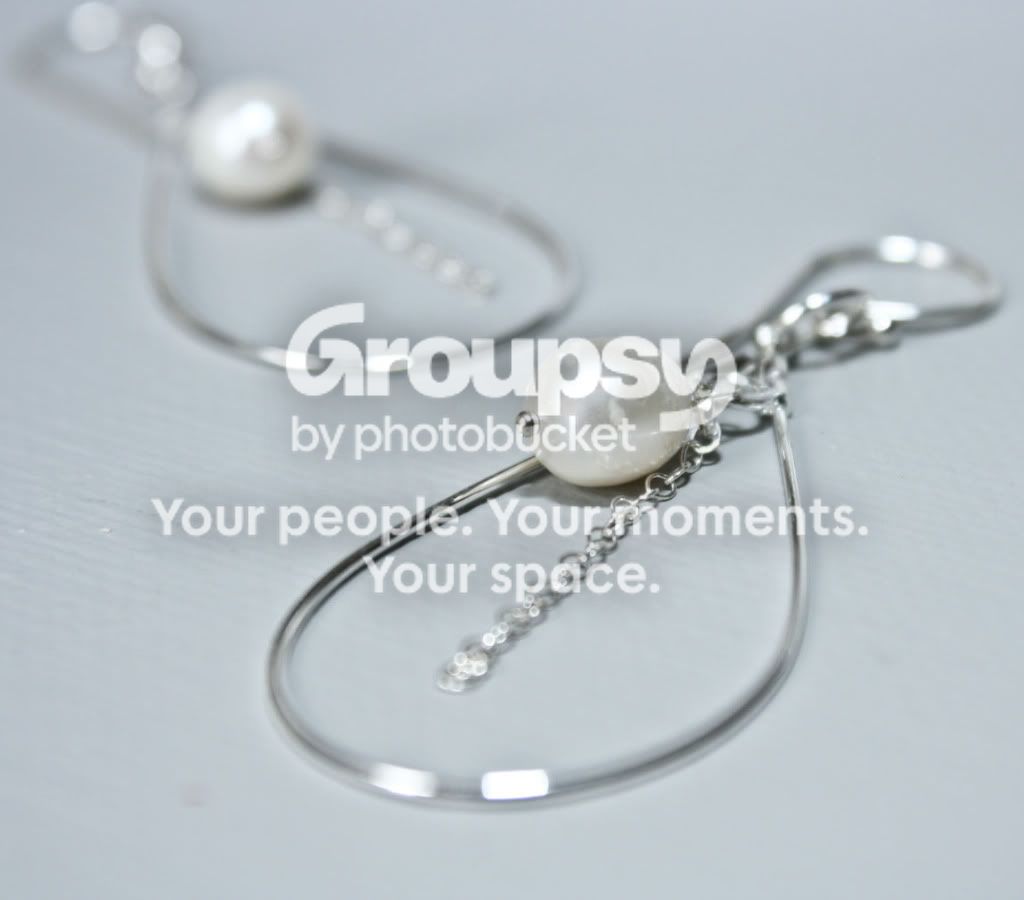
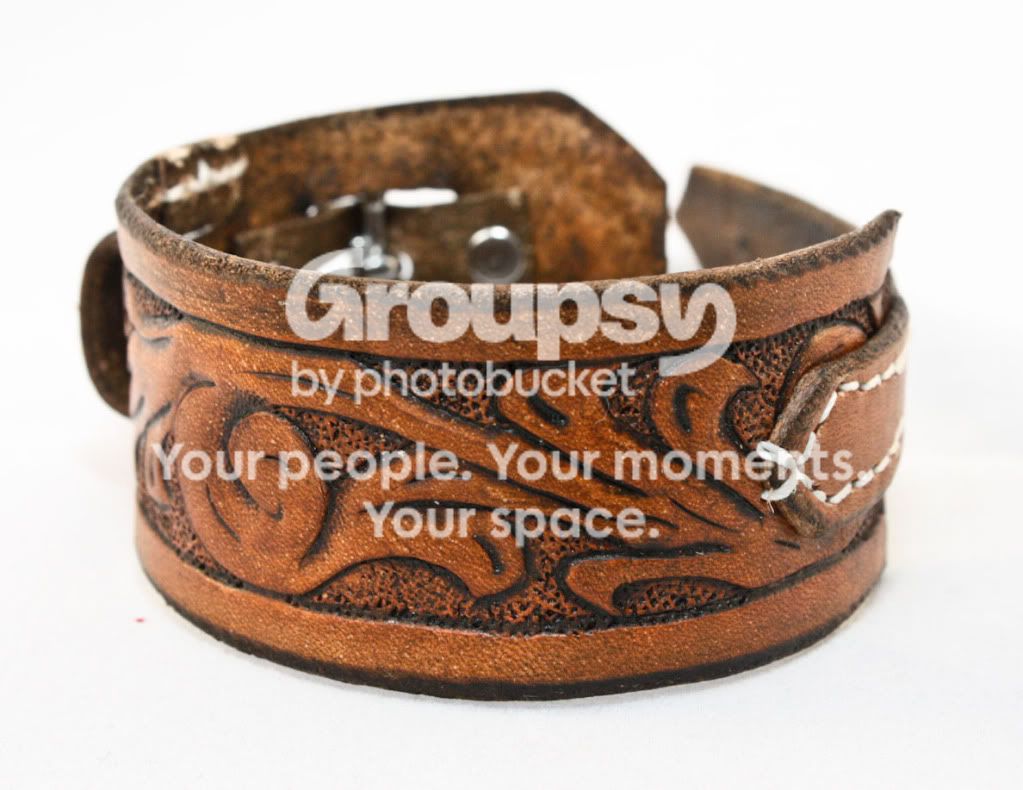
I sell my jewelry on Etsy. The product photography of successful sellers tends to be a little on the artistic side, while still conveying details of the product. The first 2 are of my pieces, the 3rd is a friend's handmade leather bracelet that I agreed to photograph for her. Love to hear your C&C on these!
355.jpg

067.jpg

154c.jpg
 
I don't do the "Etsy Artsy Barnwood" style product shots, but you definitely need more DoF on the first two images. Personally I think it's ok to have some blur, but I let it fall on the unimportant parts of a piece. For the first two, I think it's important to see all of the piece. Definitely for the earrings.

The pearl on the earring looks damaged or flawed to me. That's the first thing I saw.


Try focus stacking. It's really easy to do. You just start focusing on the front, and keep turning your focus ring a tiny bit, slightly overlapping the DoF, until you got images of every part in focus. Then you run it through some software, which name escapes me, and it will auto align the stack. Live view is über helpful for focus stacking.


Here's how I am shooting...http://www.thephotoforum.com/forum/general-gallery/260145-recent-products.html?highlight=
 
Thanks bitter, wow- beautiful stuff! I see what you mean for the DOF on the first two. I kind of liked the 2nd one, I don't know why. Luckily we can have up to 5 pictures on a listing, so I do have ones of the bracelet that are completely in focus. I have never tried focus stacking, can you do that in photoshop? I have CS5. Thanks for the tips, and I love your jewelry! You're definitely at a more advanced level than I (regarding jewelry and photography lol).
 
Thanks Margo!

You can't automatically focus stack in Photoshop. There is another bit of software that does. Ask Overread. I don't have it handy at the moment.
You could do it in Photoshop, but you will manually line up your layers and then mask them off. Too time consuming.

The earing is a product, and you can't look at it as an artsy photo. I know it's an earring, but I can't see how it works, that bit is all blurred. There isn't enough information for me as a consumer to completely understand this earring. I mean, be artsy with your background, but the viewer must be able to understand the product. Like I said earlier, with my work, and rings in particular, I try to get all the important detail work in focus, but the plain bottom of the ring shank doesn't matter too much so it can blur. The viewer should get lost in the detail of the work and understand it's a ring. Your earring image doesn't show the mechanics of the earring. Very important!

The first pic, there is less importance of the back end. One can assume, and get enough info that the back is more of the same as the front. The problem with that product shot, for me, is that I can't readily tell it's a bracelet or necklace. Granted, your description would tell me. Just some food for thought.

 
The earing is a product, and you can't look at it as an artsy photo.

That makes perfect sense, thanks for your input! When you shoot with black backgrounds, what kind of lighting do you use? I love the way it looks, but have never been able to achieve that effect. When I try it (particularly with silver) it will turn out looking gold or copper, or otherwise be completely blown out. I've tried adjusting my white balance, but that only goes so far to correct the colors.
 
I tried to describe in detail my set up...next time I take pics, I will try to remember to take a pic of the set up.

Here's the post: http://www.thephotoforum.com/forum/general-gallery/260145-recent-products-2.html#post2374973

Getting metal color correct can be tricky, with two toned items being the worst.
I dunno if I am just not doing it quite right in camera, but for two toned items (yellow and white) I have to do some post work and mask off either color, and either boost the yellow/red/orange saturation for yellow gold, and/or desaturate the yellow in the white gold parts.
 

Create an account or login to comment

You must be a member in order to leave a comment

Create account

Create an account on our community. It's easy!

Log in

Already have an account? Log in here.

Back
Top Bottom