What's new

Cliche Flower Shots!

Glycerol Sound

TPF Noob!
Joined
May 22, 2010
Messages
177
Reaction score
6
Can others edit my Photos
Photos OK to edit
4744576444_4c6466d72e_b.jpg

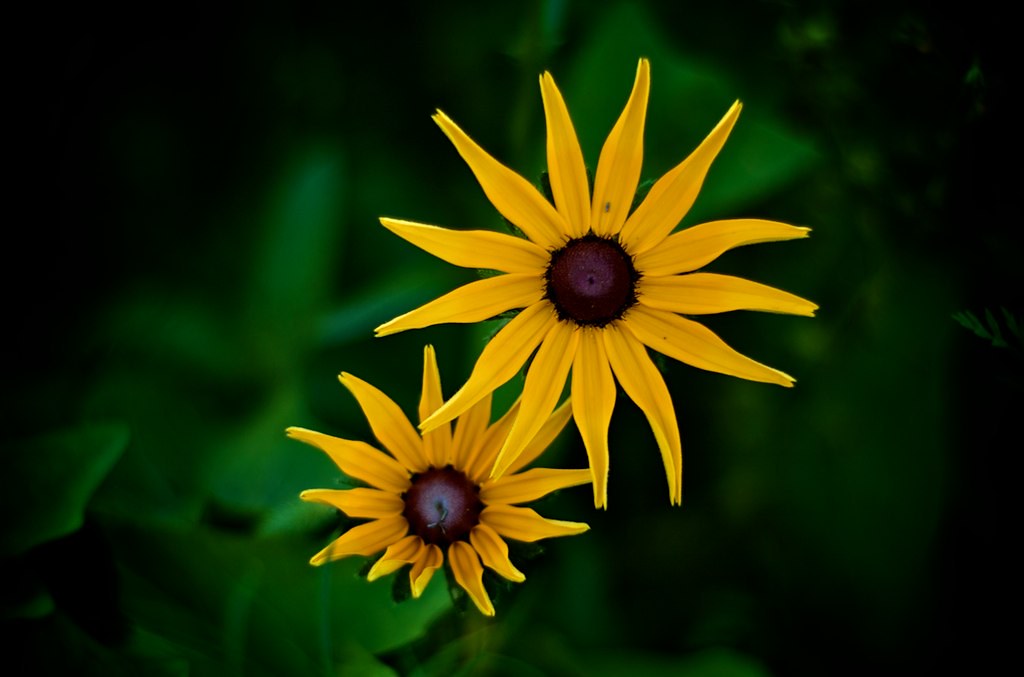
Twin Suns

4744575508_3f0f50382f_b.jpg

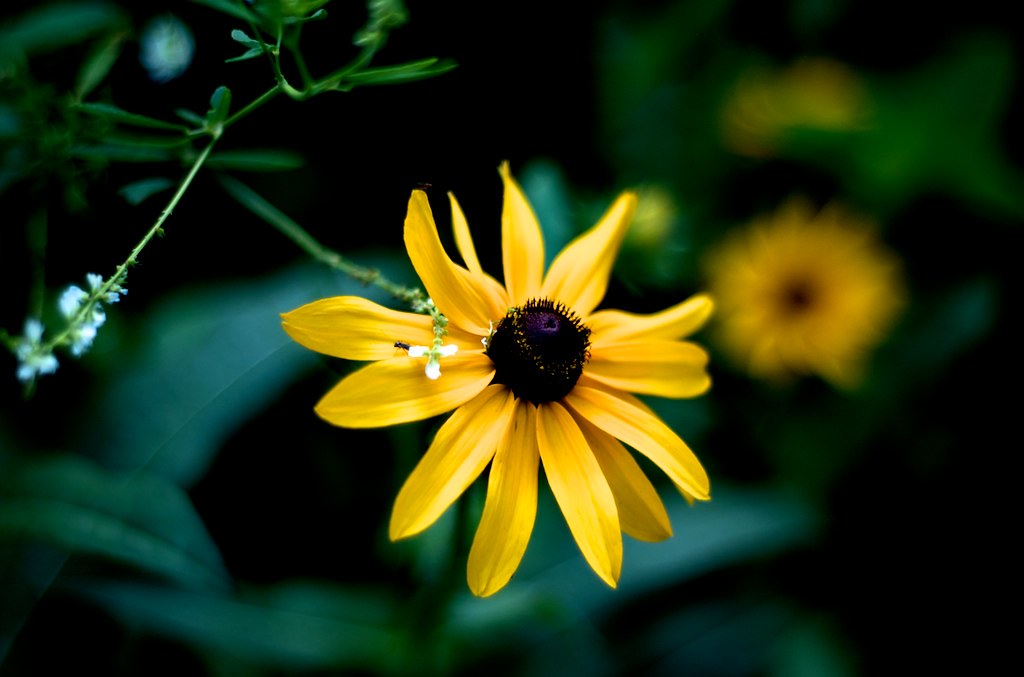
High Fashion
 
The first one seems underexposed, needs to be brighten up. Icant see a bug on 2. Both seem oof abit. Could be my glasses.
 
I hope you dont mind but I thought I'd brighten them up, alittle tweak here and there.
4689069847_513703ab14_b.jpg

4744575508_3f0f50382f_b.jpg
 
Last edited:
Ah I def liked them a little darker, I thought it made the yellow pop out. To each his own I guess :)
 
Flowers are some of the only good clichés...and these turned out nice...good job...here's a version of "High Fashion" I did for you considering you mention it is alright to edit your photos:

YellowFlower.jpg
 
Last edited:
Nice, I kind of like that actually haha. I like the softened focus a lot.
 
Its the blur effect I've been using on my flower shots lately...

Take a photo into a photo editor (ie Photoshop) make a copy of the original layer...hide the original layer...make another copy of the copied layer...add a gaussian blur to suit taste...use overlay as the blending mode...

It'll turn a photo like this:

IMG_0606%20-%20Copy.JPG


Into this:

FlowerBlur.jpg


The only problem will be the darkening...which will take a little tinkering with to correct...

 
Its the blur effect I've been using on my flower shots lately...

Take a photo into a photo editor (ie Photoshop) make a copy of the original layer...hide the original layer...make another copy of the copied layer...add a gaussian blur to suit taste...use overlay as the blending mode...

It'll turn a photo like this:

IMG_0606%20-%20Copy.JPG


Into this:

FlowerBlur.jpg


The only problem will be the darkening...which will take a little tinkering with to correct...
I'm a noob and even with your explanation I still don't understand how you did this, but it's a very nice edit. I love the softness and the glow to it. You took an ordinary photo, and made it beautiful. Maybe one day I'll catch on and be able to do it myself. :-) Could I pull this off in gimp?
 
If the GNU Image Manipulation Program works with layer (which it does), then yeah...I should get the new version of GiMP and check it out...I'm a big fan of sourceforge.net, freshmeat.net and the whole copyleft movement...
 

Create an account or login to comment

You must be a member in order to leave a comment

Create account

Create an account on our community. It's easy!

Log in

Already have an account? Log in here.

New Topics

Back
Top Bottom