What's new

Critique?

HexOmega

TPF Noob!
Joined
Mar 20, 2012
Messages
15
Reaction score
0
Location
Seattle
Can others edit my Photos
Photos OK to edit
What could I do to improve? I have a long way to go. I've always loved taking pictures of things but I never actively practiced doing it until last summer. I know these are really bad but I'm working on it!

#1
6954803931_8c5ce1b0fa_z.jpg

IMG_6094 | Flickr - Photo Sharing!

#2
6586801247_a19c86d333.jpg

IMG_4114 | Flickr - Photo Sharing!

#3
6586664589_cca408c31b_z.jpg

IMG_4036 | Flickr - Photo Sharing!

#4
6276352379_1e64303b4d.jpg

IMG_3821 | Flickr - Photo Sharing!


Shoot with a Canon 7D, 50mm f/1.4, 17-40mm f/4L, and 70-200mm f/4. I don't own any tripods or speedlites yet.
 
Last edited:
1. Numbering images helps to refer to them.

2. The more images you squeeze into one post, the less detailed the critique you receive on each single image might be in the end. Not saying getting less deep critique on more images is an invalid approach here ... just to make you aware ;) :)

Anyway

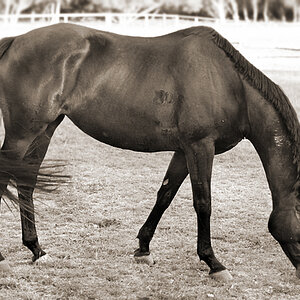
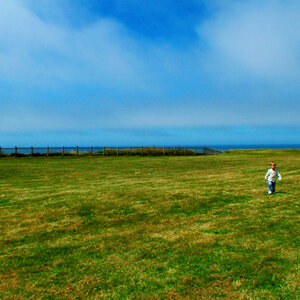
#1: Regarding composition: I guess the idea was that the image is about ther dog, hence the crop generally is not a bad idea on this kind of image. However on this particular one, the dog apparently interacts with the person whose head you cut off. This might be just me, but in this case I'd like to see also the face the dog looks at.
Furthermore, with the dog looking to the left and the person's legs framing the scene to the far left, the left half of the image forms a sort of closed area, which renders the empty half to the right a bit useless. This would be a totally different situation if the dog looked to the right hand side, and the scene would be not closed but open towards that direction.

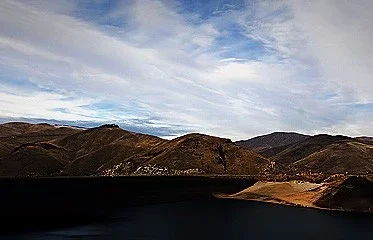
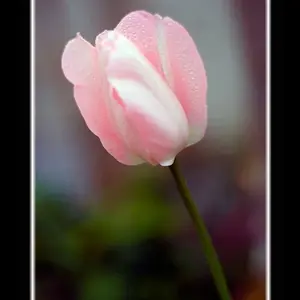
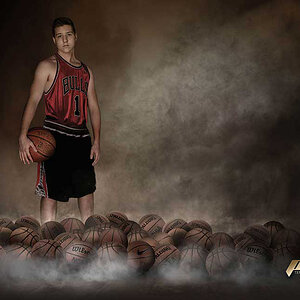
#3: Watch your lines in the image and how they interact with the image borders. The scene is tilted to the right.

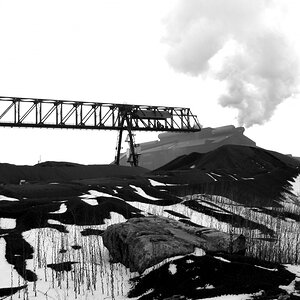
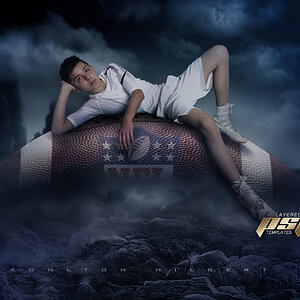
#4: Underexposed face on the left hand side. Either use a reflector or a flash, or wait for the sun to shine from a different direction ;)
 
1. Numbering images helps to refer to them.

2. The more images you squeeze into one post, the less detailed the critique you receive on each single image might be in the end. Not saying getting less deep critique on more images is an invalid approach here ... just to make you aware ;) :)

Anyway

#1: Regarding composition: I guess the idea was that the image is about ther dog, hence the crop generally is not a bad idea on this kind of image. However on this particular one, the dog apparently interacts with the person whose head you cut off. This might be just me, but in this case I'd like to see also the face the dog looks at.
Furthermore, with the dog looking to the left and the person's legs framing the scene to the far left, the left half of the image forms a sort of closed area, which renders the empty half to the right a bit useless. This would be a totally different situation if the dog looked to the right hand side, and the scene would be not closed but open towards that direction.

#3: Watch your lines in the image and how they interact with the image borders. The scene is tilted to the right.

#4: Underexposed face on the left hand side. Either use a reflector or a flash, or wait for the sun to shine from a different direction ;)

Ah yes, thanks. I'll keep that in mind in my next post.

I wish I had shot #1 vertically. I really do. It's such a good shot otherwise, I think. I agree with you. Regarding #3, oof, yeah I'll have to fix that in PS. And #4, that was an impromptu shot. They were joking around and I shot the moment. The guy on the left is okay with me posting it online, but he hates standing for photographs. I tried to get them to move so I could have both their faces in the sunlight, but sadly, they would not retake the shot. I don't own any flashes or reflectors. There's the on camera flash but I try to avoid using it. This is all the more motivation for me to actually go out and spend money on a decent flash/reflector.

I really need to work on my people photography.
 
It looks like you have not used any editing on these- Gimp is free to download. It will improve your images greatly.
There are lots of tutorials on this site to help.
 
i think you have a flare in #3 as well.
 
I have Photoshop. I usually avoid editing pictures unless I absolutely have to. I'd rather get the balance right the first time.
 
I did a quick edit to up the contrast a tad.

View attachment 4566
That looks more than a tad... the water completely disappeared haha :P

well, the sky is fine now, but the hills and everything else lost most of its detail ... and the bottom was just cropped away ;)

The edit points in a direction, but did not fully walk the way.
 
OP...you got the basics down. Just keep blasting away and learning.

#1 may be more intersting with less grass and a tighter shot of the person squating down with the dog. A lot of your stuff looks like snapshots. Try to shoot photos that say something.

Good luck!
 
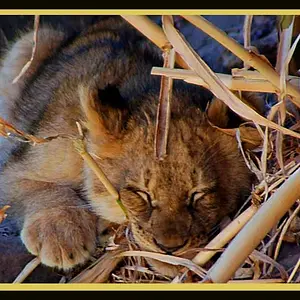
#1: An excellent depiction...this image sounds of the true and sincere affection and the obedience of a dog to his/her master.....all those are reflected in those eyes.... probably that must be the reason you decided not to show the upper half of the owner-which you thought immaterial .... ( for fun's sake i will call that Tom & Jerry style ;) ) ..and if in that image the expression on the face of the owner were not reciprocating to that of the dog's, the image would be a failure to convey the feeling it arouses in the viewer as of now.... I don't tend to call the empty right half negative space... it is just an unfilled space indicative of the expanses of the place through which they walk....I really liked this image, for sure :thumbsup: Plus another element here is movement...that has been very successfully incorporated in this image

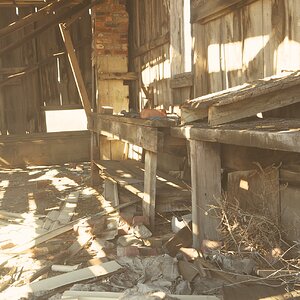
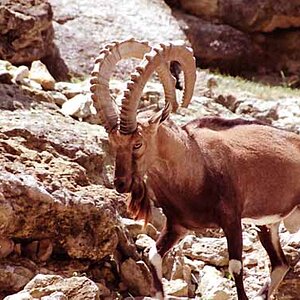
#2: The construction in the front is a big block to enter into the image and it also diminishes the "landscapishness" of the image!!!

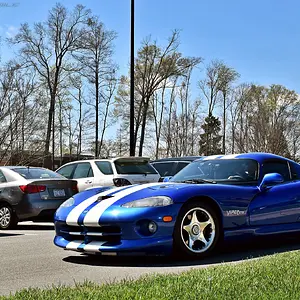
#3: Here i would have cut the right end to take the door more off center and also to avoid the top tilted roof there which gives the framing as a whole a mobile sim card shape...and i also would take away that bucket from that bench, which looks so odd there.

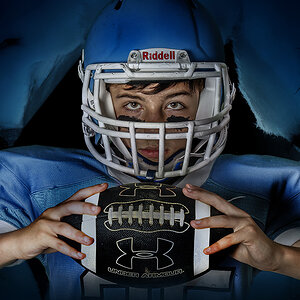
#4: This is a fun time shot and it is a success except for the shade on the face of the one facing the hit

Regards :D
 
I have Photoshop. I usually avoid editing pictures unless I absolutely have to. I'd rather get the balance right the first time.

Lets see... so that means you must be shooting in JPG... since you have to process RAW or you don't have anything. That also means that you don't adjust exposure and contrast to optimize the image... and don't sharpen either, which means your shots will never be as sharp as they could be.

Personally.. I would "edit"! :)

You state " I'd rather get the balance right the first time" ... Balance? I assume you are referring to White Balance? How do you go about getting it right the first time? What techniques do you use to ensure that? :)
 
I did a quick edit to up the contrast a tad.

View attachment 4566
That looks more than a tad... the water completely disappeared haha :P

well, the sky is fine now, but the hills and everything else lost most of its detail ... and the bottom was just cropped away ;)

The edit points in a direction, but did not fully walk the way.
That last line was the most philosophical photography quote I've ever heard LOL
 
I have Photoshop. I usually avoid editing pictures unless I absolutely have to. I'd rather get the balance right the first time.
According to the EXIF data for #1 and #4, your Photoshop is not at the current release level.

Also, if you have your camera set to capture as JPEG the photos are being edited by the camera. Contrast, saturation, and sharpening are being adjusted even if you have the picture controls all set to neutral.

All digital camera photos start with a Raw image file. You can choose to record the Raw image file to the memory card so you can edit the Raw file, or you can let the camera edit the Raw file based on it's rote programming and/or by applying the coarse settings the picture controls allow.

I noticed that 2 of the photos you posted were made with a 7D, apparently as TIFF files, but the other 2 did not have complete EXIF data.

#4 needed fill lighting.
 
Last edited:

Create an account or login to comment

You must be a member in order to leave a comment

Create account

Create an account on our community. It's easy!

Log in

Already have an account? Log in here.

New Topics

Back
Top Bottom