D7000Guy
TPF Noob!
- Joined
- Apr 24, 2011
- Messages
- 2
- Reaction score
- 0
- Location
- Jerusalem
- Can others edit my Photos
- Photos NOT OK to edit
Hello, All. I am new to the forum, but not new to photography. I have been away a long time (20 years) from serious photography. My last camera was a Bronica. Now I am shooting a Nikon D7000 and love the camera. I am still learning the finer points of using it and have 2 questions.
1. I used to shoot a lot of Ektachrome and I loved the look. I wanted to figure out how to get that look from the camera.
I have searched on the forum and I see that Photoshop can be used for that, but I was wondering whether anyone here knew how I could get an Ektachrome tone from the camera without having to resort to using PS. I will eventually spring for PS, but am more concerned with the time I will have to spend learning PS than the money I need to spend to buy it. The camera seems like it has the capability to do it. I asked Nikon and they said the camera can't do it, but I could have spoken to the wrong techie. If anyone here could point me in the right direction I would be thankful.
2. If I shoot a higher ISO sensitivity, could I get more grain out of my pictures (like shooting an ASA 400 instead of an ASA100)? If not, how do I get that grain?
Much appreciate your help in advance.
Saul
1. I used to shoot a lot of Ektachrome and I loved the look. I wanted to figure out how to get that look from the camera.
I have searched on the forum and I see that Photoshop can be used for that, but I was wondering whether anyone here knew how I could get an Ektachrome tone from the camera without having to resort to using PS. I will eventually spring for PS, but am more concerned with the time I will have to spend learning PS than the money I need to spend to buy it. The camera seems like it has the capability to do it. I asked Nikon and they said the camera can't do it, but I could have spoken to the wrong techie. If anyone here could point me in the right direction I would be thankful.
2. If I shoot a higher ISO sensitivity, could I get more grain out of my pictures (like shooting an ASA 400 instead of an ASA100)? If not, how do I get that grain?
Much appreciate your help in advance.
Saul

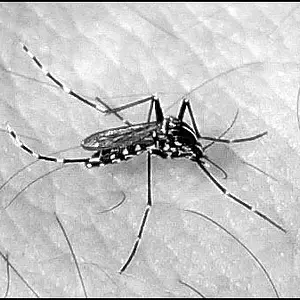
 You can add grain after the picture was taken even if the photo has no/minimal noise.


![[No title]](/data/xfmg/thumbnail/40/40356-883c642c8d24d2709b359f9c8b196fcf.jpg?1734174788)
![[No title]](/data/xfmg/thumbnail/37/37521-5e19cc15e190997d963ed09c3c13ca9c.jpg?1734170681)

![[No title]](/data/xfmg/thumbnail/35/35214-39f59bb7f7da2878bab0187a7d4d80bb.jpg?1734166874)