bruce282
TPF Noob!
- Joined
- Aug 9, 2010
- Messages
- 274
- Reaction score
- 7
- Location
- Northern Virginia
- Can others edit my Photos
- Photos OK to edit
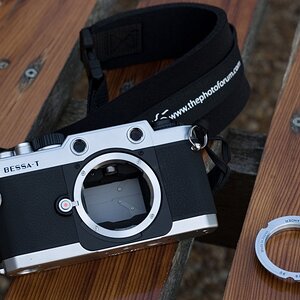
I've looked through the users manual and found zip.
On the bottom right of the viewfinder the remaining shots are displayed.
[ 1.0]k in my case. When I push the shutter 1/2 way down the display changes to [r21]. I can't find out what this means. Also the exposure display indicates overexposed by move than 1 stop. I have the camera set to Auto, ISO to 200, WB to Auto.
I've been playing with menu options, so I did the 2 button reset and things are the same.
Bruce
On the bottom right of the viewfinder the remaining shots are displayed.
[ 1.0]k in my case. When I push the shutter 1/2 way down the display changes to [r21]. I can't find out what this means. Also the exposure display indicates overexposed by move than 1 stop. I have the camera set to Auto, ISO to 200, WB to Auto.
I've been playing with menu options, so I did the 2 button reset and things are the same.
Bruce


![[No title]](/data/xfmg/thumbnail/31/31708-69f4ec98ec000d4fc9a9a1cc282e8e16.jpg?1734160384)
![[No title]](/data/xfmg/thumbnail/37/37634-504722605a418b398f3cd1dbabf936e5.jpg?1734170757)
![[No title]](/data/xfmg/thumbnail/38/38721-a6c38c7ae974a8a5518bfbf14be98f18.jpg?1734172597)
![[No title]](/data/xfmg/thumbnail/34/34135-27c00b73b314c3811e6eded0520a40a2.jpg?1734164674)
![[No title]](/data/xfmg/thumbnail/31/31706-3e429b21053f11072ed2e5b37c019073.jpg?1734160380)