What's new

Family Portrait C&C first ever

BIG PAPPA

TPF Noob!
Joined
Jan 11, 2011
Messages
88
Reaction score
3
Location
Moncton
Can others edit my Photos
Photos OK to edit
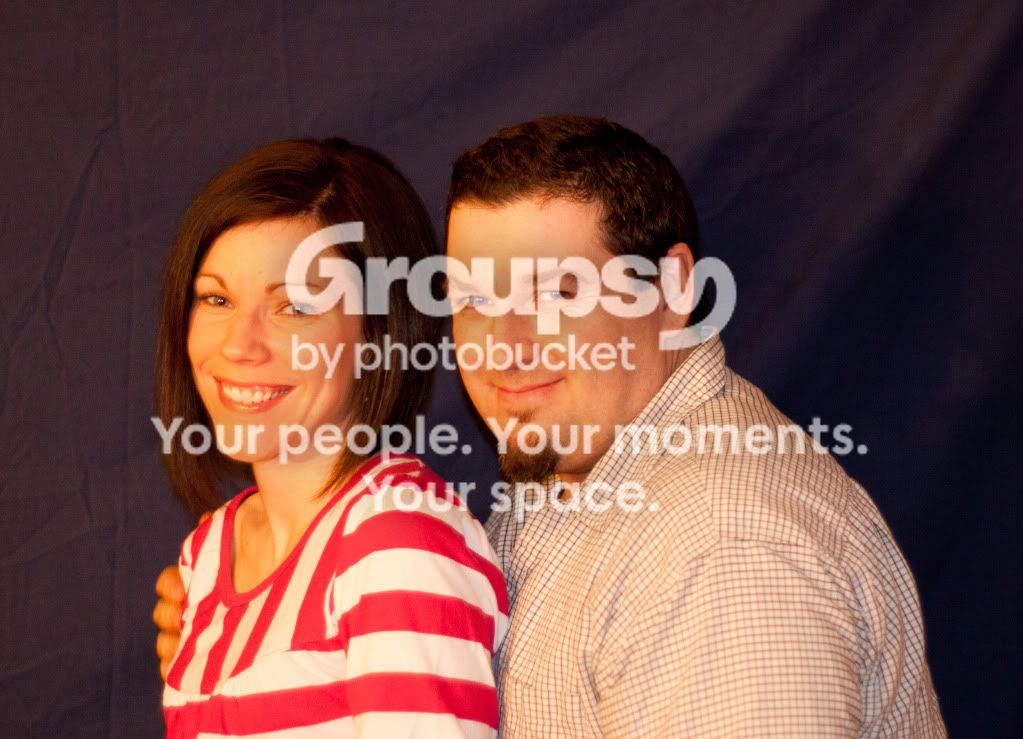
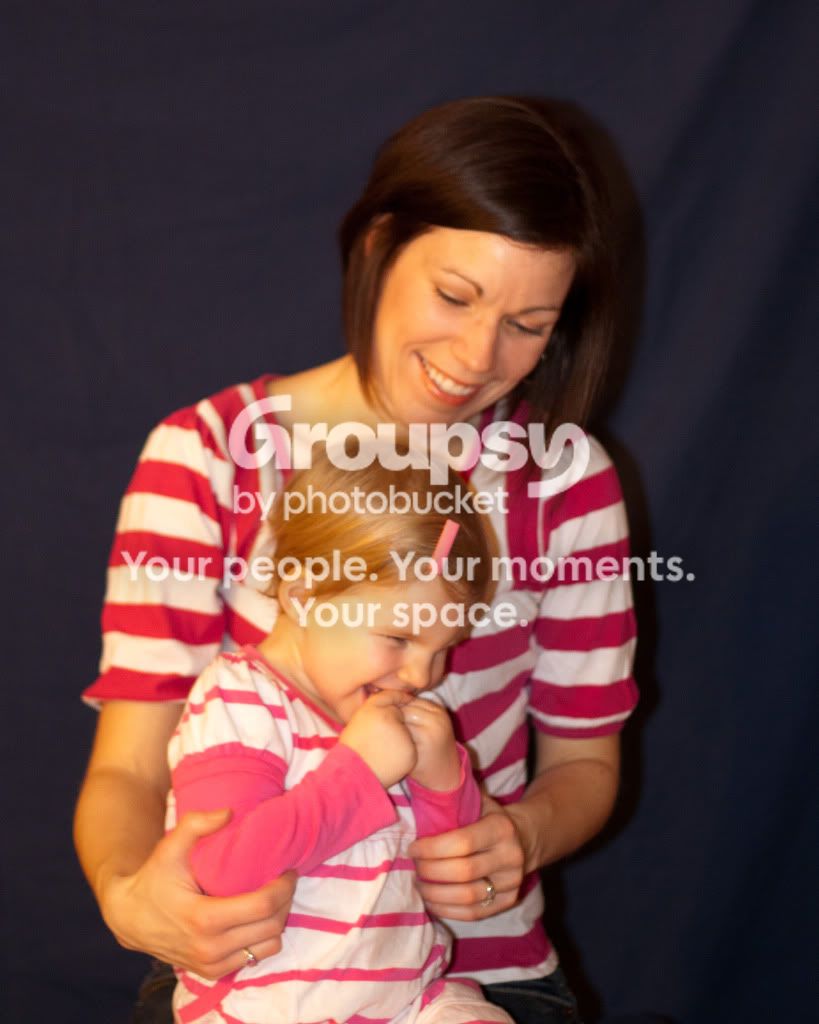
So i was so stoked about the new lens that i dragged the whole family into the adventure, and we actually had allot of fun.

Please C&C i'd really like to improve on portraits, thanks

#1.

IMG_1547.jpg


#2.

IMG_1525.jpg


#3.

IMG_1513.jpg


Thanks again everyone.
 
Sorry but ahhhhhhhhh COLOR BALANCE!
Aside from that lol.
Last one is OOF same with the second but not as bad.
Overall lighting seems harsh
 
In the thread you posted about getting the 50mm, someone said don't get "shoot wide open syndrome"... Well, you have it :)

The reason the 2nd one looks OOF is because it looks like the focus selection point was in the center and it focused on the curtain behind you and wife(?). That made you and her look out of focus because of using such a wide aperture.

Same with #3. The little girl is almost in focus, but mom is definitely not. It's because of the wide aperture.

Set your f/# to about f/4 and try again :)

Other than that, I have to agree with the white balance issues as mentioned above :)
 
I offer this as constructive criticism...intendend to be helpful...reading your last 3 posts...you appear to be someone who dives into something new with wild abandon. Take a breath and slow way down. Think about what you are doing. Make sure your camera and lighting are set. Compose your shots. Take multiple shots. Focus (both you and the image). Discard images that don't work...are not exposed correctly...are oof. This stuff takes time.
 
I offer this as constructive criticism...intendend to be helpful...reading your last 3 posts...you appear to be someone who dives into something new with wild abandon. Take a breath and slow way down. Think about what you are doing. Make sure your camera and lighting are set. Compose your shots. Take multiple shots. Focus (both you and the image). Discard images that don't work...are not exposed correctly...are oof. This stuff takes time.

Thanks i appreciate your Answer, cause thats what i wanted. I know nothing about lighting yet (as you can see...lol) but i rather post these here and get your guys help so my next shots will be better.


No problems with any of the replies, in fact i really appreciate you guys helping me focus on the areas i need to.

Again

TPF---->:hug::<----ME
 
Got some links to threads I posted here about some of the basics down there in my sig.. you might find them helpful.

Focus, distance from backdrop, white balance,
 
Don't use lights with different color temperatures if you can help it. If you can't help it, learn how to set a custom white balance. It explains how to do it in your camera. manual.

When using backgrounds, keep your subjects a little further away from them. This will help you to avoid getting hard shadows on the background.

I would have tried to keep the light off the background, making it black. Either that or ironing it out (the wrinkles are distracting). Sheets don't make the best backgrounds though.. and now you know why people shell out big bucks for muslin backdrops.

^ They gave you good advice about not staying at f/1.8 just because you can. That cheapo lens is incredibly sharp around f/4 and up too..
 
Just did some edits for you... not the best(just some color correction and sharpening)

Couldn't do much for this one
IMG_1513.jpg

A second look makes me think still to much green lol
IMG_1525.jpg


IMG_1547.jpg
 
Thanks again eveyone,

I think the main thing is going to be training my eye to see what needs to be seen
 
Yep, your WB is way off. If you're using flash, go ahead and set your WB to 'flash' straight away. That'll get you real close right off the bat. Then it's just some slight tweaking to get how you want it to be.

Original:
1160214532_Pcy6a-XL.jpg


Edit:
1160214657_7JMPn-L.jpg


I also took the liberty to recrop and remove some of the dead space.​


A couple of other notes to consider.
  • Both sets of eyes are on the same elevation. This make for a ...... well, boring photo. If you had sat on a small riser (think pillow), this would've changed the dynamics considerably.​
  • Avoid having shoulders square to the camera. Most times it is a case of 'football shoulders', but in your position it is just as bad IMO. It emphasizes the shoulder, but not the mask (your face). Try turning the shoulders to ~30° to the camera.​
  • Be mindful of wandering digits. Most often, people will cut off hands, feet, etc. However, you have added some. Lose the hand on her upper arm.​
There are some other comments that can be made, but let's start with these.

Keep shooting. :thumbup:​
 
Well, I am color deficient. And although I can see there is an issue with the color balance... I won't attempt to correct it... However, a slight re-crop of the first one might help... I also sharpened her eyes a bit.

IMG_1547.jpg
 

Create an account or login to comment

You must be a member in order to leave a comment

Create account

Create an account on our community. It's easy!

Log in

Already have an account? Log in here.

Back
Top Bottom