What's new

Few things I think.. C&C

KevinPutman

TPF Noob!
Joined
Apr 13, 2011
Messages
545
Reaction score
19
Location
Nebraska
Can others edit my Photos
Photos OK to edit
are somewhat decent enough by certain standards to post up.
I'm a beginner to photography,
so I'll take c&c both good and harsh, whatever helps me improve ^-^

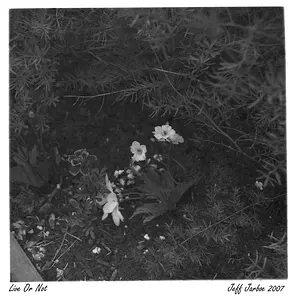
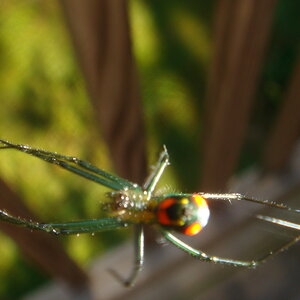
Was trying to get the Spiderweb on this one,
2wmp73p.jpg


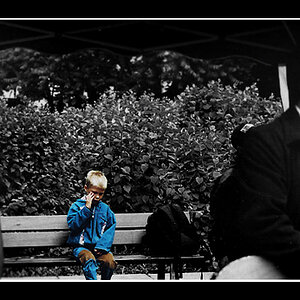
Not too fond of this one, but thought I'd post it anyways
2r7rexl.jpg


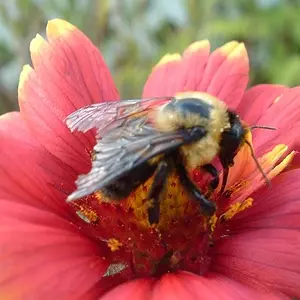
I love the safari-ish feel of this one.
w8qqo8.jpg


20044kz.jpg
 
Pic 1 - I can't really see the spiders web. I'm not experienced enough to suggest a solution, but I would have tried a macro shot on that. (Probably would have came out the same as yours)
Pic 2 - I quite like this pic, but the horizon isn't straight, and you can see too far into the distance. A more shallow depth of field would help with the latter.
Pic 3 - Love this. It is very safari-ish as you put it. Great shot.
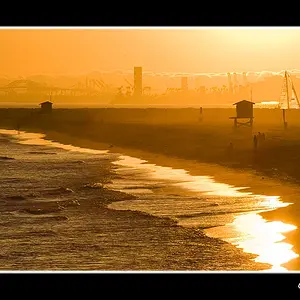
Pic 4 - The bird is blurry.

Just my opinions, and they are probably better than I could manage, but I wanted to be honest. I prefer people being honest with my shots, it's the only way I can improve. :thumbup:
 
CC as requested

1.Subject not that interesting, but I do like the foreground being an out of focus element of the shot.
2.Needs some pop, contrast or something. Looks too bland. If you were to reshoot this, try and get REALLY low to the ground or shoot a lot higher up, something out of the ordinary. As of right now, it's just an ordinary 'run of the mill' train track shot.
3.Definitely strongest of the group, love it.
4.This would have been an instant delete on camera for me, the bird is significantly blurry from motion. Do not like.
 
I think #1 is just one those situations that look cool to our eyes mostly because of our 3d vision combined with motion, but none of that transfers to an image, at least in this case. What was neat in person makes a dull picture. It happens. Not much you can do without bringing your own light. I had an almost identical situation last year, I was also shooting a spider web, and it just didn't work with the ambient light direction/quality. That's not to say it wouldn't ever work, but I think light is the key.

I'd like to see #2 in B&W and some extra contrast. Maybe even some sharpening to bring out the wood grain. I think it would work well given the harsh light at that time of day.

#3 I feel it's cropped too tight to be interesting, I'd like to see the tree anchored to the ground and the many limbs that I would expect to see.

#4 Looks like you got some camera shake on this one. You'll need a faster shutter speed.
 
Last edited:
Thanks guys ^-^

Yeah on the first one, the web wasn't too big, and I was more just playing around with the Super Macro function on my camera.
As for the bird, I was shooting through a glass case at the zoo, and don't even remember what camera setting I was using =/
 
Thanks guys ^-^

Yeah on the first one, the web wasn't too big, and I was more just playing around with the Super Macro function on my camera.
As for the bird, I was shooting through a glass case at the zoo, and don't even remember what camera setting I was using =/

Camera Maker: Canon
Camera Model: Canon PowerShot S5 IS
Lens: 6.0-72.0 mm
Image Date: 1980-01-01
Focal Length: 44mm
Focus Distance: 1.18m
Aperture: f/3.5
Exposure Time: 0.167 s (1/6)
ISO equiv: 200
Exposure Bias: none
Metering Mode: Center Weight
White Balance: Manual
Flash Fired: No (enforced)
Orientation: Normal
Color Space: sRGB
GPS Coordinate: undefined, undefined
 
How did you do/know that??
 
Exif data, its on all images.

You can download an Exif viewer for Mozilla (not sure on other browsers b/c I don't use them)
 
Exif data, its on all images.

You can download an Exif viewer for Mozilla (not sure on other browsers b/c I don't use them)


Ahh,
I'm using Chrome, so they didn't come up.
Ty for the information though! Very valuable for me to know.
 
Not the best,
but it works! ^-^
thanks!
 

Create an account or login to comment

You must be a member in order to leave a comment

Create account

Create an account on our community. It's easy!

Log in

Already have an account? Log in here.

New Topics

Back
Top Bottom