mammarazzi
TPF Noob!
- Joined
- Sep 4, 2009
- Messages
- 70
- Reaction score
- 0
- Location
- Twentynine Palms, CA
- Can others edit my Photos
- Photos NOT OK to edit
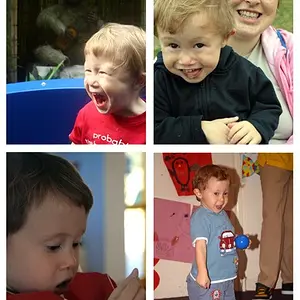
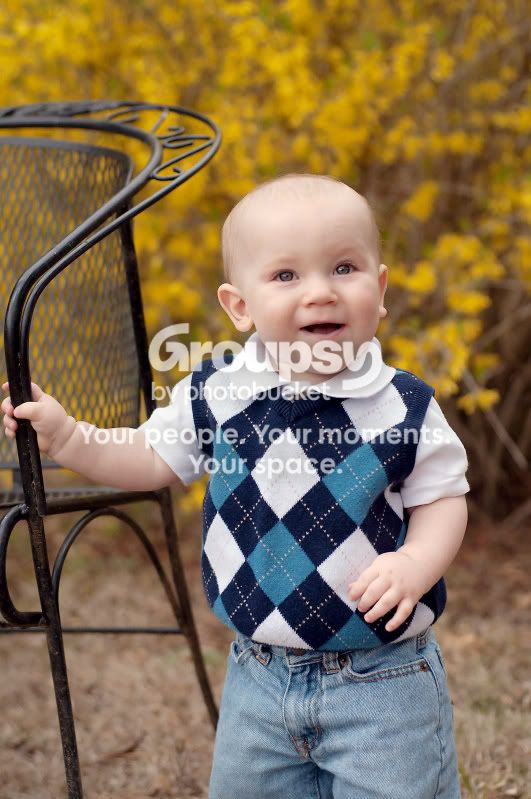
Alot of people don't realize that you need to sharpen for web. Online, images tend to appear much softer than in photoshop. I also think you missed the focus in some of these. In many of them like #1 the focus fell behind him on the back of the chair. But I think they would be fine with some sharpening. #3 would be my favorite. I love the light in his eyes. I would also brighten them up a bit. I would love to have a go at one if you don't mind? I love playing around in photoshop. You have a gorgeous nephew by the way.



![[No title]](/data/xfmg/thumbnail/37/37602-1ef8dbb1c2d0e4ff347ee65d328c3603.jpg?1734170730)


![[No title]](/data/xfmg/thumbnail/30/30882-ce388519574371448d7493784524607a.jpg?1734158883)