What's new

First from my trip to Colorado

lyonsroar

TPF Noob!
Joined
Jul 7, 2010
Messages
1,255
Reaction score
99
Location
Omaha, NE
Can others edit my Photos
Photos OK to edit
I've been gone from the boards for 10 days (I'm sure no one missed me anyways...) but I was in Vail, Colorado on vaca. Gorgeous place. Glad I bought the Sigma 10-20mm for the scenic vistas.

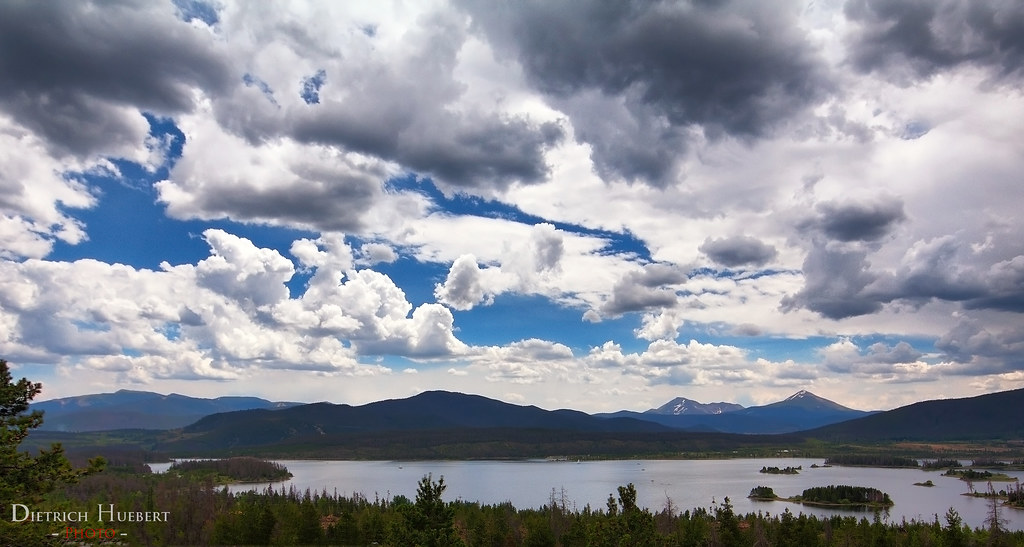
I believe this was shot near Frisco, CO on a scenic overlook just off the interstate heading to Vail. Cropped out the highway at the bottom.
Midday shot with the Sigma 10-20mm.
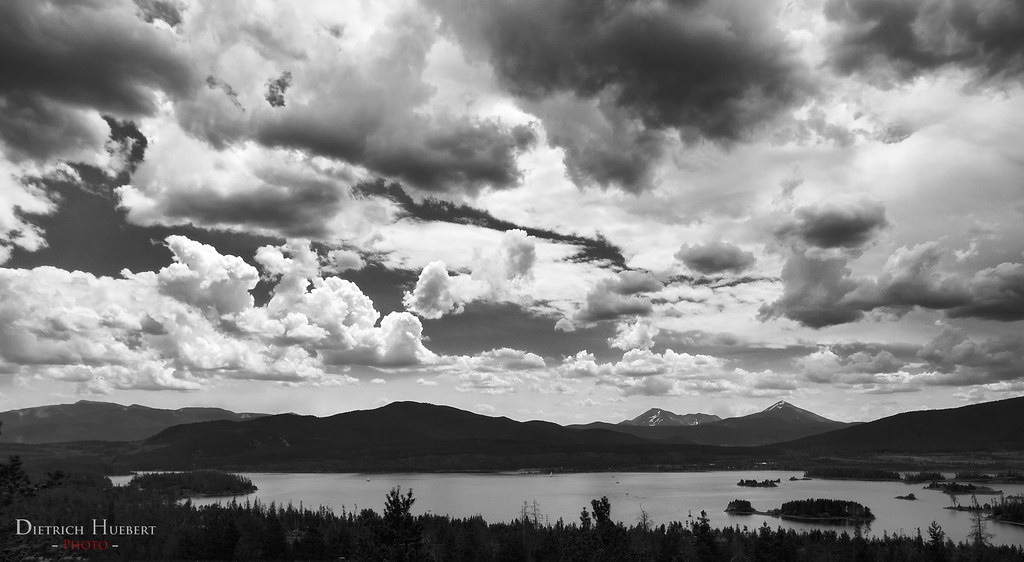

Frisco, CO by Lyonsroar91, on Flickr

So did I do good? This was my first time ever shooting landscapes...
 
Last edited:
Ah. I see I've done poorly.
I will endeavor to function better next time.
 
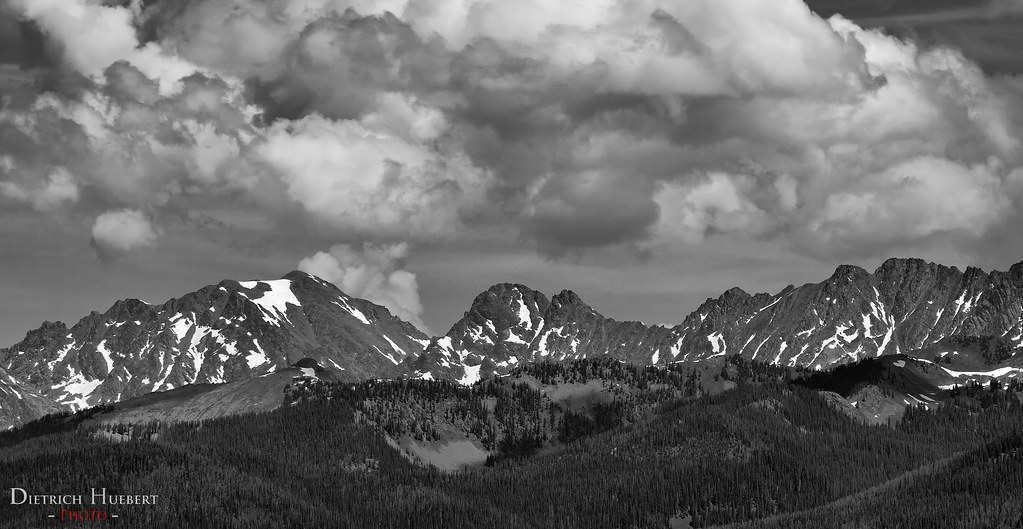
The B&W photo does nothing for me; there isn't anything strong enough to hold my attention. Perhaps try it in color?
 
Ah. I see I've done poorly.
I will endeavor to function better next time.

Never take number of views as a suggestion of anything. There are a LOT more guests that browse here than members who actually post. I would suggest trying to post the original in color as was suggested. The Black and White is just "lacking" to me for lack of better wording.
 
It is probably good photo, just bad B&W conversion.
 
I personally like the color version a LOT better. I am betting if you played with the black and white conversion you could do a lot better. I tried but I suck at PP lol
 
Interesting. I thought the B&W was cool because it showed the depth and layers of the mountain in the background better.
Oddly enough, I still prefer the B&W...mommy goggles probably...
 
Here's another. Any better? I won't be posting the color version unless I can figure out what the hell went wrong with my WB...:lmao:


untitled by Lyonsroar91, on Flickr
 
You need to process the BW in seperate channels. For example this last shot I would make blue and green lighter.
 
^I do not know how to do that, nor even what that means.
I guess some googling is in order...
 
what are you using to convert? If you use lightroom, go to the b&w tab on the right... there should be different color to adjust b&w. But before you do that, use the tone curver first.
 
It's beautiful in color, didn't do much for me in black and white, IMO the colors made the pic.
 
Yeah, first photo is much better in color. The second one has a better chance of working as a B&W because of the snow still trapped on the mountains. I love CO. Glad you shared. :)
 

Create an account or login to comment

You must be a member in order to leave a comment

Create account

Create an account on our community. It's easy!

Log in

Already have an account? Log in here.

New Topics

Back
Top Bottom