What's new

First pix w/new camera

judipurple

TPF Noob!
Joined
Apr 4, 2017
Messages
53
Reaction score
24
Location
CT USA
Can others edit my Photos
Photos OK to edit
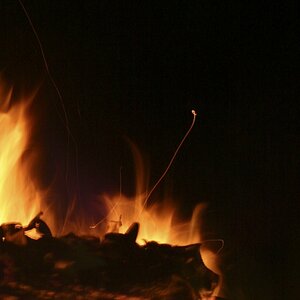
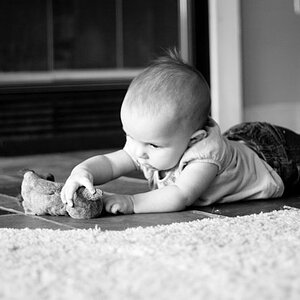
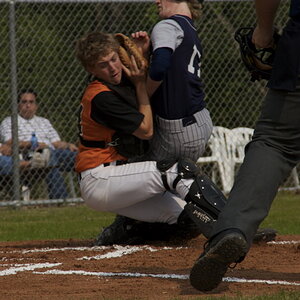
I finally got my D3400! Traded in my old 3100 and the lenses through Adorama, and got a decent deal on the new setup. I felt that now would be a good time to actively improve my photography, by asking for critiques and suggestions, and learning from the masters of the art. By including the SOOC shots alongside the "tweaked" versions, perhaps your thoughts on composition, as well as technical issues? Thank you for any input!

SOOC
_DSC0190.webp

Cropped and adjusted
_DSC0190a.webp

SOOC
_DSC0076.webp

Cropped/adjusted
_DSC0076a.webp

SOOC
_DSC0069.webp


Straightened/adjusted
_DSC0069a.webp


Whew - admit to being nervous...but hoping that my photographic work has potential...
 
Oh, and while the 3400 has incredible RAW capabilities, I found that the RAW files were more than double the RAWs of my 3100 - 40 pictures were nearly a full gigabyte of information! Wow - my memory card collection will have to be huge to keep up, were I to shoot exclusively in RAW, much less RAW/Jpeg. So, at this juncture, I will be primarily shooting jpeg, and using RAW later down the road for trip pix and money shots.
 
Congrats on the new camera. Yes your photos have potential. Nice shot of the bleeding hearts and the salt marsh.

I would suggest that you're making some pretty bad technical choices. You have a -1.3 EC set for the bleeding hearts photo and -1 EC for the other two. Those photos are way underexposed. By not saving the raw files you're then faced with trying to repair those JPEGs which are nearly trashed to begin with. The photo of the three boys on the beach is backlit and you pulled the exposure. Yikes! You're setting yourself up for way too much time at the computer trying to repair badly damaged JPEGs with limited potential. Save well exposed raw files instead and cut your processing time plus dramatically improve your results.

You have the camera set to save JPEGs as Adobe RGB and you posted these photos tagged Adobe RGB. If you're going to post photos on the Internet or share photos on common devices (phones, etc.) then you should reconsider that and switch to sRGB.

You have the camera set to auto white balance. Again you're setting yourself up if you plan to try and repair the JPEGs later. You're making this too hard and limiting your potential. SD cards are cheap. Save well exposed raw files, shoot a white balance reference and you'll be much better off.

Joe
 
Congratulations!

#1 good composition
#2 composition fixed, but you could still crop off a large portion of the foreground.
#3 good composition

But we do wonder why the minus EV? Perhaps you didn't know it was set to that?
 
By not saving the raw files you're then faced with trying to repair those JPEGs which are nearly trashed to begin with. The photo of the three boys on the beach is backlit and you pulled the exposure. Yikes!

....

You have the camera set to auto white balance. Again you're setting yourself up if you plan to try and repair the JPEGs later. You're making this too hard and limiting your potential. SD cards are cheap. Save well exposed raw files, shoot a white balance reference and you'll be much better off.

Joe

Thank you, Joe, your comments were exactly what I needed to read. I will make the adjustments on the camera, and switch it back to raw (I shot raw almost exclusively on the old 3100).
A couple questions/clarifications: When you say "shoot a white balance reference" - do you mean a test shot with the camera set at, say, direct sun or shade, then look to see if it's blown out or too dark, then make adjustments on the exposure +/- ?
And, regarding the shot of the boys - yeah, tried to salvage it via P/S. "Pulled the exposure" - i.e., desperately trying to fix what isn't fixable, or am I misunderstanding the phrase?

I have a lot of learning to do - and, again, my thanks for your thoughtful and educational response.
 
By not saving the raw files you're then faced with trying to repair those JPEGs which are nearly trashed to begin with. The photo of the three boys on the beach is backlit and you pulled the exposure. Yikes!

....

You have the camera set to auto white balance. Again you're setting yourself up if you plan to try and repair the JPEGs later. You're making this too hard and limiting your potential. SD cards are cheap. Save well exposed raw files, shoot a white balance reference and you'll be much better off.

Joe

Thank you, Joe, your comments were exactly what I needed to read. I will make the adjustments on the camera, and switch it back to raw (I shot raw almost exclusively on the old 3100).
A couple questions/clarifications: When you say "shoot a white balance reference" - do you mean a test shot with the camera set at, say, direct sun or shade, then look to see if it's blown out or too dark, then make adjustments on the exposure +/- ?

White balance is a color issue more than an exposure issue. Your photo of the bleeding hearts for example has a strong blue color cast -- auto white balance did that. shooting a reference and setting WB while converting raw files is easy: See post #19 in this thread: Portrait of my Girlfriend

And, regarding the shot of the boys - yeah, tried to salvage it via P/S. "Pulled the exposure" - i.e., desperately trying to fix what isn't fixable, or am I misunderstanding the phrase?

By pulled the exposure I'm referring to your choice behind the camera to reduce exposure: the -1 EC that you set. Dealing with a backlit subject like that I'd be going the other way and setting a + EC. Best thing you can do right now is get better control over exposure and then develop good raw file processing skills. You noted P/S -- I assume that means Photoshop. Do you also have Lightroom?

You mentioned this is a new camera. How did you test it and what are the results of your tests for the camera's metering system? I noticed you have the meter set to read a center weighted average as opposed to Nikon's default matrix metering mode. Why did you make that switch? The matrix mode would have been the default setting.

When you assess exposure I assume you're looking at the camera JPEGs. How would you assess exposure for your raw files?

Joe

I have a lot of learning to do - and, again, my thanks for your thoughtful and educational response.
 
This is not perfect, but here is my attempt at making something of the JPEG file:

_DSC0190a - Version 2.webp
 
Ok...I am embarrassed to admit I'm fiddling with things I probably shouldn't, after reading the oft-repeated admonishment to get off of Auto. Just wanted to make beautiful pictures. In answer to your "why?"....well, see the previous sentence. The blonde leading the blind...or some such mangled metaphor.

Which is why I came here - to both learn and be humbled. Would prefer more of the former, but it often comes with a healthy dose of the latter. Such is life. :sour::sorrow:

Now, Joe, in answer to your other queries, I have both photoshop (P/S) and Lightroom, CC. I am intimidated by the organizational chops of Lightroom - I tried it once, and it gobbled up the tens of thousands of pictures in my computer...and then wanted me to do "something" with it...ugh, it was overwhelming, so I stopped using it. I have been trying to use P/S for processing both the jpegs and raw data, and slooowwwwlllyyy learning how to fine-tune (or so I thought) the images.

You mentioned the flower pic having a blue tint to it. I honestly couldn't see it until Designer (above) adjusted the original. How does one test a new camera? I took some shots, glanced at the back screen, tossed them on PS to tweak them (raw first, then jpegs after the data stickershock)...but something tells me that isn't how to test a new camera. Which also leads me to your last question, about assessing exposure for raw files - um, look at the pictures then PS? No?

And my last question (until another bubbles up through this informational cup that is running over) - I looked at your response to the post re:girlfriend's portrait. Using a piece of white styrofoam to judge the WB - how do you get a reading off the image?

Whoa...so much info...please, I ask for only patience with my ignorance and constant queries...and really am grateful for this source of wisdom and info. Grazie :02.47-tranquillity:
 
..the oft-repeated admonishment to get off of Auto.
When in manual, don't forget to look at your light meter. They put that in there so you could use it. Also; don't let the internet bullies bully you. There is a lot to learn about photography in general, so don't make it harder than it already is by trying full manual if you're not ready.
How does one test a new camera?
The fact that it's a new camera shouldn't make any difference, unless you simply forgot to check the WB setting. If you're in daylight, use the "daylight" setting, etc.
Using a piece of white styrofoam to judge the WB - how do you get a reading off the image?
Sometimes I try to find something "neutral" in the actual shot, like something that is either white or neutral gray, then I just click my paintbrush on that spot to set the WB for that image. If you are making lots of photos out in the garden, take your WB target and place it in the same position (the light) as your subject, take a shot. Then, later, on the computer, hit the target with your paintbrush and take note of the changes in the WB settings that Lightroom has made. Copy those settings for making adjustments to your "keeper" shot. Both shots should look the same as far as the WB is concerned.
 
Ok...I am embarrassed to admit I'm fiddling with things I probably shouldn't, after reading the oft-repeated admonishment to get off of Auto. Just wanted to make beautiful pictures. In answer to your "why?"....well, see the previous sentence. The blonde leading the blind...or some such mangled metaphor.

Which is why I came here - to both learn and be humbled. Would prefer more of the former, but it often comes with a healthy dose of the latter. Such is life. :sour::sorrow:

Hi Judi,

Fiddling with things is good -- great way to learn. And we all start at the beginning so no need to be embarrassed or humbled. You took some nice photos and you're to be congratulated for continuing to ask questions wanting to learn. We get new photographers show up here constantly; they post some photos and don't like the honest responses they receive and we never see them again. You didn't do that -- you're going to go far.

Now, Joe, in answer to your other queries, I have both photoshop (P/S) and Lightroom, CC. I am intimidated by the organizational chops of Lightroom - I tried it once, and it gobbled up the tens of thousands of pictures in my computer...and then wanted me to do "something" with it...ugh, it was overwhelming, so I stopped using it. I have been trying to use P/S for processing both the jpegs and raw data, and slooowwwwlllyyy learning how to fine-tune (or so I thought) the images.

So your first photos with this new camera raise all kinds of questions. Let's take the raw/JPEG one first as it sets the stage for everything else. There are multiple issues involved with this choice and we should consider at least two of them. Since you started this thread showing us your SOOC and then edited version lets take that issue first:

Most people have no clue what JPEG is or how it works. (J)oint (P)hotographic (E)xperts (G)roup was/is a committee formed (1986) under the auspices of the International Organization for Standardization and given the job of developing image compression tech. They did a great job and we have the JPEG file format for our photos. It is a compression format that we call "lossy" as in loss. It works by creating redundancy in your image which then permits digital compression. Specifically JPEG lays an 8 X 8 pixel -- 64 pixels per cell -- grid over your photo. Photographic data is very dense and contains little redundancy. Even in a blue sky a grid cell of 64 pixels will most likely contain 64 unique pixels. We can't compress unique. So JPEG's job is to leave that 64 pixel grid cell with only 32 or even just 16 unique pixels. It does this by running the math on the pixels in the grid and calculating which pixels can be changed into pixels the same as the ones right next to them while doing minimal harm. Making 1/2 the pixels in a 64 pixel grid cell the same instantly gives us 50% compression. JPEG compression is a good thing and makes it possible for us to get tremendous benefit from our photos.

Here's the catch: Once the compression is done any attempts to alter the image will run head long into that compression grid with some pretty ugly results. The more we alter the photo the uglier that collision becomes. We can see it in your photo of the bleeding hearts. First here's SOOC, your edit and an edit I did following Designer's lead:

bleeding_hearts.webp


Point there is the two edits are progressively more extreme -- mine more than yours. Now here's an enlarged section of all three:

compress_grid.webp


Compare the sections just above the plant stem. In your edit can you see the dark horizontal and vertical bars? You don't see them in the camera JPEG. In my edit they're worse and there's an overall mottled appearance that you don't see in the camera original. Those dark bars you're seeing are the JPEG compression grid as it begins to lift up out of the photo. Where the JPEG algorithms took pixels and changed them so they were all the same the editing then makes them stand out. It's unavoidable and the more you edit a JPEG the worse it gets.

So this begs some questions: Does it matter? So why does everybody do it? I had to enlarge the photo for you to see. Shrunk back down to iPhone size it doesn't matter and that's why everybody does it (and they don't know or care). Your computer display is lower resolution than a print. If all we're going to do is share photos on the net and our phones it doesn't matter -- you won't see it. Just don't ever decide you want a large print from a heavily edited JPEG. I've been doing this a long time and I'm a printer.

If on the other hand you process a raw file then there's never a compression grid in the first place and this problem doesn't exist.

Got to go cook dinner before my wife gets home. I'll come back later.

Joe

You mentioned the flower pic having a blue tint to it. I honestly couldn't see it until Designer (above) adjusted the original. How does one test a new camera? I took some shots, glanced at the back screen, tossed them on PS to tweak them (raw first, then jpegs after the data stickershock)...but something tells me that isn't how to test a new camera. Which also leads me to your last question, about assessing exposure for raw files - um, look at the pictures then PS? No?

And my last question (until another bubbles up through this informational cup that is running over) - I looked at your response to the post re:girlfriend's portrait. Using a piece of white styrofoam to judge the WB - how do you get a reading off the image?

Whoa...so much info...please, I ask for only patience with my ignorance and constant queries...and really am grateful for this source of wisdom and info. Grazie :02.47-tranquillity:
 
Last edited:
How cool is that! He cooks as well as critiques! Lucky lady you've got there!

Thanks Joe, excellent explanation on jpeg vs raw. I took a raw file and the same pic PS'd and jpeg'd, and blew them up 300% - I can see a huge difference! Ok, so several more 32G SD cards need to go on the shopping list. I looked up several postings on WB, and am trying to educate myself on how to set up the best - will start on the camera's settings, and get me a chunk o'styrofoam for reference purposes.

One step at a time, I guess. Again, thank you for your assistance. Have a pleasant evening...time for me to crash, 5 am arrives at an obscenely early hour...
 
Stick with it, Judi! The D3400 has a much better sensor than the D3100 had...that inexorable "march of progress" thing goin'on, dontcha' know! Yes, the files size is bigger, for sure. You'll soon adapt....I shoot a whole slew of 8-gigabyte CF cards that are fast, but old...since your camera uses SD cards, maybe get some good, new, FAST SD cards! I try to limit my shooting by sticking with the 8-gig cards, but many people these days like 16- gig and 32-gig memory cards.
 
How cool is that! He cooks as well as critiques! Lucky lady you've got there!

Thanks Joe, excellent explanation on jpeg vs raw. I took a raw file and the same pic PS'd and jpeg'd, and blew them up 300% - I can see a huge difference! Ok, so several more 32G SD cards need to go on the shopping list. I looked up several postings on WB, and am trying to educate myself on how to set up the best - will start on the camera's settings, and get me a chunk o'styrofoam for reference purposes.

One step at a time, I guess. Again, thank you for your assistance. Have a pleasant evening...time for me to crash, 5 am arrives at an obscenely early hour...

My wife and I are both retired but both do a little part-time work. She works some evenings and of course I fix dinner for when she gets home.

More JPEG versus raw: Before explaining another raw advantage it's worth it to say a few words in defense of JPEG. Some pros have to shoot JPEG because of the job requirements (journalism, sports for example) and they do a good job of it so we want to remember that. JPEG is of course a huge benefit for the snapshooter and makes all of our instant gratification possible.

Next raw advantage: There's so much more information in a raw file. The difference is dramatic and so the raw files extends what we can do if we're trying to take serious photos. I got the impression you wanted to take this a bit more seriously. You're not under the kind of constraints that a journalist would be under so do it right.

Last raw advantage I'll mention: It's faster and easier. If you're going to assume the need for post processing of the photos, and you should because the camera software is too limited, then it's faster and easier to achieve a good end result from a raw original than from a camera JPEG. My students know better than to say the word edit in the same sentence with the word JPEG. I teach them as needed how to do it to best advantage but the process in my presence must be called repairing a JPEG. And every time they say it they know I'm going to respond with, "why'd you break it?" It's much more difficult to repair it after it's been broken than to just do it right in the first place.

White Balance: Light changes color depending on the source. We need to know the color of the light to get accurate color in our photos. Problem is once the light is reflected off a subject it's changed by the subject and so we can't measure the light color that way. Unless of course the subject was spectrally neutral and didn't change the light color -- the piece of Styrofoam.

I took this photo a couple weeks ago:

wicker_autowb.webp


My camera was set to auto WB and in that case the camera uses an algorithm to try and estimate the light color. You see above the camera's best effort. After I took the photo I reached into my camera bag and grabbed the Styrofoam rectangle that's in all my camera bags plus coat and jacket pockets. I took this photo:

wb_reference.webp


I measured the color of the light by measuring the Styrofoam (didn't even bother to get it in focus). You get two numerical values from that measurement: temp and tint. I transferred those values from the card photo to the first photo and the difference was substantial. Measuring the light color gave me accurate color in my photo. I don't take a measurement for every photo I take just for a set of photos in a similar lighting condition so it's not an onerous task. Here's the corrected photo:

wicker_fixed.webp


So this only works as a post processing step and only with raw files. Frankly it's easier because it doesn't then matter what the WB is set on the camera. You get to ignore the issue behind the camera and concentrate on taking a good photo. Shoot the card after you think you've got a keeper.

Joe

 
How does one test a new camera?

Good question. And you're starting to answer it pretty well in the next sentence.

I took some shots, glanced at the back screen, tossed them on PS to tweak them (raw first, then jpegs after the data stickershock)...but something tells me that isn't how to test a new camera. Which also leads me to your last question, about assessing exposure for raw files - um, look at the pictures then PS? No?

No. So you trust Nikon and Adobe eh? I don't. Testing has great benefits. You not only learn what your camera is capable of but you take ownership of it and that instills confidence. But I was just being bad with that comment and giving you a hard time.

So put this one on a back burner, way back burner, and don't get concerned about it yet. There's plenty of time and you should concentrate first on getting familiar with the camera and enjoy using it. But let a little nagging voice back there keep telling you that your new camera is amazing and if you were using it to its full potential it could take some stunning photos. And I'll tell you this to save for later. The more you expose the sensor in your camera the better your photo gets. You were deliberately underexposing your photos. Yikes! Bad idea. BUT there's a threshold wall for that sensor and you do not want to hit it. Digital exposure is like a game of chicken. The version where the two drivers race toward a cliff edge and the winner is the one who stops first closest to the edge. The loser stops sooner or goes over the cliff. Don't go over the cliff.

Joe

P.S. We evaluate the exposure of raw files with this: RawDigger but you should save that for later.
 

Create an account or login to comment

You must be a member in order to leave a comment

Create account

Create an account on our community. It's easy!

Log in

Already have an account? Log in here.

New Topics

Back
Top Bottom