What's new

Garden

Nate11c1987

TPF Noob!
Joined
Oct 23, 2012
Messages
9
Reaction score
0
Location
Oklahoma city
Can others edit my Photos
Photos NOT OK to edit
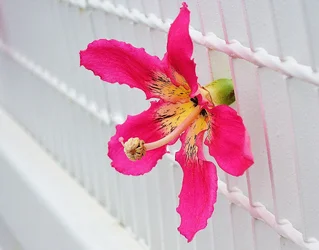
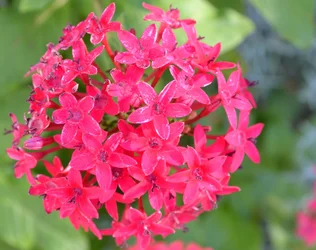
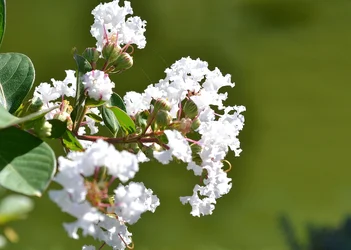
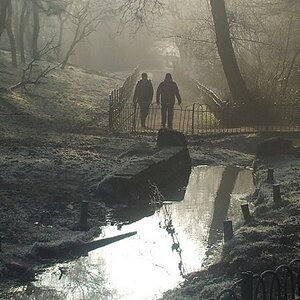
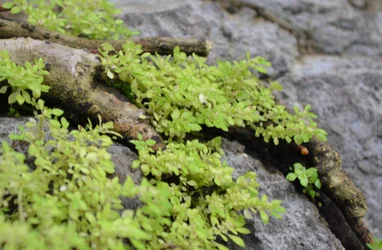
Just some pictures I took Downtown OKC in the Green house. Comments would be appreciated, i am not sure if i have the settings set so you can edit my photos? let me know
 

Attachments

  • $DSC_0076.webp
    $DSC_0076.webp
    626.6 KB · Views: 121
  • $DSC_0057.webp
    $DSC_0057.webp
    1.8 MB · Views: 128
  • $DSC_0047.webp
    $DSC_0047.webp
    659.2 KB · Views: 100
  • $DSC_0010.webp
    $DSC_0010.webp
    965.5 KB · Views: 102
First impressions: 1) watch the focus - upper left and lower right. 2) I like the lower left one the best, but it looks like you have cropped off a bit of the lower part of the flower.

My general feeling is that you are cropping these a bit too closely - give the flower some room to "breath" and use depth of field to create some bokeh in you image. If you crop too closely, you run the risk of cropping off part of the flower. It would also make it easier for a reviewer to comment on your iamges if you woulkd numbe rthem - that way there is no confusion about which one is being discussed. My 0.02¢ FWIW.

WesternGuy
 
Yeah I have the full versions still that haven't been cropped but I had to do it to put them on here. Image sizes were Too big
 
Yeah I have the full versions still that haven't been cropped but I had to do it to put them on here. Image sizes were Too big
I do believe that it is possible to reduce a picture in size without "cropping" it. In CS6, you can resize an image and make it smaller without cropping it. This process may produce a softer image, which can be re-sharpened using the Unsharp Mask filter. I do it in Lightroom all the time with a couple of different homemade presets. One reduces the image so that it is only 1000 pixels on its longest side and the other reduces it to 500 pixels on its longest side - no "cropping" involved. If you are using something else in post-processing, then that software may also be capable of doing this.

WesternGuy
 
yea i posted from a computer without PS at the time, but still wasnt sure about how to resize. thanks for the info westernguy! i am going to post some more today and number them, im on PS all day today.
 

Create an account or login to comment

You must be a member in order to leave a comment

Create account

Create an account on our community. It's easy!

Log in

Already have an account? Log in here.

Back
Top Bottom