HA!
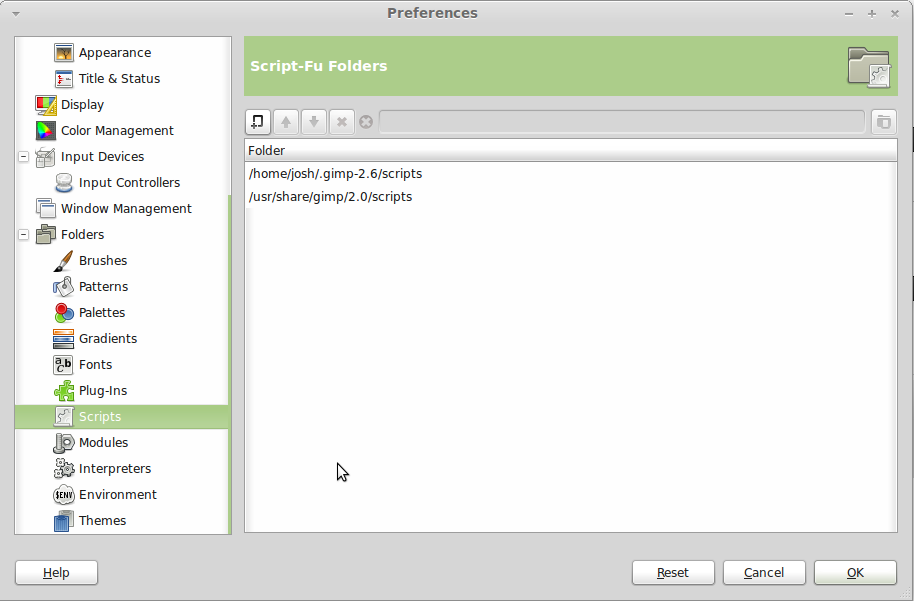
OK, I got that Cross Process Python script in the right place and working. It was extremely simple once I figured out what to do.
I'm on Linux, but it should be almost identical for you. Except that my distro came with Python on it (even if it didn't, installing it is a 3-click process), and yours apparently didn't.
OK - save that text file to your computer. Delete the ".txt" off - it needs to end in ".py". Now you have to change the permissions to make it executable. I don't know how to do that on Mac, but in Linux it's very simple - right click the file > Properties > Permissions - then there's a little box you can check off to make it executable. Now you have to move it into the
plug-ins folder. (I had initially put it in the scripts folder thinking it would be the same as the Script-Fu scripts - it's not.) On my computer that was "/usr/lib/gimp/2.0/plug-ins". One problem though - I tried to move it and didn't have permission - so I had to do it in the terminal as root. Not sure if you're going to have that issue or not. Anyway, here is how I did that:
sudo mv /home/josh/.gimp-2.6/scripts/cross_process.py /usr/lib/gimp/2.0/plug-ins
(I guess the code tags don't work here ... quote sorta works...)
"/home/josh/.gimp-2.6/scripts/cross_process.py" is where I moved it from, and "/usr/lib/gimp/2.0/plug-ins" is where I moved it to.
EDIT--->
I can't seem to get it to go in the folder (get circle w/ line through it).
It sounds like you are having that problem. You're going to have to move it as root. If you're using OS X, open up a terminal and type in the same thing I did, but substitute the first location for where ever the file is on your machine. Capitalization matters, so if your folder names are capitalized, you have to capitalize then in the terminal too - also, if there are spaces in a folder (or file) name you have to put it in quotes. sudo mv location/of/the/file/to/move.py /usr/lib/gimp/2.0/plug-ins <--Type that - it will ask you for your password after you hit enter. That will move the file to /usr/lib/gimp/2.0/plug-ins. I'm pretty sure that will be the right location, but double check it. <---EDIT
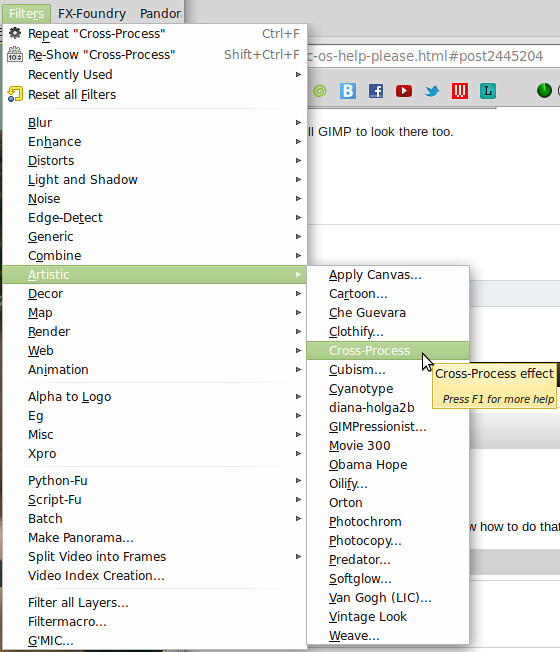
And this is where it is in the menu now:
I didn't have to actually do anything inside GIMP - just drop it into the right folder and it automatically showed up there.
I really don't know why they don't tell you that on the damn site with the plug-ins. I only figured it out by looking at the Python scripts that were already in that folder - I noticed that they all ended in .py, so I figured maybe if I make that file end in .py and put it in that folder it would work. It did.


 I did some researching on my own and came up empty handed; haven't seen those links yet though!