Aloicious
No longer a newbie, moving up!
- Joined
- Mar 12, 2010
- Messages
- 1,661
- Reaction score
- 452
- Location
- UT
- Can others edit my Photos
- Photos NOT OK to edit
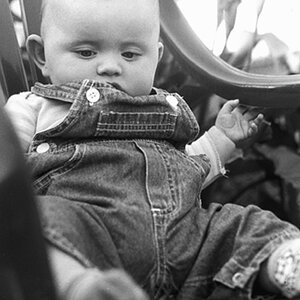
Hey, so I'm not overly experienced shooting people, but I was taking some shots with the family a little while ago, and I got a good one of my sister in law holding her son, my nephew. we both really like the pic, and she wants to have it printed off in an 8x10". however I'm not very well versed with PP specifically on people, and I've NEVER preped a photo for printing. below is a shot out of the camera with no editing (other than cropping to the right size and reducing it to post here), and another one with what I've done in PP with it.
what I'd like is some C&C/suggestions/advice, especially on how to better prep the picture so that it will turn out best in print...the plan is to print it professionally (not off a home printer), at 8"x10", I was thinking 300 px/inch? I'm thinking that will provide good resolution on paper, but any help is appreciated.
here's the original straight from the camera (other than converted to jpg, crop, resize for web usage)

here's the post processing version I did (again this is resized so it is web friendlier):

what I'd like is some C&C/suggestions/advice, especially on how to better prep the picture so that it will turn out best in print...the plan is to print it professionally (not off a home printer), at 8"x10", I was thinking 300 px/inch? I'm thinking that will provide good resolution on paper, but any help is appreciated.
here's the original straight from the camera (other than converted to jpg, crop, resize for web usage)
here's the post processing version I did (again this is resized so it is web friendlier):


![[No title]](/data/xfmg/thumbnail/37/37630-10bda987ab220dc60e7c1cb65502f83c.jpg?1734170754)
![[No title]](/data/xfmg/thumbnail/35/35963-4809c92024a0e6355dd194caf9297701.jpg?1734167812)