What's new

How to achieve this soft, low-contrast effect?

jamesino

TPF Noob!
Joined
Dec 9, 2007
Messages
115
Reaction score
0
Can others edit my Photos
Photos OK to edit
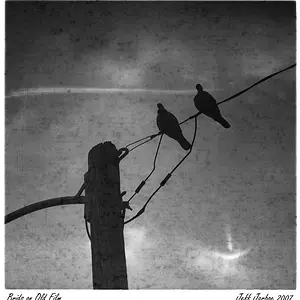
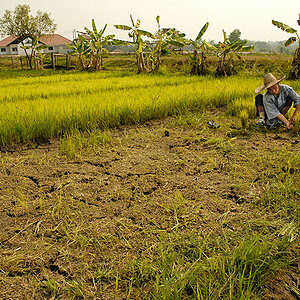
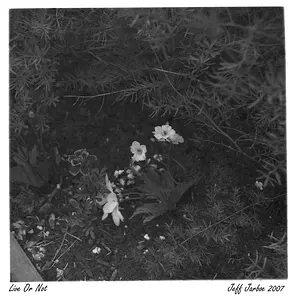
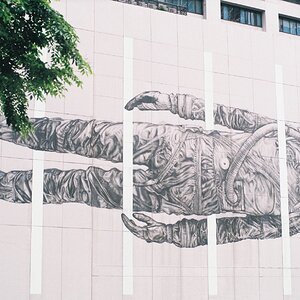
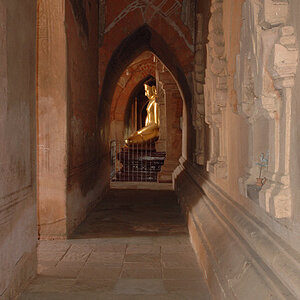
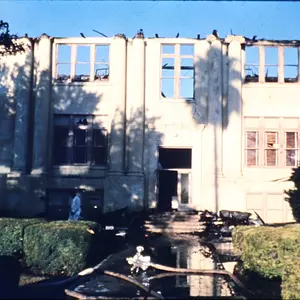
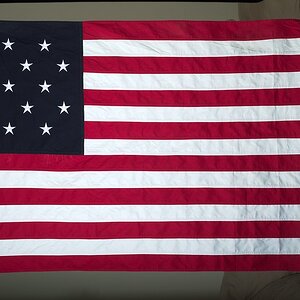
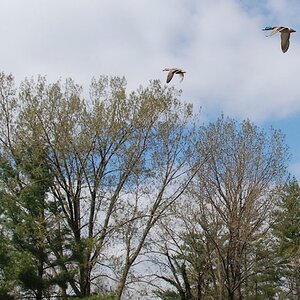
How does one achieve this soft, low contrast effect characteristic of these photos:

4.jpg

6.jpg


7.jpg
 
or a cheap lomo holga ;)
if you love these kind of colours/non-sharpness you'll love these cameras!
 
and while you're at it google "photoshop cross processing"
 
I can't seem to get that faded look without making it appear as if there is a film of white over the picture. Do I just turn down the contrast?
 
The last photo is extremely overexposed... to do this on a digital camera you need to shoot properly exposed and then increase the exposure in post-process.
 
anyone else not like this look? Well, to me it is fine for these images because they have a little more "commercial" look to them... but I have seen portrait photographers apply this technique to children and babies and it just doesn't work... makes me feel like there is a film over my eyes or I am looking through water... makes my eyes wants to water... lololol :)

 

Create an account or login to comment

You must be a member in order to leave a comment

Create account

Create an account on our community. It's easy!

Log in

Already have an account? Log in here.

New Topics

Back
Top Bottom