Hey all -
My question, basic as it is, is how to get these two visual styles/effects of photo.
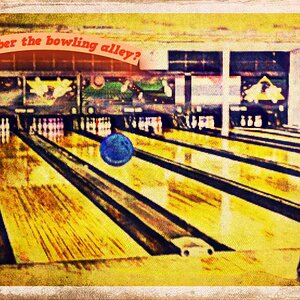
The first style is that yellow-ish/kind of polaroid/crisp-but-worn kind of image like the second one in this thread (by Kate21): http://www.thephotoforum.com/forum/...oto-gallery/187303-your-best-2009-so-far.html
I know its somewhere in Photoshop (must be an post production kind of thing due to the unnatural light color).. but where in Photoshop can I get this effect?
The second effect is the point-and-shoot look.. I know I could just use my little canon pocket camera, but images like this one (slightly NSFW.. only example I could think of): Olivia Munn Pictures - 1 of 8 - Maxim Girls Photo Gallery | Maxim.com
The effect here is that harsh flash but a harsh flash that doesn't destroy the rest of the image - how do I do that?
Thanks for all the help!
Chris
My question, basic as it is, is how to get these two visual styles/effects of photo.
The first style is that yellow-ish/kind of polaroid/crisp-but-worn kind of image like the second one in this thread (by Kate21): http://www.thephotoforum.com/forum/...oto-gallery/187303-your-best-2009-so-far.html
I know its somewhere in Photoshop (must be an post production kind of thing due to the unnatural light color).. but where in Photoshop can I get this effect?
The second effect is the point-and-shoot look.. I know I could just use my little canon pocket camera, but images like this one (slightly NSFW.. only example I could think of): Olivia Munn Pictures - 1 of 8 - Maxim Girls Photo Gallery | Maxim.com
The effect here is that harsh flash but a harsh flash that doesn't destroy the rest of the image - how do I do that?
Thanks for all the help!
Chris




![[No title]](/data/xfmg/thumbnail/41/41933-d5af292b78e4b91211e86e0f3205eda8.jpg?1734176289)