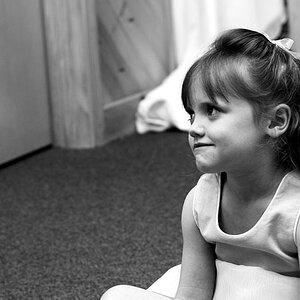
Focus on eyes (as far as I can tell with this low resolution)
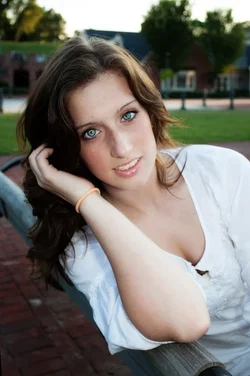
Light to the eyes, though it looks like its from a flash.
Maybe a bit flat because of pretty even lighting.
Sky is overblown, background is blurred but not too pretty.
I agree with everyone else, I think it's a really nice photo. But if you're dying for ideas, perhaps a hair light behind her to the left would be nice.
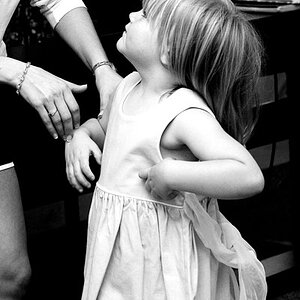
Yes...that was the first thing I noticed--he lower arm looks, well, massive. An entirely different arm placement would have improved the shot, but that is a pre-shot change. AS to a way to improve this photo now, post-shoot, I think burning the arm in (i.e. darkening it) might help remove some of the emphasis from it. The old adage, "Light advances, dark recedes," applies here. Because her lower arm is so light in tone, it appears to "advance", or become visually prominent. Her face, being a darker value, appears to "recede", or to become LESS_prominent...which is kind of the exact opposite of what we normally would want in a portrait type shot.
The more-difficult approach would be to rotate the canvas to the right, and crop in EXTREMELY, and make this into a tight, vertical portrait...paint in another backdrop, to eliminate the un-level horizon the extreme rotate would create.
Yeah... Shooting at 24mm with my 18-55 kit lens was a dumb move. I was probably being careless and rushing through the shot. It would've taken me two seconds to step back and zoom in.
I didn't notice her teeth were yellow until I started processing the RAW files... I asked her a few days later if she was a smoker... She said no... Luckily for me, it's a pretty easy fix in post-processing... Meh...



![[No title]](/data/xfmg/thumbnail/38/38261-db20f6f92ee8f0d4c5cf1536e308638b.jpg?1734172147)
![[No title]](/data/xfmg/thumbnail/40/40288-4d5d7a8aa74ddfceb5fb82062d9b21be.jpg?1734174702)