Thanks Rick and Propilot!
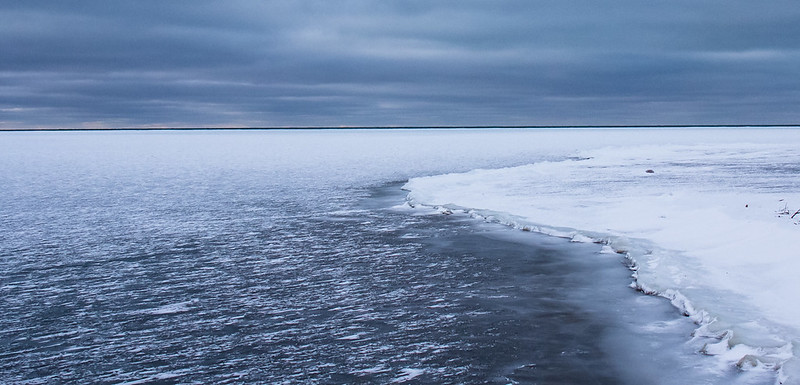
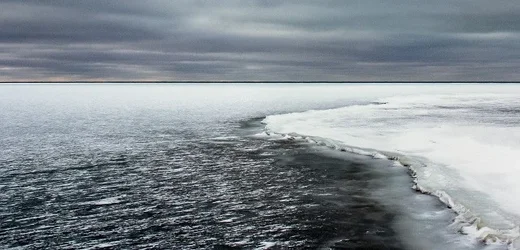
Joe.... oh my gosh, I love your edit. You know when you start editing something and you get lost down a pathway (this time it was the blue hue) and you forget where you came from? This is one of those cases. Your edit is very true to what it looked like there, with a little added contrast that I couldn't seem to get right. I'm going to say I like your edit better than mine and definitely keep it in mind when I'm editing the rest from the day. Editing continues to be my Achilles heel! I have some more waterscapes that I tried to edit last night and I'm just not getting them, I'm going to start over today and try again.
Glad I could help. Here's what I did:
I wanted to set a white point using the snow on the right side shore so I opened the photo in ACR and used the white point eyedropper to do that. Then straight to Photoshop where I rotated the photo 1/3 of a degree clockwise. I took Rick's suggestion and cloned out the grass and stuff. Then I looked at the histogram which was compressed with nothing in the photo anywhere near black. I opened Levels and made a pretty big change there pulling in the end points. This raises the contrast and also the color saturation. It brought out the color in the sky but also showed a green tint in the clouds. So as a final step I placed a selection over the sky and used Photoshop's Selective Color dialog to tone down that green.
Lake Huron is the jewel of the great lakes -- one of my favorite places. That's a very nice photo.
Joe







![[No title]](/data/xfmg/thumbnail/37/37115-e2d49d984453c62a2a20cf741e3d6679.jpg?1734169831)


![[No title]](/data/xfmg/thumbnail/37/37114-2bba6b6cc4df1fe53588503fb35af8dd.jpg?1734169831)
![[No title]](/data/xfmg/thumbnail/37/37113-886cb28b1e3fb197bdd00a9148269407.jpg?1734169831)