What's new

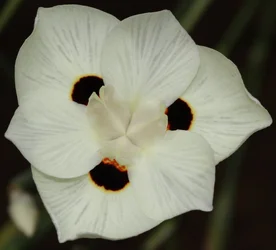
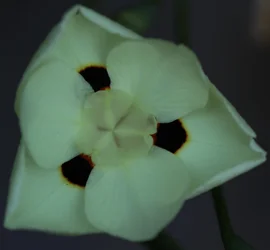
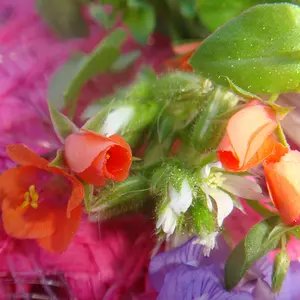
Its supposed to be a yellow flower...

funwitha7d

No longer a newbie, moving up!
Joined
Jan 8, 2015
Messages
518
Reaction score
190
Location
New Zealand
Can others edit my Photos
Photos OK to edit
it was early evening, natural lighting was good but I could not capture the colour of this flower accurately, any suggestions?
 

Attachments

  • IMG_8524 stark contrast.webp
    IMG_8524 stark contrast.webp
    507.2 KB · Views: 189
Did you have auto-WB setting on?
 
A lot of auto white-balance takes the largest area of colour and considers it as white/grey, even though it is yellow, so you will need to set the white-balance manually to daylight in this occasion, as it`s got it wrong.

John
 
Seeing that you used the flash, you would have to set your your WB as 'flash'. Hope you shot in RAW...
 
Seeing that you used the flash, you would have to set your your WB as 'flash'. Hope you shot in RAW...
shot is RAW & JPEG, have not tried to adjust flower colour manually, I have photoshop v9 but don't use it much yet
 
A lot of auto white-balance takes the largest area of colour and considers it as white/grey, even though it is yellow, so you will need to set the white-balance manually to daylight in this occasion, as it`s got it wrong.

John
thanks yes this is one of my problems, normally set a WB but for some reason did not try to change this
 
If you don't post process to correct the color/WhiteBalance
then your camera may have the features in the menu to make a copy of it and adjust the colors/Whitebalance.
 
If you want truly good colors, then it helps to have something in the image that is of a known white or grey value. So in this situation, you could have taken two images with identical exposures, but one of them would include a piece of white paper. Then in post-processing, you could use the WB eyedropper to tell the program that the paper was "white", and carry that setting over to the second image where the paper isn't present.

 
If you want truly good colors, then it helps to have something in the image that is of a known white or grey value. So in this situation, you could have taken two images with identical exposures, but one of them would include a piece of white paper. Then in post-processing, you could use the WB eyedropper to tell the program that the paper was "white", and carry that setting over to the second image where the paper isn't present.
a cunning plan, will try to get back to the spot and try this, thanks
 
If you don't post process to correct the color/WhiteBalance
then your camera may have the features in the menu to make a copy of it and adjust the colors/Whitebalance.
yes I need to play around with this, its the first time this has really happened but need to get a bit sorted for the future
 
Just shoot RAW and extract the embedded jpeg, it`s full resolution on Nikon camera`s other brands can be lower, use the free software below, it take a few seconds to extract the jpegs from a directory full of raw files, i have been using it for years.

Instant JPEG from Raw

John.
 
well I do feel rather silly but pleased to have the colour right, no AWB this evening
the flower was not quite at its peak tonight but the little adjustment did the trick thanks for your help :)
 

Attachments

  • IMG_8570 and now its yellow as it should be.webp
    IMG_8570 and now its yellow as it should be.webp
    287.6 KB · Views: 176

Create an account or login to comment

You must be a member in order to leave a comment

Create account

Create an account on our community. It's easy!

Log in

Already have an account? Log in here.

New Topics

Back
Top Bottom