- Joined
- Jan 2, 2014
- Messages
- 242
- Reaction score
- 62
- Location
- Atlanta, GA
- Can others edit my Photos
- Photos NOT OK to edit
Ok before we go any further first a few more details please:
1) What settings did you use for these shots - check your EXIF data if you can't recall.
2) How did you use the flash itself - what type of flash, position, settings etc...
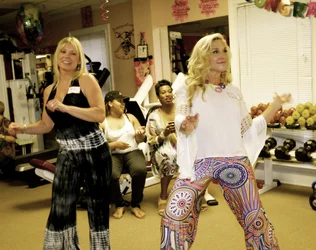
I'll say now that in almost all cases you can't fix motion blur (if you're a really good digital artist you might be able to rebuild the areas, but you're looking at a lot of work to get it to look right)
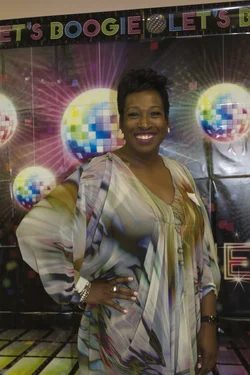
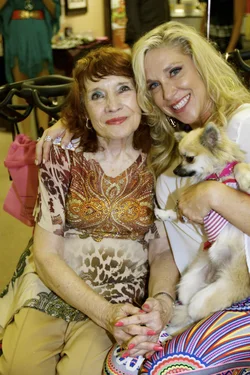
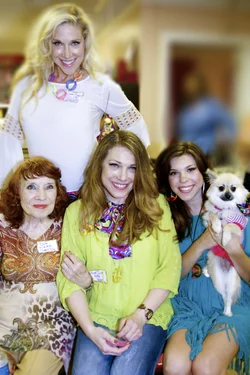
If you shot in RAW you can adjust the white balance which might help you with the yellow tint - otherwise levels and using the eye-dropper tools to define a white, grey and black spot can also sometimes fix colour hazing.
What editing software do you have to work with? That will influence what kind of advice we can give.
Ok before we go any further first a few more details please:
1) What settings did you use for these shots - check your EXIF data if you can't recall.
2) How did you use the flash itself - what type of flash, position, settings etc...
I'll say now that in almost all cases you can't fix motion blur (if you're a really good digital artist you might be able to rebuild the areas, but you're looking at a lot of work to get it to look right)
If you shot in RAW you can adjust the white balance which might help you with the yellow tint - otherwise levels and using the eye-dropper tools to define a white, grey and black spot can also sometimes fix colour hazing.
Hi. I shot in RAW, Thank God. How do I adjust that? Let's see.. I shot with a 16-35mm f/2.8 L II at 29mm, ISO 400, f/2.8, and 1/60 shutter speed for most of the pictures.
The color is beyond repair on these. Maybe a bw conversion or add some disco themed color grading to cover the mistakes.
As for the flash, point at the ceiling, use the little piece of white plastic for catch light and set it to ETTL.