What's new

Macro shots

Bryant

TPF Noob!
Joined
Jun 25, 2008
Messages
225
Reaction score
0
Location
Connecticut, United States
Can others edit my Photos
Photos OK to edit
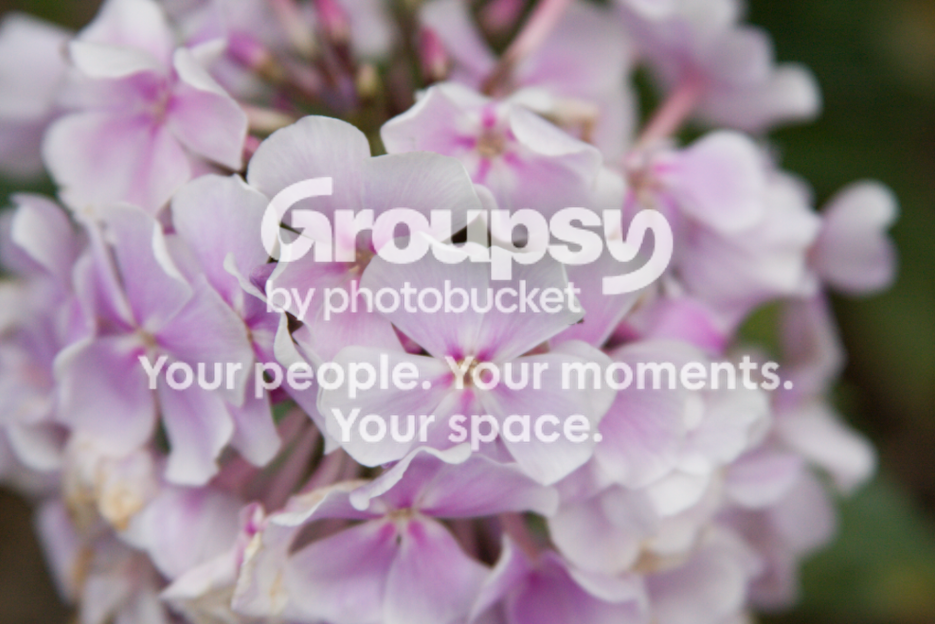
I was out shooting and attempted macro again, this time getting very close.

Picture11.png


Exif: f/4.5, 1/125.

Picture12.png


Exif: f/ 5.6, 1/320.

I don't know how to upload raw images to photobucket so i had to take screenshots with my macbook. Any Ideas how this is done, can i export a CR2 out of PS into a jpg or something?

Any comments to improve it, anything in photoshop? Your welcome to edit them and repost as long as you tell me what you did.

Thanks

Edit: These have no PS editing, all done in camera.
 
I like the first one. Second one doesn't seem to have anything that is sharp. Otherwise nice set.
 
Well first off when you open a RAW )with photoshop) you have to apply edits the shot shot - such as white balance and exposure and such. Once that is done click the open command (rather than the save command),
This now opens the photo in photoshop where you can apply noise reduction, (auto)levels (very important), brightness, contrast, saturation and sharpening (do this last - also don't do sharpening and noise removal in the RAW window - its not as powerful as in photoshop proper).

that should help get better results - and then you can save your edits as a JPEG or TIFF *or other*.
JPEG should only be used for a final work where you don't intend to do further editing on the shot (due to the lossy nature of JPEG each time you save it you lose data - which degrades photoquality)
TIFF is good for continued editing as it preserves all you layers in the file and is also lossless - which means no data is lost in subsequant saves. - of course the downside is that TIFF files are much larger than JPEGS.

Once you have the shot save resize it in photoshop to the desired size for the web and then sharpen it again (resizing leads to loss of sharpness) and then SAVE AS to a different folder or filename - which you can then upload to the web.
Don't upload fullsized results to places like photobucket or imageshack as their built in resizing programs are very weak

As for these two shots - the first is good - it sharp and has an interesting subject in the middle -- the second is does look like you missed the mark with the plane of focus - a tip for a shot like that (where you want a deeper depth of field) is to use a smaller aperture - f8-f13 - as depth of fields are much smaller in macro than they are for normal uses.
 
I like the DOF in the first but I'm not sure about the colour levels, did you alter it at all? It seems very saturated at the expense of some of the detail.
 
The first shot, the center of the flower looks too vivid. It's oversaturated, imo. Did you play with the saturation?

The second one...nothing is in focus.
 
i think the first one is cool, but the right side kinda turned it down.
 
Last edited:

Create an account or login to comment

You must be a member in order to leave a comment

Create account

Create an account on our community. It's easy!

Log in

Already have an account? Log in here.

New Topics

Back
Top Bottom