What's new

More Portrait Practice with Tiffany

NewGuy12

TPF Noob!
Joined
Sep 24, 2012
Messages
39
Reaction score
2
Location
Arizona
Can others edit my Photos
Photos OK to edit
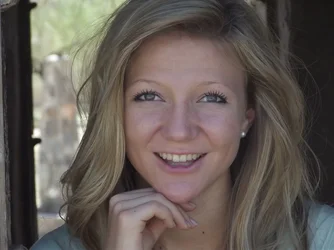
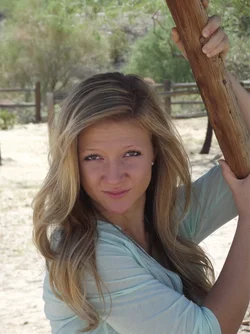
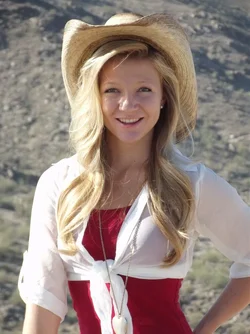
Hello everyone. Well, I did another shoot with Tiffany this morning. A little later this time. 8:30 AM - 10:30 AM. Desert Scenery. I am uploading a few right out of the camera (this time without using LR) because I want to achieve better portraits without having to enhance them. I really appreciate all of the help that I am getting here. I think I was able to get better photos opposed to last week following some simple rules given to me here.

C&C Please.

$Tiffany-South-Mountain-1.webp$Tiffany-South-Mountain-2.webp$Tiffany-South-Mountain-3.webp
 
Those are pretty good to me. I like #2 best but it and 3 may be a little under exposed. To me #1 needs fill light from camera right. Mayb you could have turned her toward the sun a little bit more to get the shadows off her face.
 
#1 Very nice pose! Very good frame and background. Needs fill flash.
#2 Should have been in portrait format because you cropped her head, left an orphan hand, and included distracting background elements.
#3 Pose is almost good, but she is squinting in the light. Needs fill flash again. Watch what is behind you, and try to get a darker area like some shade for the model to look toward. In this pose, aside from the squinting, ask her to raise her chin a little bit. A "pro" might ask her to toss her hair, and grab the shot just as her eyes aquire the camera again. The background fence might be considered something of a distracting element.

(edit) It may seem counterintuitive to use flash in the bright sunlight, but fill flash is just enough to balance the very bright areas which are lit by sunlight. If you don't yet have a speedlight, get an inexpensive reflector and reflect some sunlight from the (camera right in this case) onto the model. The reflectors come in white, silver, and gold, so have some fun experimenting with different colors. The easiest way to direct the reflector is to get some third person to aim the reflector. You can also tell that person to move closer or farther back as required. Aim higher, or aim lower, etc.
 
Last edited:
#1 is very nice. Good warm flattering light, cute accessories, you're showing off her fantastic hair to great effect. I might go a little looser on the framing to get her elbow in, but maybe not, I'm not as fussy about chopped off parts as some people are. The little bits of light on her cheek and nose give this a little pop. The bulk of her face is still basically in shadow (which you really have to do with this sort of harsh natural light -- there's no way it's going to look flattering to place the sun in a traditional Key Light position in this sort of clear/bright/desert day, I don't think). Her mouth looks a little soft, I think your depth of field should have been a bit more. You've got the eyes and parts of her hat sharp, but you're losing it by the time we get to her teeth (somehow -- how, I cannot say, maybe the plane if focus is actually forward and her eyes just look sharper?)

The other two, you're putting more her in shadow, and that's sort of dull. She's still cute as a button, but the light is flat. The last shot makes her look like she's sneering, or smelled something bad (this is at least partly because that's how her face is shaped).
 
:er:


Same issues. Fill flash, lighting on her face, cropping too tight and chopping hands/feet/head/limbs. Focus appears to be pretty good.
 
#1 Very nice pose! Very good frame and background. Needs fill flash.
#2 Should have been in portrait format because you cropped her head, left an orphan hand, and included distracting background elements.
#3 Pose is almost good, but she is squinting in the light. Needs fill flash again. Watch what is behind you, and try to get a darker area like some shade for the model to look toward. In this pose, aside from the squinting, ask her to raise her chin a little bit. A "pro" might ask her to toss her hair, and grab the shot just as her eyes aquire the camera again. The background fence might be considered something of a distracting element.

Designer, the fence would be okay if he had gotten more bokeh, correct?
 
Much better overall...but I still think that they are all a little under exposed. The first one has some bright areas, maybe even blown out, but her face is still a bit dark IMO.

What mode do you shoot in? And what is your metering method?
Based on what I'm seeing here, I'd guess that you're using one of the auto/priority modes without any exposure compensation...or maybe manual mode, just getting to zero.
The problem with that, is that the camera is actually designed to get exposures wrong (they all are). When you meter on something bright (like her face) the camera will try to expose the image at the same tone as middle grey. It's your job as a photographer to understand what the camera is trying to do (with it's meter) and to counter act it.
So when you shoot (meter on) something bright, you need to adjust your exposure in the positive direction. If you meter something dark, the camera will try to overexpose it and you have to use negative exposure compensation.

If I was shooting this girl, I might get in close to her face and (in manual mode) adjust my exposure to +1 on the scale. In an auto mode, dial in +1 EC but then get close, use the auto exposure lock (AEL) button and then back up and take the shot. It's much easier in manual because in auto, you'd have to re-meter and use AEL for every shot (unless you were still close enough to be metering on just her face).

Of course, if you shoot the photos so that her face is brighter, the background will get brighter as well. If that is OK with you, then go for it. But if you want to keep the backgrounds from getting too bright, then you have to add light to just her face...flash or a reflector will help with that.
 
Designer, the fence would be okay if he had gotten more bokeh, correct?

Yes, I think so. If something in the background is really blurry, we simply don't focus on it when we look at the portrait, so it doesn't "compete".
 
Much better overall...but I still think that they are all a little under exposed. The first one has some bright areas, maybe even blown out, but her face is still a bit dark IMO.

What mode do you shoot in? And what is your metering method?
Based on what I'm seeing here, I'd guess that you're using one of the auto/priority modes without any exposure compensation...or maybe manual mode, just getting to zero.
The problem with that, is that the camera is actually designed to get exposures wrong (they all are). When you meter on something bright (like her face) the camera will try to expose the image at the same tone as middle grey. It's your job as a photographer to understand what the camera is trying to do (with it's meter) and to counter act it.
So when you shoot (meter on) something bright, you need to adjust your exposure in the positive direction. If you meter something dark, the camera will try to overexpose it and you have to use negative exposure compensation.

If I was shooting this girl, I might get in close to her face and (in manual mode) adjust my exposure to +1 on the scale. In an auto mode, dial in +1 EC but then get close, use the auto exposure lock (AEL) button and then back up and take the shot. It's much easier in manual because in auto, you'd have to re-meter and use AEL for every shot (unless you were still close enough to be metering on just her face).

Of course, if you shoot the photos so that her face is brighter, the background will get brighter as well. If that is OK with you, then go for it. But if you want to keep the backgrounds from getting too bright, then you have to add light to just her face...flash or a reflector will help with that.

Mike, Have you ever thought about vacationing in Oklahoma, USA? If so, be sure to let me know so you can give a class. Great stuff.
 
Mike, Have you ever thought about vacationing in Oklahoma, USA? If so, be sure to let me know so you can give a class. Great stuff.
If you can get 16+ people lined up, at $200 a head, I'd be glad to. ;)
 
Much better overall...but I still think that they are all a little under exposed. The first one has some bright areas, maybe even blown out, but her face is still a bit dark IMO.

What mode do you shoot in? And what is your metering method?
Based on what I'm seeing here, I'd guess that you're using one of the auto/priority modes without any exposure compensation...or maybe manual mode, just getting to zero.
The problem with that, is that the camera is actually designed to get exposures wrong (they all are). When you meter on something bright (like her face) the camera will try to expose the image at the same tone as middle grey. It's your job as a photographer to understand what the camera is trying to do (with it's meter) and to counter act it.
So when you shoot (meter on) something bright, you need to adjust your exposure in the positive direction. If you meter something dark, the camera will try to overexpose it and you have to use negative exposure compensation.

If I was shooting this girl, I might get in close to her face and (in manual mode) adjust my exposure to +1 on the scale. In an auto mode, dial in +1 EC but then get close, use the auto exposure lock (AEL) button and then back up and take the shot. It's much easier in manual because in auto, you'd have to re-meter and use AEL for every shot (unless you were still close enough to be metering on just her face).

Of course, if you shoot the photos so that her face is brighter, the background will get brighter as well. If that is OK with you, then go for it. But if you want to keep the backgrounds from getting too bright, then you have to add light to just her face...flash or a reflector will help with that.

Wow! Thank you for so much useful information Big Mike!

To answer your question, I did in fact shoot in Auto Mode. I stood back about 10 feet from her, zoomed in (Attempting to frame her correctly), and took the shots. I don't understand the mechanics of my camera with lighting yet but am trying to learn. I found it difficult to review what I had done or see her in the view finder with the sun out so bright. We are in Arizona and the sun here seems a bit more intense than back home. (Back east where I grew up)

I understand what you said about counter acting the metering. However, I do not see an "AEL" button on my camera. I will have to get the manual out. The next shoot with her is another desert shoot, about the same conditions so I am going to research and read some more on shooting in Manual and take some practice shots so that I know what I am doing before I do a shoot with her again. I am a few weeks away from being able to purchase a light meter but, I downloaded a Light Meter Ap to my iPhone. Admittedly, I have not attempted to use that in sync with shooting yet.

As for being OK with the brighter backgrounds, no, it's not. I want to produce stunning portraits, and I will ... eventually. :wink:
 
Those are pretty good to me. I like #2 best but it and 3 may be a little under exposed. To me #1 needs fill light from camera right. Mayb you could have turned her toward the sun a little bit more to get the shadows off her face.

Thank you so much for the advice ronlane. I have to get off of the "Auto" mode and learn manual. I had the flash up when I took that 1st one too, but it didn't pop. I am guessing because my camera "In auto mode" didn't think that it was necessary.
 
I understand what you said about counter acting the metering. However, I do not see an "AEL" button on my camera. I will have to get the manual out. The next shoot with her is another desert shoot, about the same conditions so I am going to research and read some more on shooting in Manual and take some practice shots so that I know what I am doing before I do a shoot with her again. I am a few weeks away from being able to purchase a light meter but, I downloaded a Light Meter Ap to my iPhone. Admittedly, I have not attempted to use that in sync with shooting yet.
What camera are you shooting with? on a Canon DSLR, it's the * button, up where your right thumb can get it. Most Nikon DSLR have a button clearly labeled AEL.

You don't really need to buy a hand held light meter. Sure, it would help, but it's certainly not necessary. If you can grasp the principle of needing add exposure when metering something bright, and subtracting exposure when metering something dark...that will mostly solve your exposure issues. Knowing how much to add or subtract will come with experience.

As for viewing the image on your LCD, yes it can be hard to see outdoors....that is one reason why I teach my students not to trust the image they see on the LCD screen. Besides being hard to see, it's not fully calibrated. Learn to view and use your camera's histogram display. That will be a much better tool for evaluating your exposure.

 
I understand what you said about counter acting the metering. However, I do not see an "AEL" button on my camera. I will have to get the manual out. The next shoot with her is another desert shoot, about the same conditions so I am going to research and read some more on shooting in Manual and take some practice shots so that I know what I am doing before I do a shoot with her again. I am a few weeks away from being able to purchase a light meter but, I downloaded a Light Meter Ap to my iPhone. Admittedly, I have not attempted to use that in sync with shooting yet.
What camera are you shooting with? on a Canon DSLR, it's the * button, up where your right thumb can get it. Most Nikon DSLR have a button clearly labeled AEL.

You don't really need to buy a hand held light meter. Sure, it would help, but it's certainly not necessary. If you can grasp the principle of needing add exposure when metering something bright, and subtracting exposure when metering something dark...that will mostly solve your exposure issues. Knowing how much to add or subtract will come with experience.

As for viewing the image on your LCD, yes it can be hard to see outdoors....that is one reason why I teach my students not to trust the image they see on the LCD screen. Besides being hard to see, it's not fully calibrated. Learn to view and use your camera's histogram display. That will be a much better tool for evaluating your exposure.

I am shooting digital at this point. No DSLR, yet. :cry: Its a Fuji Finepix S2950. With any luck, I will have a DSLR next month. I know it's been a debate on this site as I have read the threads but, I was thinking maybe get good with the little digital camera I have first, then get a DSLR. The compulsion to get one right now is strong. I figure, if I can learn this stuff with a Digital, I can learn it on a more professional grade camera? That said, could you recommend a good starter DSLR that would come in under $1,000? I have scoured CL but I'm really shaky about buying one used from someone. I have seen some fantastic deals on there where they are selling the camera, 2 lenses, filters, speedlights, bag, and all kinds of stuff for $600 or so. But, I'm really scared buying one like that without a warranty of some kind. Sorry, I got off topic.
 
I was thinking maybe get good with the little digital camera I have first, then get a DSLR.

Exactly right! There is more to photography than equipment. You should learn composition at the very least, and study exposure even if your camera does most of it for you.

That said, could you recommend a good starter DSLR that would come in under $1,000? I have scoured CL but I'm really shaky about buying one used from someone. I have seen some fantastic deals on there where they are selling the camera, 2 lenses, filters, speedlights, bag, and all kinds of stuff for $600 or so. But, I'm really scared buying one like that without a warranty of some kind. Sorry, I got off topic.
Naturally, I would recommend the kind I have but someone else would as well. There are many good new cameras for under $1,000, including a lens, and possibly some other stuff, but the deal you quoted sounds fishy to me. I am not a fan of CL, having been nearly duped several times.

Just a good, new camera body will cost in the neighborhood of $600 without any lens. Each new cheap lens should cost between $150 and $200. A good new speedlight will cost $550. You might need a polarizing filter, but expect to pay around $100 for a new circular polarizer. Yea, you might want a bag but it's not necessary. A good tripod can cost quite a bit, so consider your budget in all purchases. I suggest that you set out a realistic budget for photographic stuff and just save up while you are doing the research.
 

Create an account or login to comment

You must be a member in order to leave a comment

Create account

Create an account on our community. It's easy!

Log in

Already have an account? Log in here.

New Topics

Back
Top Bottom