What's new

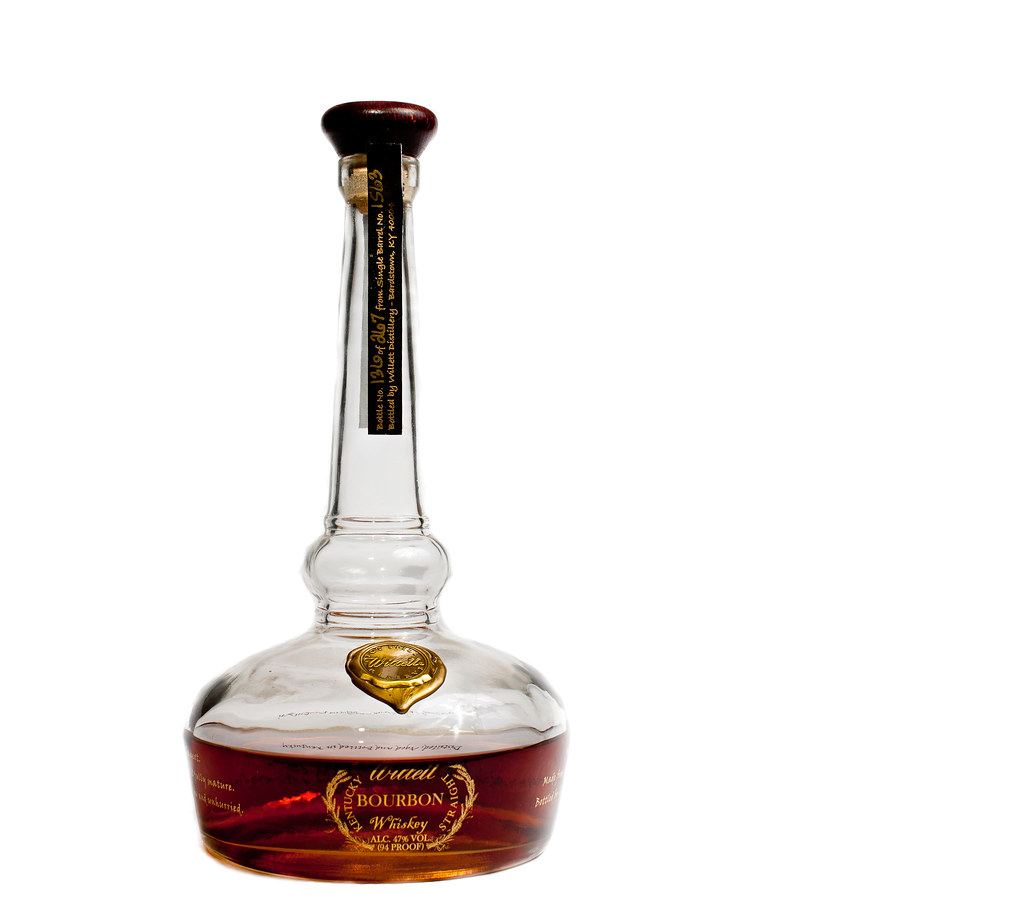
My attempt at seamless white.

JAC526

TPF Noob!
Joined
Sep 19, 2011
Messages
1,329
Reaction score
237
Location
Cincinnati OH
Can others edit my Photos
Photos OK to edit
So I commented on a thread a bit ago and made some snarky responses about getting it as right as possible SOOC.

Bitter called me to account and asked for some examples of mine. So I finally had time today to give it a shot.

I learned some things. #1. I wish I had more room. This would of made it easier to separate my lighting the background from my lighting of the subject. #2. I wish I had one more light. That way I could crosslight the background for even illumination and then use the third light to light the subject. #3. Shadows are a pain in the ass to deal with.

I fell like my SOOC isn't super bad, but it also isn't the best I could do if I had a third light and more room.

One thing is for sure...it is harder than it looks.

Having said that here are my results:

SOOC:
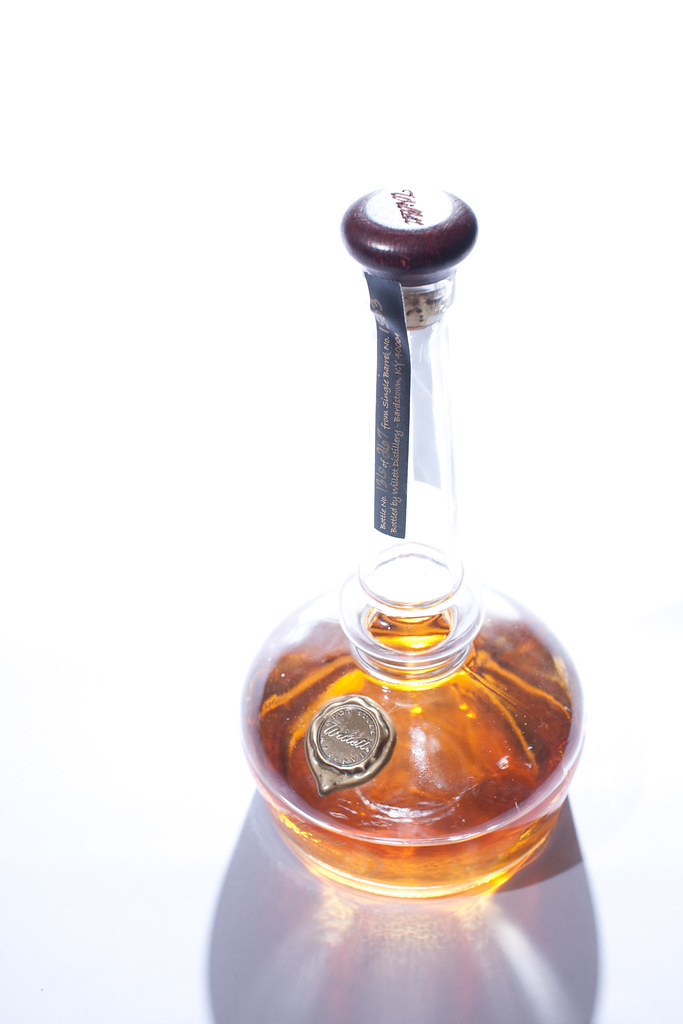

untitled-8428 by JChick526, on Flickr

Edited (maybe about 10 minutes worth):
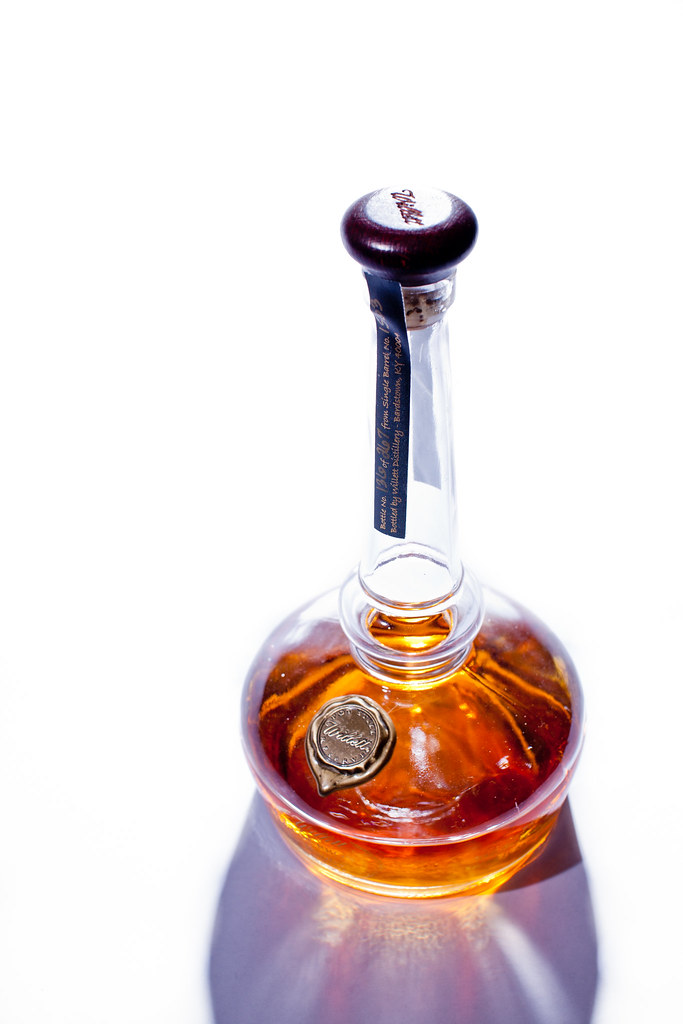

untitled-8428-2 by JChick526, on Flickr

One more for good measure:
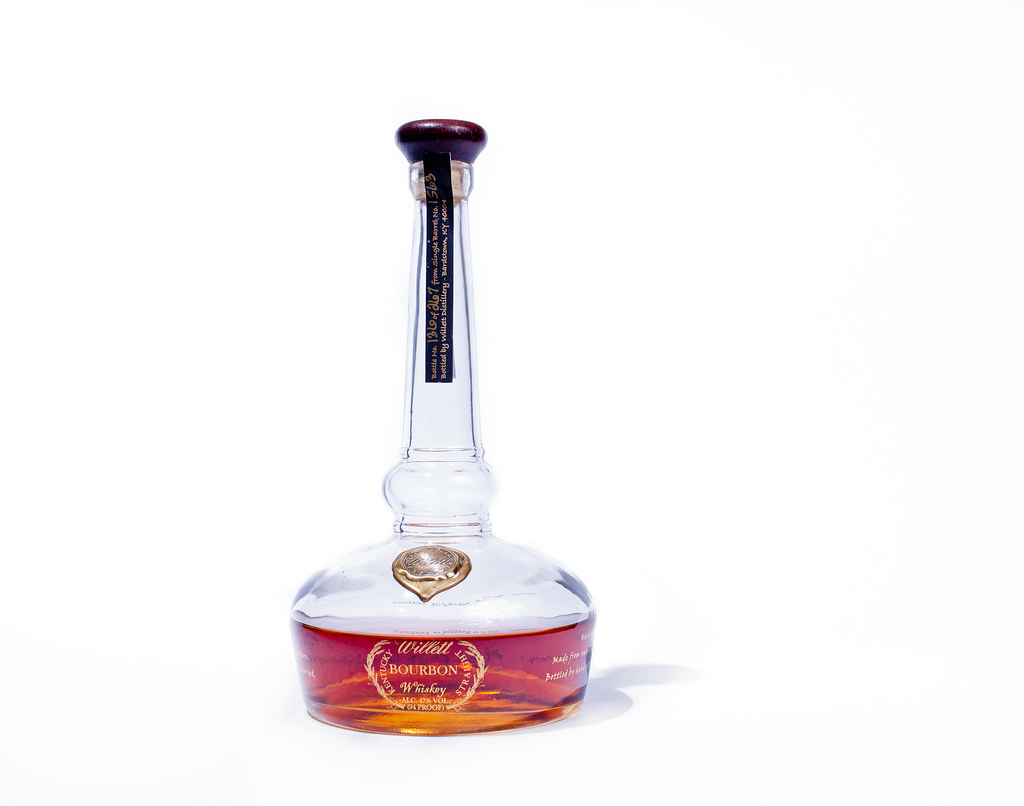

untitled-8371 by JChick526, on Flickr

Thanks for looking,

Joe
 
Actually, I think that's a great start. Having more lights on an object can also create conflicting shadows, and you don't want that. You also seem to control your light pretty well. Glass is fun to shoot, try shooting it with a light source behind the glass, it makes it a little easier to light the glass, then just use another light in front as a fill for the label. I'll try to shoot some glass the next few days and show you how I do it. Might help you out a bit too. Shooting to make the background white is simple once you get the hang of it.


Here was my set-up from this morning when I was doing some product shots for stock photography. I was using 1 light (softbox) to light the product from the back and brought light in using shiny cards and a bounce card.

Set up:
dsc00166qx.jpg


Closer:
dsc00167bi.jpg


SOOC (after focus stacking was done):
toothbrushsooc.jpg


Retouched:
toothbrushk.jpg
 
Sorry but your lighting is all wrong .... Sometimes shooting on white you need black cards to kill some of the blow back the white throws on to your subject.
 
Sorry but your lighting is all wrong .... Sometimes shooting on white you need black cards to kill some of the blow back the white throws on to your subject.

Now that I take a 2nd look... it does seem a tad bit too blown out and hard to tell the bottle apart from the background. Black cards would work great. I love those things
 
One thing is for sure...it is harder than it looks.

:sexywink:

Thanks for giving it a go, and sharing!

Shinycard...The premise of this thread, was that you can get pure white backgrounds straight out of the camera, and not need to photoshop it. :sexywink:
 
One thing is for sure...it is harder than it looks.

:sexywink:

Thanks for giving it a go, and sharing!

Shinycard...The premise of this thread, was that you can get pure white backgrounds straight out of the camera, and not need to photoshop it. :sexywink:

Missed that part of story... had to re-read the OP's post. :lmao:

Yes it is possible to get white backgrounds SOOC. Can be tricky at first, but once you get the basics of it, it's really easy
 
That the thing, Shiny. I want to see it.

I want to see the white seemless "blown" background product shots that need no post work. Especially small products.
I shoot jewelery, and its very hard. Everything I have come across, that is jewelery specific, does tons of post work. There are tutorials specifically for jewelery post work.
To me it's like saying fashion photography should be done with no post work. And you know thats NOT the case.
 
One thing is for sure...it is harder than it looks.

:sexywink:

Thanks for giving it a go, and sharing!

Shinycard...The premise of this thread, was that you can get pure white backgrounds straight out of the camera, and not need to photoshop it. :sexywink:

Hey no problem. I try to follow through. I also try to admit when I'm wrong.

I did learn a lot from this little experiment.

I should of picked something other than glass for my first attempt. Because it was glass I had some restrictions that otherwise wouldn't of applied and maybe made things a bit more manageable.

When I try this again I will really try to give myself more room to light the background separately from the subject. Its hard to get even coverage on the background with only one light though.

The first shot I lit the background and tried to flag some of the background light off of the subject. Not really successful but I had the right idea. The main light is indeed directly behind the subject.

The second shot is basically kind of like a copy lighting setup.

Shinycard thanks for showing me your setup...its giving me ideas as we speak.

Mully please feel free to explain what I should of done differently.
 
just one thought; could have turned the bottle little clockwise to avoid seeing the label on the other side which looks like the shadow of the label of this side :D
 
Actually, I think that's a great start. Having more lights on an object can also create conflicting shadows, and you don't want that. You also seem to control your light pretty well. Glass is fun to shoot, try shooting it with a light source behind the glass, it makes it a little easier to light the glass, then just use another light in front as a fill for the label. I'll try to shoot some glass the next few days and show you how I do it. Might help you out a bit too. Shooting to make the background white is simple once you get the hang of it.

Here was my set-up from this morning when I was doing some product shots for stock photography. I was using 1 light (softbox) to light the product from the back and brought light in using shiny cards and a bounce card.

Set up:

Closer:

SOOC (after focus stacking was done):

Retouched:
toothbrushk.jpg

Shiny card, it is nice of you to post your full setup. It is an excellent teaching tool for the beginners here... to let them see how a shot like that can be achieved. Nicely done!
 
just one thought; could have turned the bottle little clockwise to avoid seeing the label on the other side which looks like the shadow of the label of this side :D

Thanks for the suggestion. I think your suggestion is a good one but I kind of like the label and the text on the front of the bottle not being aligned directly at the camera.
 

Create an account or login to comment

You must be a member in order to leave a comment

Create account

Create an account on our community. It's easy!

Log in

Already have an account? Log in here.

Back
Top Bottom