What's new

My first HS Senior session.. C&C please!

Joined
Apr 5, 2011
Messages
9
Reaction score
0
Location
Mississippi
Can others edit my Photos
Photos OK to edit
208373_1795914148027_1544925526_31964861_6700147_n.jpg

#1
195865_1795916348082_1544925526_31964868_111574_n.jpg

#2
200445_1795919628164_1544925526_31964880_1877137_n.jpg

#3
207953_1795921548212_1544925526_31964890_1085797_n.jpg

#4
209019_1794357989124_1544925526_31961344_2103383_n.jpg

#5
207953_1795921548212_1544925526_31964890_1085797_n.jpg

#6

Any helpful c&c would be much appreciated since I'm new at this and have much to learn!
 
some look out of focus.
I think you should have cropped them better
2 looks like she was pasted in.
 
#4 and #6 are the same image.. i'm sorry about that. And thanks for your comment. Any cropping suggestions?
 
crop in closer on the train photo. looks like your taking a picture of the sign and the girl just happens to be posing in the background. Also looks like your taking a picture of grafiti on the ground and the girl is secondary. Make sure your subject is your subject in the photos. Biggest thing is focus focus focus
 
#2 is VERY odd to me. Personally I would dump it.
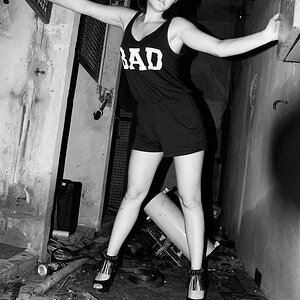
She looks like she's in her mid-30s, which is not a compliment for a HS senior. Her hand looks awkwardly extended. Is that an effort to show her weird nail job?
So really....none of that is your fault. lol

Rockstar covered the rest quite well. I think your winner is #1.
 
I think a big issue with #2 is her eyes. Thats on her not you, but she looks awkward because one eye is half open, its distracting.

Like rockstar said, the stop sign photo needs work. I would suggest getting closer for the crop and narrowing your depth of field, if the stop sign was slightly blurry you'd still be able to read it and get the feeling of rebellion but still know the girl was the focal point of the picture.

Models can be tough to work with, I'm starting to work with people and I'm finding I have to learn how to get the right emotion/pose from them. The less experienced they are, the tougher it is.
 
I agree, #1 is good and the vignette you added works well with the natural framing the brick wall provides. Your fill flash is a nice ratio to the ambient. I'd weaken the vignette on the bottom of the frame because it works against the stair frame imo.

#2, in addition to the aforementioned broken hand and strange pose, the vignette doesn't work for me here (as is usually the case). Also, there's a strange artifiact adjacent to her left wrist... it almost looks like a shadow from the flash against the ground, but not quite... maybe a problem caused by your processing? She appears to be a bit underexposed while the background is correctly exposed, whereas the opposite would be better.

#3 I like the color pallette you chose, but the vignette is very distracting for me.

#4 Probably the worse case of vignetting. I recommend you cease from using vignette. It is not a magical setting that makes photos look better. It's very easy to overdo, and makes them look bad. Also, you have a white balance issue, she looks orange. Easy to fix in RAW. What can't be fixed is the light direction giving her racoon eyes.

Your composition gives equal weight to her, the sign, and the telephone pole. The telephone pole isn't involved in the 'story' so it needs to be gone. You could fix in post, but by far the ideal solution is to avoid background clutter before you open the shutter. Finally, I feel like the shot composition is boring. The location has potential, but I'd like to see a more interesting angle... perhaps get up close to the sign and shoot up at her, maybe having the sign in the foreground, or not including it at all. Including it definitely tells a different story, so it depends on what you're going for. Best solution, do several with and without so you can decide at home (perhaps you did this).

#5 Looks out of focus, and I agree with above. The "ADH" has as much weight as she does. Are those her initials? If so, I'd not include the rest of the graffiti as it confuses the message. If it has nothing to do with her, it also confuses the message because it's red and right next to her, fighting for attention. Also, the light appears to be only on-camera flash which isn't appealing.

 
The only picture that looks like it's in focus is #2. Others have mentioned that this shot makes her look aged--I agree, it's not flattering to her at all. Also, be careful with your vignetting! It looks pretty overdone in a majority of these shots.
 
I agree about the vignetting. I'd probably tone that down a bit. :) I am doing a senior shot this summer, so I appreciate you posting. It is always fun to check out others work. :)
 
# 2 looks like she was pasted in especially around the opening on the right elbow, I like # 3, but I would crop in a little tighter on her (less area around her) its unneeded
 
The odd 'pasted in' look of photo 2 might be caused by trying to fake a shallow depth of field. However I can't tell you if that is actually what happened.
 

Create an account or login to comment

You must be a member in order to leave a comment

Create account

Create an account on our community. It's easy!

Log in

Already have an account? Log in here.

New Topics

Back
Top Bottom