#1: The truck is dead center of the frame. Google "rule of thirds" and other compositional techniques. Learning even just one technique will improve the impact of your photos ten fold...and its' EASY!

The background is distracting from the truck, eg. the truck has a large antenna on the roof in the form of a light pole growing out of it. We, as humans, see in 3-D...you need to train yourself to see in 2-D. Be mindful of the background, because that will all come to the forefront when the image is captured.
I won't get into the fact that the sky and some of the leaves in the background are blown out highlights...that's the next step for you to learn after composition. If you want to be ambitious...Google "Understanding Exposure" and either buy the book that comes up(1st choice) or read as many of the articles that come up as you can possibly tolerate before you fall asleep lol.
The photo is over saturated...the concrete/blacktop is BLUE...I can't tell if the truck is supposed to be black or blue...but I'm guessing it's a black truck and the highlights are oversaturated making it look blue. EDIT: I see you just uploaded the original photos...it's a blue truck. My bad, but the fact stands that it's oversaturated lol
The photo is over sharpened...ease up on that, a little bit goes a long way, also consider selectively sharpening details like the headlights, wheels/tires, door handles etc. instead of doing a global sharpening.
#2: Again, oversaturated, however you COULD make it work with some other changes if you wanted to go that route. Negative clarity comes to mind (dreamy look).
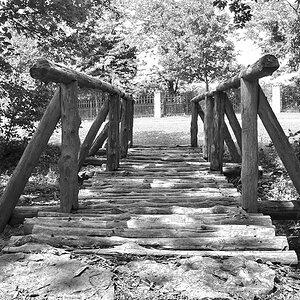
The POV is too low, IMO. I couldn't tell it was a "path" until tirediron mentioned it. A wider angle and a bit higher (not eye level, just a bit higher to let the path roll into the frame instead of follow along the bottom) would make this composition a bit better IMO.
As far as the original photos looking "dull"...if you shoot RAW, they WILL be dull. It's RAW data, you make it look the way you want on the computer.
If you're shooting JPG, then change the in-camera settings to "Standard" or "Neutral" instead of "Vivid". It's better to adjust on the computer than in-camera because you can see more clearly what the image looks like on the monitor instead of the back of the camera.



![[No title]](/data/xfmg/thumbnail/35/35877-b537a0bce18fcb18b610d787610f3d3d.jpg?1734167621)
![[No title]](/data/xfmg/thumbnail/39/39420-c7c6e6f01cdeeceeb81ee717b24dd629.jpg?1734173503)

![[No title]](/data/xfmg/thumbnail/35/35876-de9861d35b5abad8ad1cf7c32772c9fb.jpg?1734167615)
![[No title]](/data/xfmg/thumbnail/30/30859-ec099dbef074432d32832fceb25cf539.jpg?1734158812)