What's new

obviously a beginner so be nice lol

cccott3

TPF Noob!
Joined
Sep 3, 2011
Messages
148
Reaction score
3
Can others edit my Photos
Photos OK to edit
IMG_1599.jpg

IMG_2182.jpg

IMG_2179.jpg

IMG_1305.jpg

IMG_1224.jpg

IMG_15882.jpg

IMG_1224.jpg

IMG_1624.jpg
 
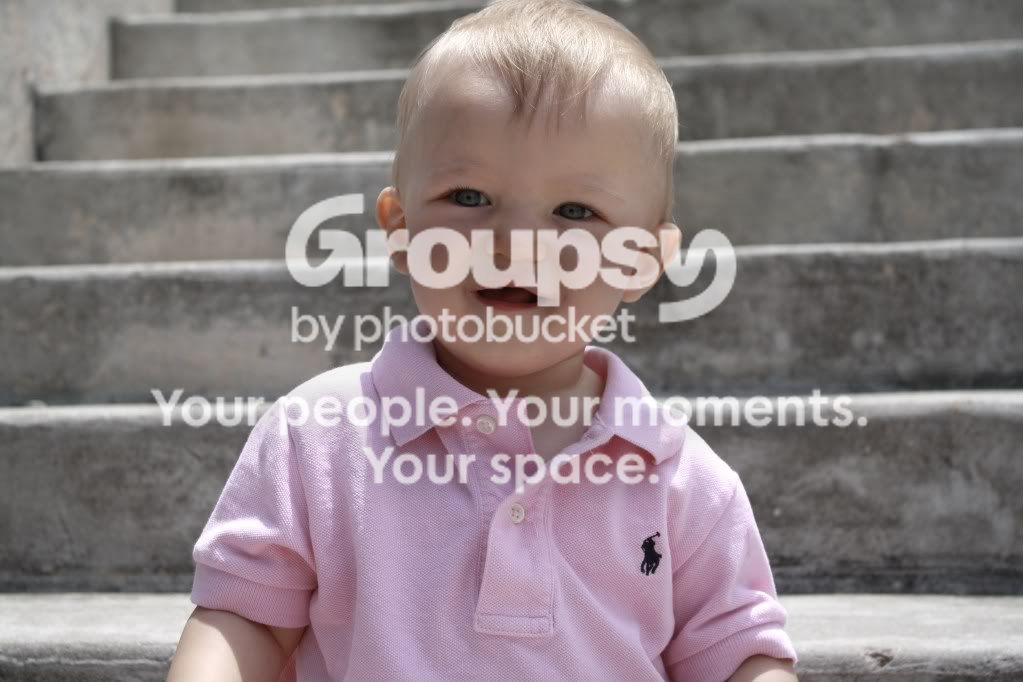
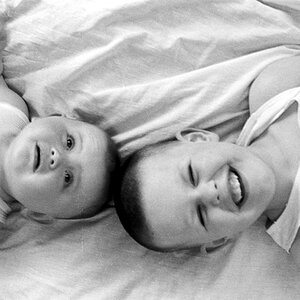
the little boy is my son:)
 
Some friendly advice:
If you are looking for critiques then you should only post 1-3 (at the most) pictures. Nobody is going to critique that many pictures at once.
 
ok thanks ...this is the first time i have been on this site or any photography site for that matter
 
Take some time and look around, and read some threads from others. They are excellent learning tools as well.
 
It would help if you numbered them. And usually it's asked that you not post quite so many at one time.

I'm a noob too so that this with a grain of salt but I'll see what I can pick up on...
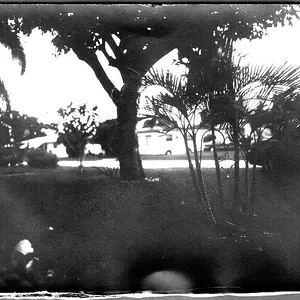
1)The kid is cute but the setting is bad. The poor tree with ist's broken off, brown leaves/branches (not sure what that's called on a palm tree) do not add to the image. The rocks add nothing in terms of interest and the piece of somebody's house right behind the baby's head is distracting.
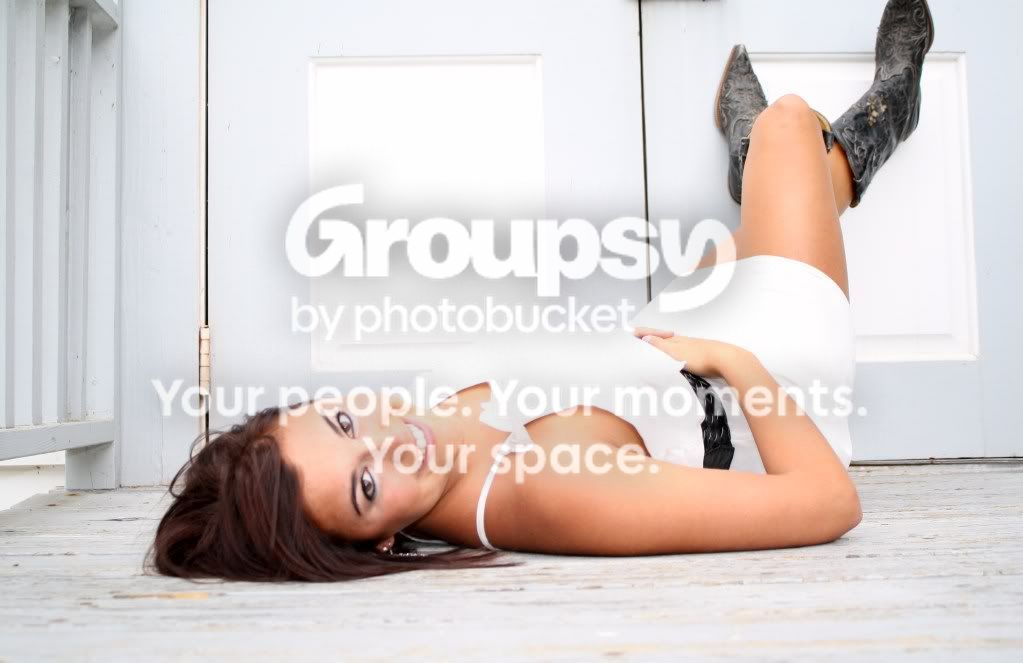
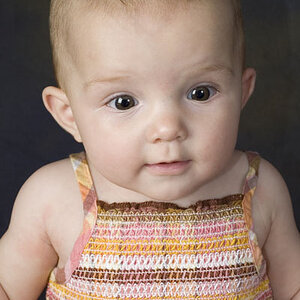
2)I don't like that her foot is cut off, she's too centered (crop is off) and something about the solid black background is not working for me but I can't quite articulate what it is. Oh, also her eyes are not in focus.
3)Crop and focus are better. Her hair and headband blend into the backdrop.
4)I think this is the best one. Lighting is flat but overall not bad at all.
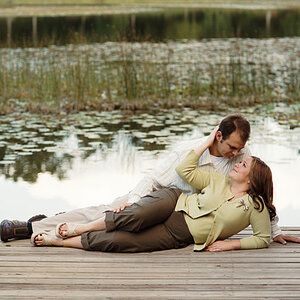
5)Again, missed the focus. Looks like it's on her elbow instead of her eyes. I do like the idea though. If you reshoot I'd maybe crop out the railing on the left.
6)The shadows on the child's face are not flattering. Maybe you could have waited for a better expression. And those grey cement stairs do nothing for me. Might be better in B&W (maybe).
7)Is this the same as #5?
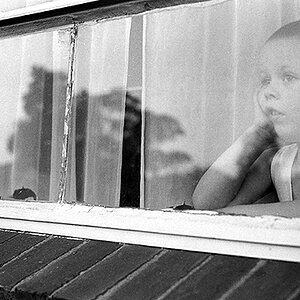
8)Eh, I don't know enough to offer a specific critique. Would have liked to see the child's face or have a better idea of what he's looking at. Was there a bug? Could you have moved to include it in the shot?
 
redessa said:
It would help if you numbered them. And usually it's asked that you not post quite so many at one time.

I'm a noob too so that this with a grain of salt but I'll see what I can pick up on...
1)The kid is cute but the setting is bad. The poor tree with ist's broken off, brown leaves/branches (not sure what that's called on a palm tree) do not add to the image. The rocks add nothing in terms of interest and the piece of somebody's house right behind the baby's head is distracting.
2)I don't like that her foot is cut off, she's too centered (crop is off) and something about the solid black background is not working for me but I can't quite articulate what it is. Oh, also her eyes are not in focus.
3)Crop and focus are better. Her hair and headband blend into the backdrop.
4)I think this is the best one. Lighting is flat but overall not bad at all.
5)Again, missed the focus. Looks like it's on her elbow instead of her eyes. I do like the idea though. If you reshoot I'd maybe crop out the railing on the left.
6)The shadows on the child's face are not flattering. Maybe you could have waited for a better expression. And those grey cement stairs do nothing for me. Might be better in B&W (maybe).
7)Is this the same as #5?
8)Eh, I don't know enough to offer a specific critique. Would have liked to see the child's face or have a better idea of what he's looking at. Was there a bug? Could you have moved to include it in the shot?

Thanks for taking the time to go through the pics! Didn't mean to upload 2 if the same and no there's no bug.
 
Too many to comment on, but step #1 is to turn off that on-board flash (or if it's an external flash, bounce it off a ceiling) Flash in face=bad bad bad. If you don't have one, invest in a flash you can bounce off of things other than your subject. Does wonders for the light.
 
Some general things that I noticed: Be careful about putting the subject directly in the middle of the frame (rule of thirds).

Also, in the second photo the baby's foot is cut off by the edge of the frame and the girl's hand in the fourth is really close to the edge of the frame. You'll want to be careful where you cut off body parts. Generally, not cutting off any hands/feet or at any joint is a good thing :D

The 5th shot is my favorite. In addition to what redessa said about the focus, the square (window maybe) in the center of the shot is extremely bright.

Welcome and I look forward to seeing more pictures!
 
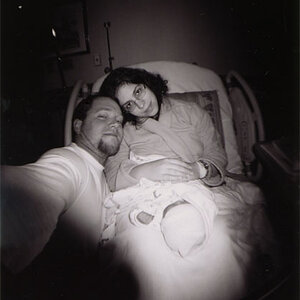
They are happy family photos, the girl lying down, focus is not on her face. Not sure why parents always find it cute to dress their kids up in goofy outfits, but it's been done for generations. Watch the backgrounds and cropping. For what they are, nice.
 
Too many to comment on, but step #1 is to turn off that on-board flash (or if it's an external flash, bounce it off a ceiling) Flash in face=bad bad bad. If you don't have one, invest in a flash you can bounce off of things other than your subject. Does wonders for the light.

Second that! Flash physically attached to the camera is just ugly light. Don't do it.

Joe
 
Can you give mean example of a flash I should get?
 
Most people shots need the camera in the vertical orientation, not the horizontal orientation. The first photo you posted would have been stronger if framed vertically..

How much of your money can we spend on a flash unit?

Vivitar 285HV Auto Professional Flash

Canon Speedlite 580EX II Flash for Canon EOS Digital SLR Cameras

Quantum Qflash Trio Model QF8C Flash For Canon

Using flash adds a additional level of complexity to doing photography.

I provided you a couple of links in another one of your threads that would help you decide which flash units may work for you.

Issue #1 - Flash on the lens axis, like from the camera's pop up flash or a flash mounted on the camera hot shoe, doesn't make shadows that provide modeling of the facial mask. The shadows create a sense of depth. A large part of the artistry of making people photos is having the knowledge and skill to make those shadows help communicate the story the photo is.

Issue #2 - The pop up and hot shoe mounted flash units are small light sources. Small light sources produce harsh light and hard, sharp edged, unflattering shadows. The on camera flash can be modified to be apparently larger.

One way that is done is to bounce the flash of light off the ceiling. Built-in flash units can't be turned upwards to do that, but many hot shoe flash units can.

There are also considerations to doing bounced flash, like the color of the surface the light is bounced off of, and the high angle the light then comes from, which can cause dark eye sockets, or 'raccoon eyes'.
Visit www.strobist.com and http://neilvn.com/tangents/flash-photography-techniques/1-natural-looking-flash/

 
Last edited:

Create an account or login to comment

You must be a member in order to leave a comment

Create account

Create an account on our community. It's easy!

Log in

Already have an account? Log in here.

Back
Top Bottom