SuziQ
TPF Noob!
Hi all,
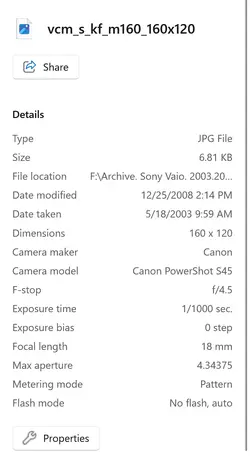
I'm trying to consolidate all my photos into one filing system. We bought a Canon Rebel XSI back in 2008(ish). For some reason, every single photo taken with this camera over a ten year period appears in my PC files in a unique folder, with two versions of the photo in it - each with a JPG file. One JPG is always much bigger than the other (77.8KB vs. 6.8 KB). I want to only ultimately save one version for my permanent archive. Which one should I save/move? Is it safe to delete the others? Is there a fast way to do this instead of manually deleting by going into every individual image file? I'm not very technically savvy, so appreciate any insight you can share here. It'd be great to just be able to browse all of these photos without having to click into each file. Thanks.
I'm trying to consolidate all my photos into one filing system. We bought a Canon Rebel XSI back in 2008(ish). For some reason, every single photo taken with this camera over a ten year period appears in my PC files in a unique folder, with two versions of the photo in it - each with a JPG file. One JPG is always much bigger than the other (77.8KB vs. 6.8 KB). I want to only ultimately save one version for my permanent archive. Which one should I save/move? Is it safe to delete the others? Is there a fast way to do this instead of manually deleting by going into every individual image file? I'm not very technically savvy, so appreciate any insight you can share here. It'd be great to just be able to browse all of these photos without having to click into each file. Thanks.






![[No title]](/data/xfmg/thumbnail/32/32813-9ade0851a7432024734a0c95c03e37d0.jpg?1734162500)



![[No title]](/data/xfmg/thumbnail/36/36423-4f4abd5f32da2219d4967c7a13b07a8c.jpg?1734168833)