What's new

OMG....COLOR SPACE

Emilymarie

TPF Noob!
Joined
Jun 6, 2010
Messages
182
Reaction score
0
Location
CA
Can others edit my Photos
Photos OK to edit
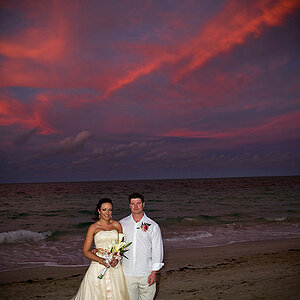
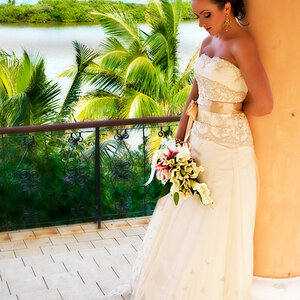
So WTH is going on with the coloring of my images?? Ive had this problem several times but cant seem to get away from it. Im building a new blog site and trying to upload images to a gallery but they are ALLLLLL flat in color. Sorry to link the images but Im so annoyed right now and cant figure out out to actually post images here....anymore


totally flat
#28 | Flickr - Photo Sharing!


should be coloring like in this
Little Miss Lilly and Family | Facebook


Scott Kellbys book says to use working srg but how do I make that a defalt on all images? Im soooooooooo:madmad:


Here is my blogsite, notice in the seniors gallery almost all of them are flat! UGH
http://emilymariephotography.net/?page_id=29
 
You need to give a little more info for a complete answer but, whatever color space you edit in, to get good color on the web, you must CONVERT the picture to sRGB. My guess you are editing in RGB and then posting them without converting; this will result in a flat appearance.

For more help give this info:
Do you shoot in jpg or raw?
What is the color space set in your camera, if any?
What software do you use?​
 
Do you shoot in jpg or raw? RAW
What is the color space set in your camera, if any? sRGB
What software do you use?PS CS5

​
 
Emily,

I'm not certain where your particular disconnect is but here is the workflow.

You are shooting in RAW so your output file (*.nef) has NO colorspace, even though your camera might be set to sRGB
When you open it in the raw converter ACR, at the middle at the bottom of the page, you will see the color space that the raw converter will produce for PS to use.

rawwhere.jpg


If it says anything but the color space you want to use, you can click on it and see this

rawoptions.jpg


You can then pull down the menu on the top row and change it.


If your previous raw files have been edited in a color space that you don't want, you can change that by going to Edit>Convert to Profile and change the settings you'd like.
To post on the web, images should be sRGB.
There are reasons not to edit in sRGB but they are outside the scope of this thread.

Is this usable and does it help?
 
ok, so at the bottom mine said Adobe RGB NOT sRGB. I changed it. Do you think that was the issue?
 
yes, i think so
now you will be editing and saving in sRGB, the color space that displays the most reliably on the web.

there is much more to this color space and editing issue but just solve this issue now and you can read about that later.

lew
 
THANK YOU!!!!!!:-)
 

Create an account or login to comment

You must be a member in order to leave a comment

Create account

Create an account on our community. It's easy!

Log in

Already have an account? Log in here.

New Topics

Back
Top Bottom