crimbfighter
Been spending a lot of time on here!
- Joined
- Jun 4, 2010
- Messages
- 2,219
- Reaction score
- 1,784
- Location
- Wisconsin, United States
- Can others edit my Photos
- Photos OK to edit
I finally had the opportunity to go walking around downtown yesterday with the 8mm fisheye. In short, I...love...this...lens! It's a ton of fun! I've barely begun to scratch the surface on the creative ways this lens can be used. I am a bit frustrated in the effect the crop sensor has on it, though. I really wish I had a full frame to get the full effect of the circular image this lens produces.
Anyway, I was happy with a couple of the photos. I've found some interesting challenges with this lens, though. One, is the CA around the edges is pretty pronounced, especially when I push the blues in PP. Not too hard to PP out, but then again, I think it adds character to the lens! Another issue, is just the super wide angle. You really have to pay attention to the position of the sun, distracting objects, where your feet are and other things around the edge. You don't notice them when you're focusing on the center of the frame, so you have to look carefully from side to side before releasing the shutter. Just something I wouldn't have thought about. You also have to watch carefully for lens flare. And since the angle is so wide, you can't hold anything up to block the sun...
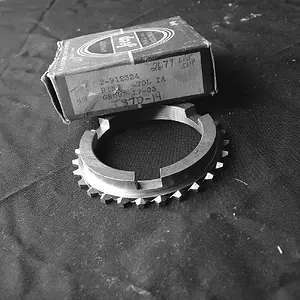
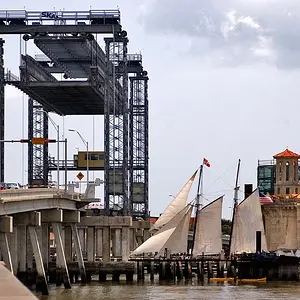
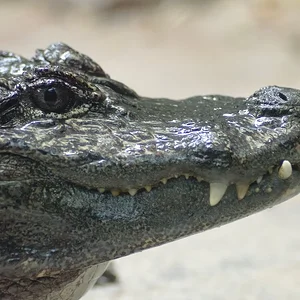
All in all, though, I think I'm going to have a ton of fun with it. I just can't wait until the day comes when I can put it on a full frame! Here are the best 9 photos I got from the hour or so I was out with it. There's obviously no EXIF data with this lens. For all of these, I put the aperture at f/5.6 and left it. Shutter speeds varied, depending on lighting, from 1/50 to 1/320. All PP was just color, contrast, lighting and sharpness adjustments. My favorites are 2, 8 and 9. These are as much for sharing, since there's 9 of them, but feel free to C&C if you wish/can.
1

2

3

4

5

6

7 Same as #6, just with selective coloring for the door. I'm not sure on the selective coloring, :thumbup: or :thumbdown: ?

8

9

Anyway, I was happy with a couple of the photos. I've found some interesting challenges with this lens, though. One, is the CA around the edges is pretty pronounced, especially when I push the blues in PP. Not too hard to PP out, but then again, I think it adds character to the lens! Another issue, is just the super wide angle. You really have to pay attention to the position of the sun, distracting objects, where your feet are and other things around the edge. You don't notice them when you're focusing on the center of the frame, so you have to look carefully from side to side before releasing the shutter. Just something I wouldn't have thought about. You also have to watch carefully for lens flare. And since the angle is so wide, you can't hold anything up to block the sun...
All in all, though, I think I'm going to have a ton of fun with it. I just can't wait until the day comes when I can put it on a full frame! Here are the best 9 photos I got from the hour or so I was out with it. There's obviously no EXIF data with this lens. For all of these, I put the aperture at f/5.6 and left it. Shutter speeds varied, depending on lighting, from 1/50 to 1/320. All PP was just color, contrast, lighting and sharpness adjustments. My favorites are 2, 8 and 9. These are as much for sharing, since there's 9 of them, but feel free to C&C if you wish/can.
1
2
3
4
5
6
7 Same as #6, just with selective coloring for the door. I'm not sure on the selective coloring, :thumbup: or :thumbdown: ?
8
9

 Agreed about the leaves. Shoulda gone out two weeks earlier!




![[No title]](/data/xfmg/thumbnail/33/33490-cbbf9df0a1c31291ee7a3759afe943cc.jpg?1734163602)