What's new

Photoshop tips + c&c

mikedadude

TPF Noob!
Joined
Nov 22, 2009
Messages
32
Reaction score
0
Location
UK
Can others edit my Photos
Photos OK to edit
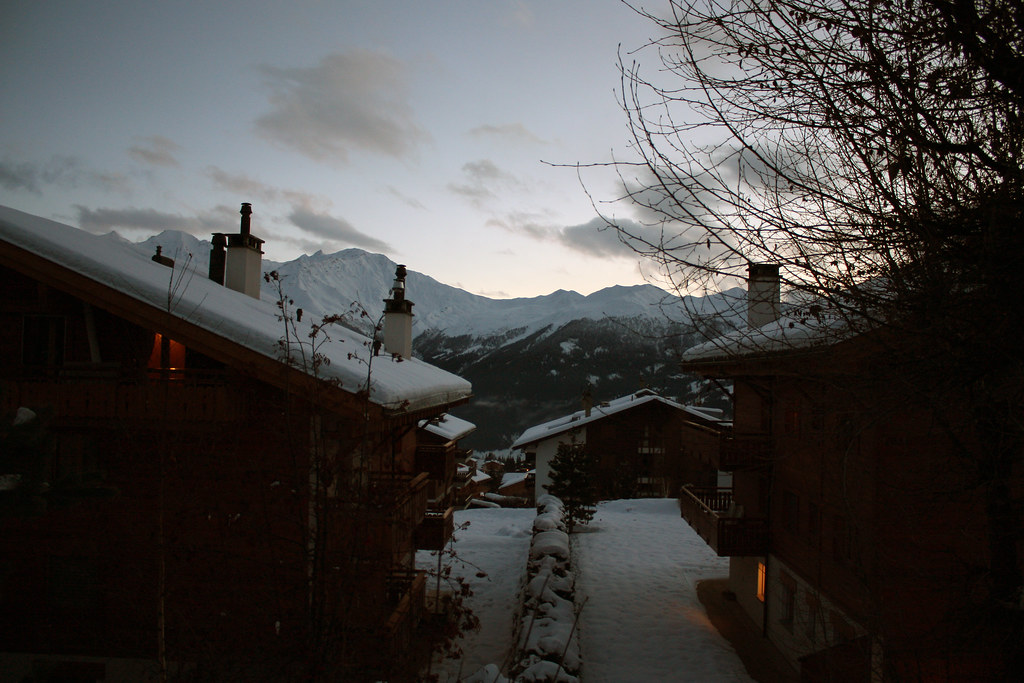
Ok.. so, I've been lurking and see that the slightest of photoshop adjustments can make a picture a whole lot better... So I had a go, bearing in mind I'm a newbie.. I was wondering whether you guys could tell me how to better these pictures in future.

Original (#1):
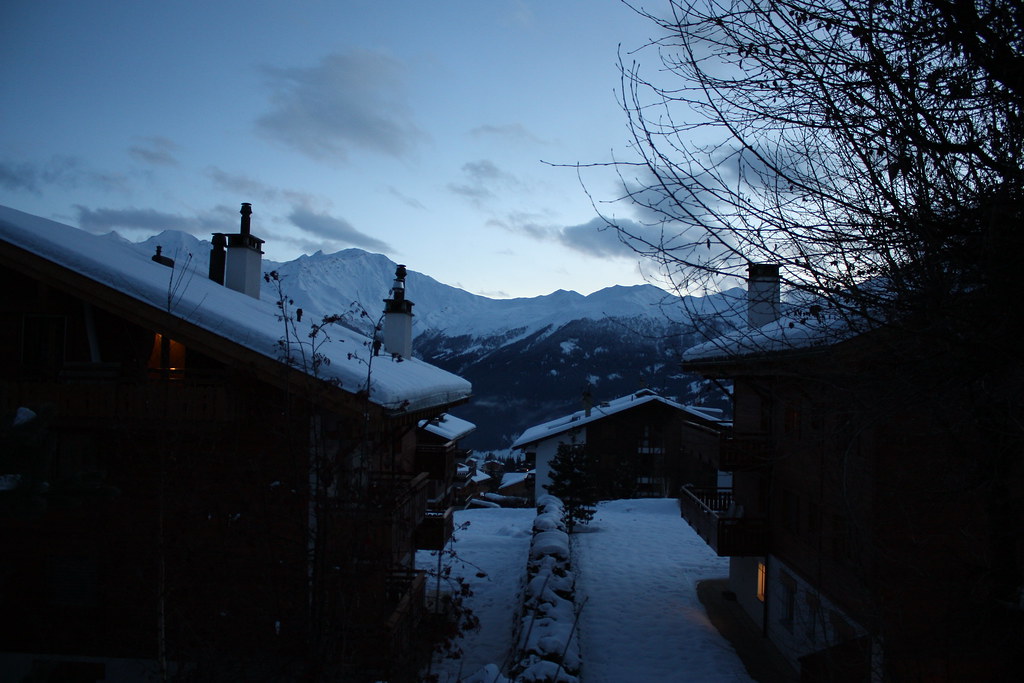
4253960564_d10863587b_b.jpg


Auto-tone (#2):
4325855043_6117665639_b.jpg


Auto-tone+shadow highlights (15% and 5%) (#3):
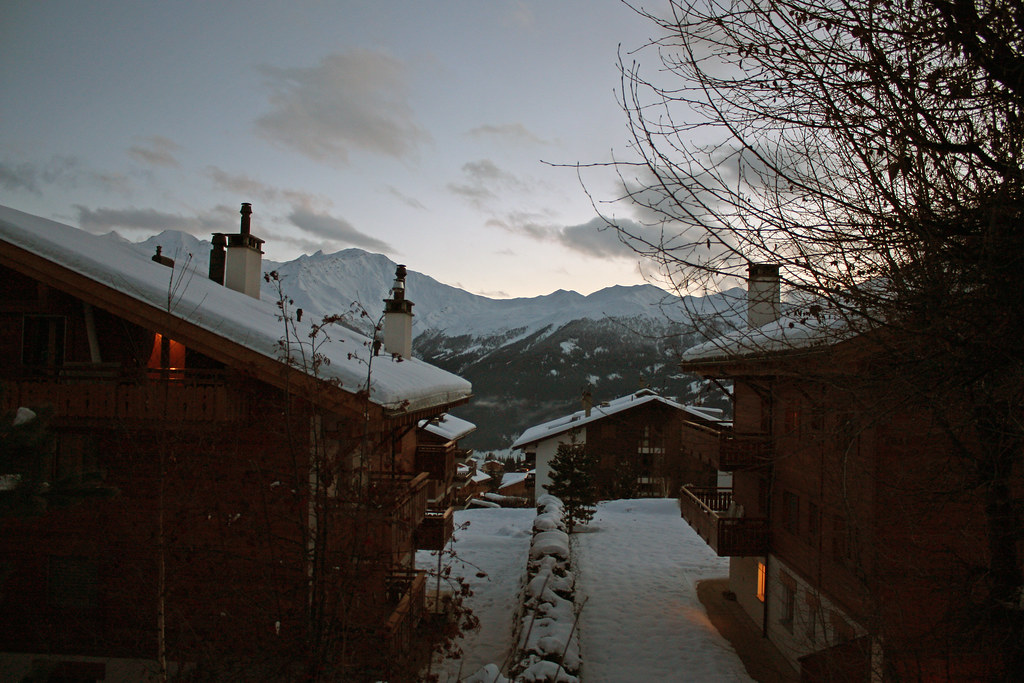
4326597834_d465deed50_b.jpg

The above + Magenta filter (15%) (#4):
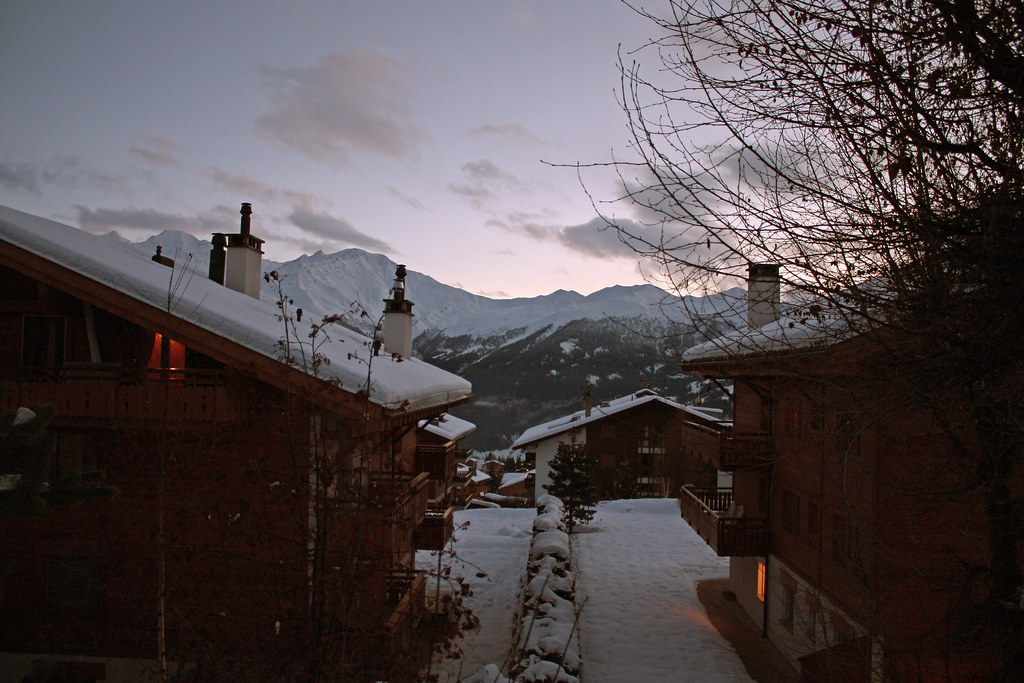
4328124376_4ce719f0ee_b.jpg


Or should I just stop worrying about post-edit and only focus on taking a semi-decent picture for once? :)
 
Last edited:
Beauty is in the eye of the beholder. Since you asked, personally I am not a big fan of any of the shots overall in part because the foreground is too dark to have any definition.

FWIW the snow looks more accurate in 2 & 3.
 
The only part of the original image with a correct exposure is the sky.

If you had made 2 exposures, 1 for the sky and one for the buildings, you could have combined them and had a nice image.

You don't mention the format of the original nor which version of Photoshop you have.

If it were my image I would do most of the editing in ACR (Adobe Camera RAW).
 
Ya sorry about that KmH, Photoshop CS4 and it was jpeg fine setting.

As for taking two different photographs, is that possible without a tripod? Cause I assume it wouldn't look right...

Perhaps I could photoshop the bottom part of the photo to be more exposed? Would that help things? Or is the photo just crap.

I used this photo not because I think it's a great picture, but just cause it seemed like a decent one to practise one.
 
....As for taking two different photographs, is that possible without a tripod? Cause I assume it wouldn't look right...
Yes you'd need a tripod. That's why advanced amateurs and pro's usually have one at hand.
 
You can use Camera Raw's Adjustment brush to paint in exposure or take it away. You can also use Photoshop to mimic a split ND filter. You can use a gradiant to adjust the bottom portion and then copy the picture and do another gradiant to effect the top of the picture. I kinda like the original picture in terms of the time of day it is showing. I think you lose that in your final edit. You also gain a bunch of noise in the building areas from cranking up the brightness of them. The main thing wrong with the picture is the composition, it just doesn't do anything for me. I think the tree on the right just detracts from the sky/mountains which should be the main focus of this composition. ( unless you are shooting pictures for a time share brochure and want to show off the buildings. )
 

Create an account or login to comment

You must be a member in order to leave a comment

Create account

Create an account on our community. It's easy!

Log in

Already have an account? Log in here.

New Topics

Back
Top Bottom