What's new

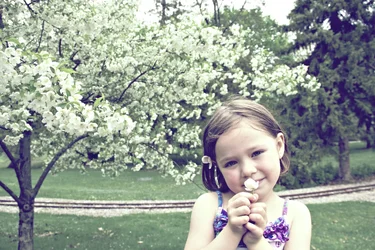
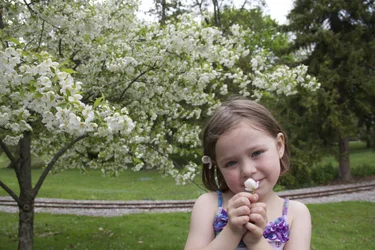
Princess and blooms C&C welcome

fotomumma09

TPF Noob!
Joined
Dec 29, 2011
Messages
274
Reaction score
33
Can others edit my Photos
Photos OK to edit
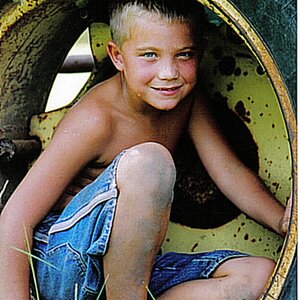
iso 100, 5.6, 1/125 18mm

I tried a little PP. Still pretty lost. Does it work?
Thanks, D
 

Attachments

  • $IMG_1213.webp
    $IMG_1213.webp
    634.7 KB · Views: 110
  • $IMG_1213 - Version 2.webp
    $IMG_1213 - Version 2.webp
    480.9 KB · Views: 116
I kinda' prefer the washed-out looking one on the left, even though the skin tones have a sickly greenish look that looks like a bad mid-1979 era color print from Payless Drugs...that off-color "vintage" look is kind of the new style these days...
 
Derrel said:
I kinda' prefer the washed-out looking one on the left, even though the skin tones have a sickly greenish look that looks like a bad mid-1979 era color print from Payless Drugs...that off-color "vintage" look is kind of the new style these days...

Lol...not really the feel I'm going for but I just can't figure out how to achieve a light airy warmth. (if that makes sense);)
 
Oh...well, if you want it "warmer", I would suggest adjusting the white balance. or maybe the master hue. or, depending on your editing software, try using a "photo filter" like say an 85-series warming filter. Not sure what SW you edit with, but there are many ways to get it "warmer". It already feels a bit airy to me.

 
Derrel said:
Oh...well, if you want it "warmer", I would suggest adjusting the white balance. or maybe the master hue. or, depending on your editing software, try using a "photo filter" like say an 85-series warming filter. Not sure what SW you edit with, but there are many ways to get it "warmer". It already feels a bit airy to me.

I use Aperture/PSE. Thank, I'll try those tips you suggested.:) thanks
 

Create an account or login to comment

You must be a member in order to leave a comment

Create account

Create an account on our community. It's easy!

Log in

Already have an account? Log in here.

New Topics

Back
Top Bottom