Michael,
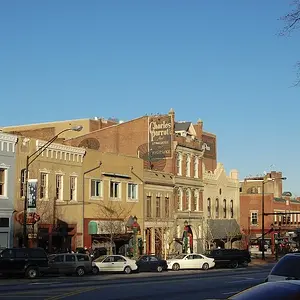
Your 5D III has the ability to create "High Dynamic Range" (HDR) images as a built-in feature. Any camera can be used to create HDR by taking a few images where each image has a different exposure, then merge them using software on the computer, but your camera can do this in-camera (no extra software needed.)
See page 173 of your owner's manual.
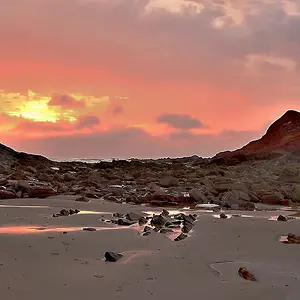
The idea behind "HDR" is this... if you shoot just one exposure and it's exposed for the foreground (land) the sky tends to be over-exposed. If you expose for the sky, the land tends to be under-exposed. If you expose for the middle, then the sky is a little over exposed and the land is a little under-exposed. Suppose you could take three images and then merge them. One exposure is the middle exposure (gets the mid-tones right). One exposure is under-exposed on purpose... this will really under-expose the shadows (which we don't care about) but it will correctly expose the bright areas such as the sky (which we'll use). The third exposure is over-exposed on purpose... the sky is blown out (which we don't care about) but the land (which was a little under-exposed in the other images) will look nice (and that's what we'll use.) In this example we used three exposures... but you could do it with 2 exposures or many more exposures (the built-in mode on your camera does it with three exposures.)
The camera analyzes the three images and merges as described above to create a single image where nothing seems to be particularly under-exposed nor particularly over-exposed.
A tripod is preferred when creating HDR images so that all images are identical EXCEPT for exposure. Also... only the shutter speed is adjusted to change exposure (because if you changed aperture it would alter the depth of field and you want all three images to have identical depth of field and focus.) A tripod is preferred though technically some software can analyze and align the images if a tripod was not used.
You can also get either a "Gradient Neutral Density" filter or a "Reverse Gradient Neutral Density" filter. This are usually rectangular filters. A holder threads onto the front of the lens and this has slots into which you slide these rectangular filters.
In a gradient neutral density filter, half the filter is clear, the other half is tinted. You slide the filter in so that the tinted area covers the sky but the clear area has the view of the foreground. This allows you to shoot a much better exposure without needing to do anything with software.
A "reverse gradient neutral density" is similar in that the bottom is still clear... but the middle of the filter is extra dark and the top is mildly dark. These filters are designed specifically for sunsets where the sun is on the horizon and needs the most darkening... the sky only needs a little darkening (above the sun) and the ground does not need any darkening at all.



![[No title]](/data/xfmg/thumbnail/35/35953-1a8b92df0115ff7026f31b78855ac815.jpg?1734167764)
![[No title]](/data/xfmg/thumbnail/35/35867-0c74c728d92f908264af585fd93bd36c.jpg?1734167586)
![[No title]](/data/xfmg/thumbnail/32/32716-bd7f0a0030263f160d995f8547043458.jpg?1734162345)
![[No title]](/data/xfmg/thumbnail/35/35956-7047189d31e1c1f6029266079390f54a.jpg?1734167778)
![[No title]](/data/xfmg/thumbnail/37/37640-803bb25a4f46642289fe136733ddfbde.jpg?1734170763)
![[No title]](/data/xfmg/thumbnail/35/35865-5006be46d328277e5a956fa323782d97.jpg?1734167579)