What's new

Smugmug has a file size limit?

fiveoboy01

TPF Noob!
Joined
Dec 28, 2008
Messages
684
Reaction score
1
Location
Waunakee, WI
Can others edit my Photos
Photos OK to edit
Anyone know what it is?

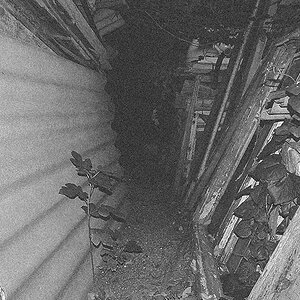
I converted some JPEGS to black and white, added a bunch of noise and adjusted the contrast in an effort to get them to look old. The resulting files are 25+ MB. I've tried uploading them but they don't seem to take.
 
I'm sorry for posting this guys, I found my answer on Smugmug. Guess I'll have to resize them.
 
A 25mb+ JPEG? You are doing something wrong, unless they are ungodly huge resolution.
 
They're full resolution. I converted to black/white using PSE, unsharp mask, added noise, and bumped contrast. Resulting file was that big. (shrug)
 
Files sizes are

  • 12 megabytes for Standard and Power users
  • 24 megabytes for Professional users
  • 48 megapixels for all users
Which is... reasonable. Not too exciting, but there you go.

For more, you can always go with SmugVault.
 
Files sizes are

  • 12 megabytes for Standard and Power users
  • 24 megabytes for Professional users
  • 48 megapixels for all users
Which is... reasonable. Not too exciting, but there you go.

For more, you can always go with SmugVault.

Yes those are the maximums and if you want the minimum resolutions for great prints, click here: help - Resolution and print quality

Markham
 

Create an account or login to comment

You must be a member in order to leave a comment

Create account

Create an account on our community. It's easy!

Log in

Already have an account? Log in here.

New Topics

Back
Top Bottom