What's new

Some holiday parade photos for CC

blackrose89

TPF Noob!
Joined
Nov 14, 2011
Messages
1,451
Reaction score
265
Location
South Florida
Can others edit my Photos
Photos OK to edit
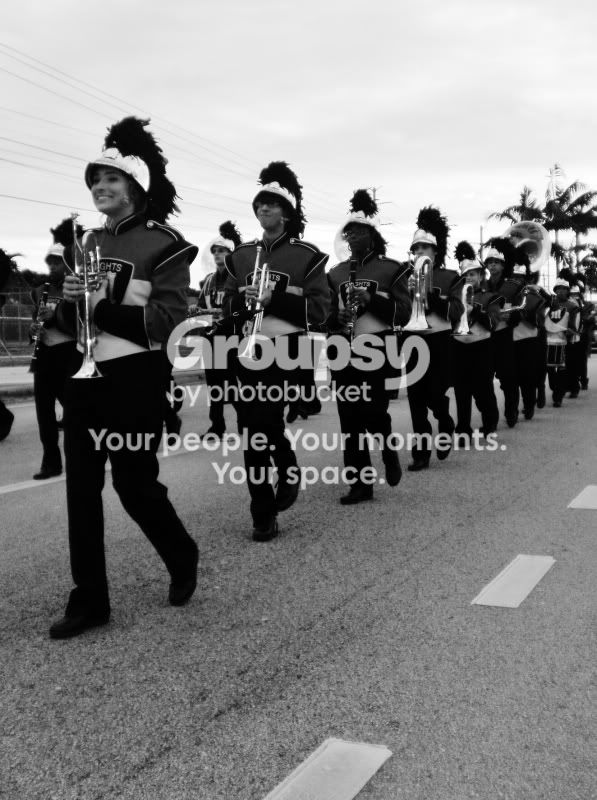
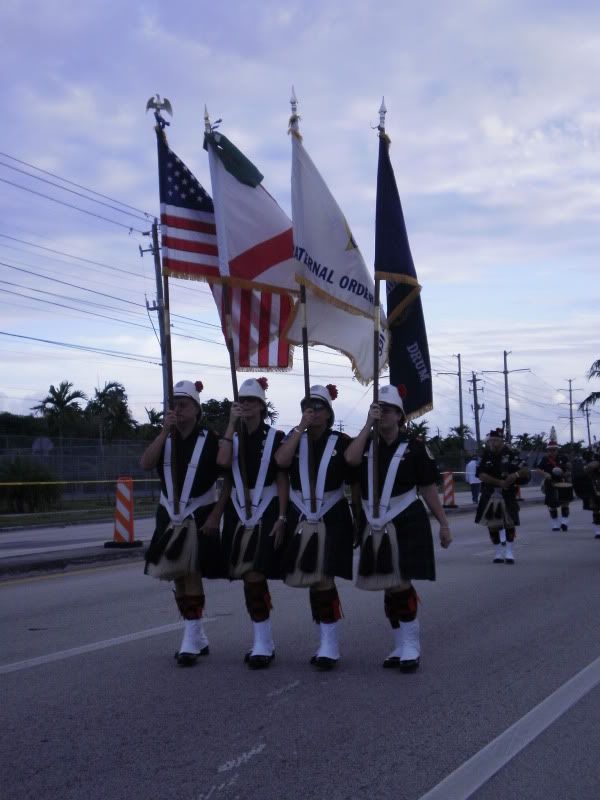
I went to a holiday parade/tree lighting cermony for my town. It's more of a community parade with the fire department, police force, military etc rather then floats and such. It was the first time I tried photographing something like this. I'm mostly stick with landscapes and such, so it was kinda different photographing people and action. I didn't care for most of the photos, but here were a few I liked. All taken with an old compact, so I apologize for the soft focus.


#1

I would like to have the orange striped cone on the left side cloned out, is this possible through gimp?
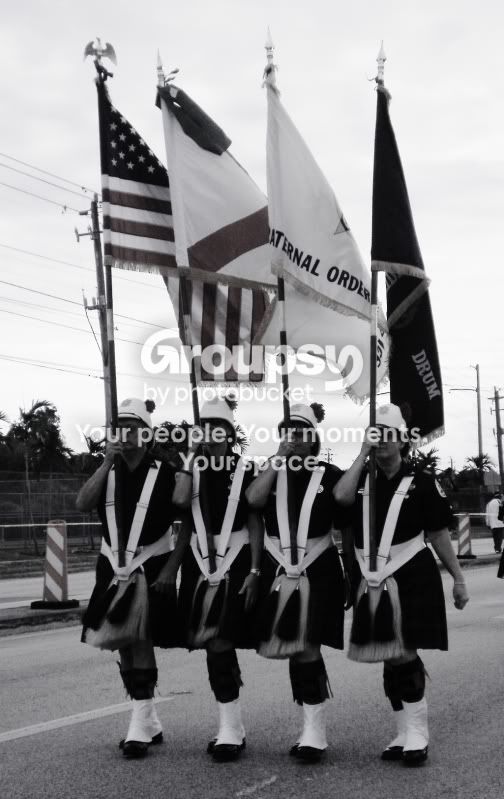
PC100769.jpg


#2
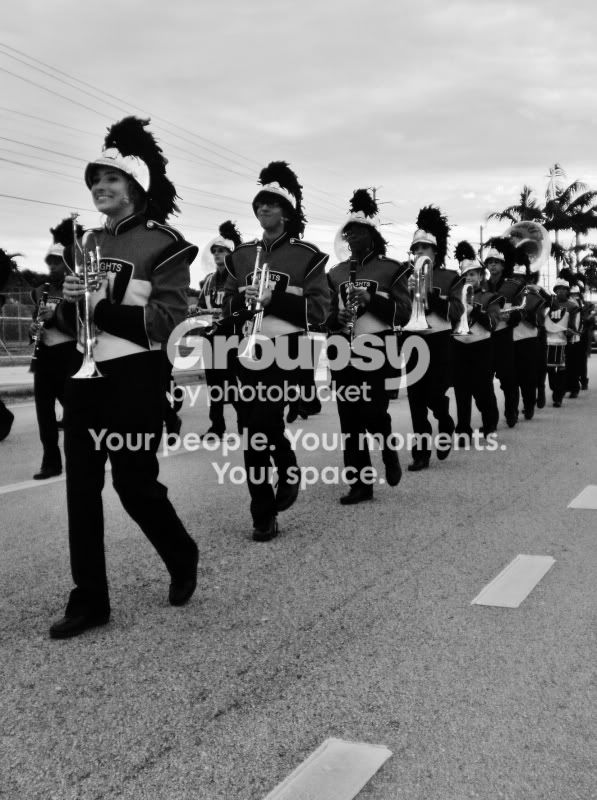
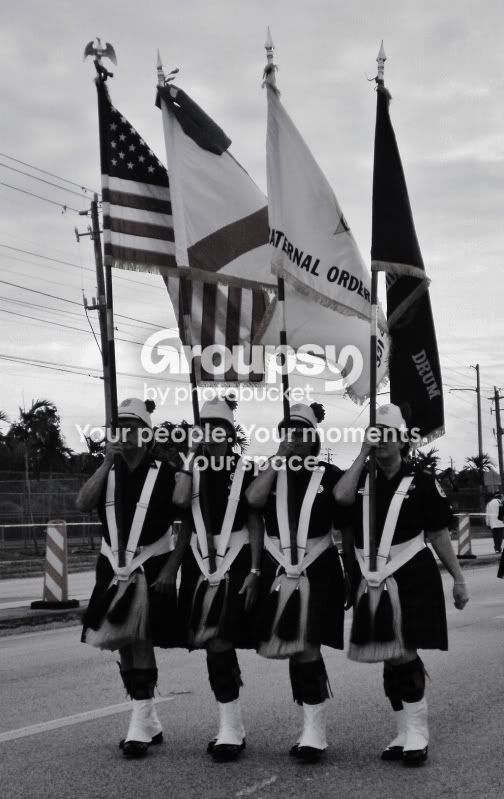
I liked how this photo came out.
PC100782.jpg


Just a snapshot of the tree lit I thought I'd include. I don't expect CC on this I know it's a crappy snapshot LOL
PC100799.jpg
 
First impressions on the black and white ones (I assume these are conversions) - they both look underexposed and the skies appear to be blown out. I would like to see the colour versions, assuming they are conversions and I would be interested in how the conversions were done. My 0.02¢ FWIW.

Cheers,

WesternGuy
 
First impressions on the black and white ones (I assume these are conversions) - they both look underexposed and the skies appear to be blown out. I would like to see the colour versions, assuming they are conversions and I would be interested in how the conversions were done. My 0.02¢ FWIW.

Cheers,

WesternGuy

Is this better? I toned down the highlights to try to bring out some the activity in the sky.

PC100769-1.jpg


PC100782-2.jpg
 
I just really like these two photos and I wanna make sure I'm not fooling myself.
 
Too dark - their faces are not visible. Are they conversions from colour? It would be useful to see the colour shots if that is the case.
 
I'm not sure if I'm qualified to critique anyone's work yet since I'm just a noob but ill comment, neither picture does anything for me. What I see in #2 is the band needs more practice in keeping a good marching cadence, faces are OOF and very soft but you know this. Not to big on the B&W conversion, band uniforms are usually colorful and attractive converting to B&W takes away from what you should be drawn too. Things and people moving require a faster shutter to stop the action.

Maybe try shooting from different angles next time to limit background interference. Always be aware of your background, you cant always control it but do your best to make it work. The power poles and wires really take way from both images in my opinion.
 
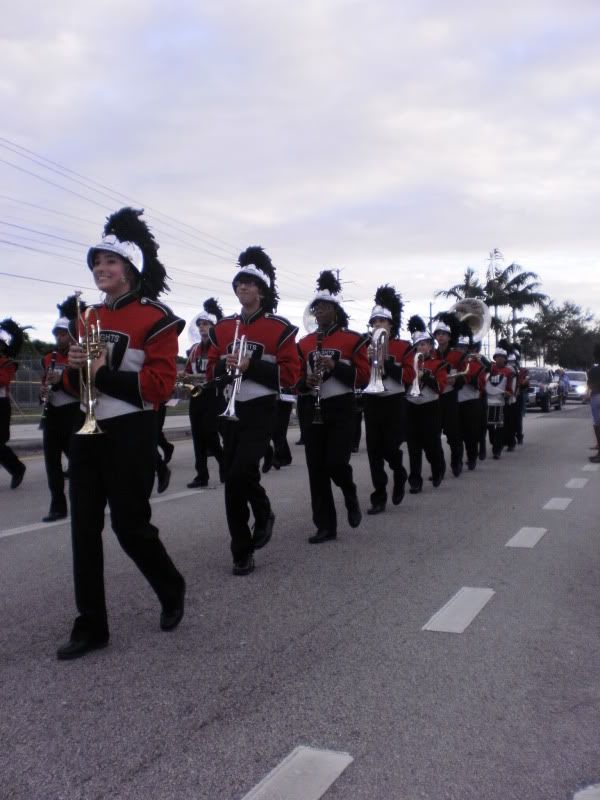
Here are the originals, the originals are aweful

PC100769-2.jpg


PC100782-4.jpg
 
If I remember right, you are using a point and shoot, not a DSLR? Does your camera have to ability to let you choose a metering style? It might be buried in the menu somewhere but even my 6 yr old little fuji finepix has a manual mode and gives me the options of average, multi or spot metering. If your camera has something similar, what you can do, is set it to spot meter and expose for the subject. In this case, you would have wanted to expose for the people's faces. Even if that meant letting the sky get blown out. Because what looks like happened here is that your camera exposed for the overall scene which was nice bright daylight. That means your people have ended up considerably underexposed.

You also missed the focus. If you don't have the ability to choose your own focal point, you can try the "half-shutter press" trick where you put whatever you want to be your focal point in the center of the viewfinder (or LCD screen), press the shutter halfway then carefully recompose the shot (while not releasing the shutter) then press it hte rest of the way to take the pic. This freezes your focal point where you want it, but if you move too much, you can easily shift yourself to where that area is no longer in focus after all. Hence, recomposing carefully.
 
what about the composition? Especially of the second one. It does have an "exposure" setting , but the exposure settings are as follows: bright, extra bright, burn your eyes out bright, murder a vampire bright. The exposure setting is a joke. The lowest setting for exposure is extremely bright!
 
Last edited:
what about the composition? Especially of the second one. It does have an "exposure" setting , but the exposure settings are as follows: bright, extra bright, burn your eyes out bright, murder a vampire bright. The exposure setting is a joke. The lowest setting for exposure is extremely bright!

LOL, I think murder a vampire bright could be loads of fun! ;) But no, exposure and metering, while connected, are not the same thing. You can, however, learn your camera and general lighting situations well enough to know when your camera is not going to meter correctly for what you want and how to compensate for that by adjusting your exposure. (clear as mud?)

As for composition, it's okay but really hurt by all the distractions in the background.

And that last edit you put there on flikr, it looks sharper, still too dark though. If you look at the African American clarinet player, her features are pretty much lost. What kind of editing software are you using?
 
Gimp and windows, I'm extremely new to editing software.
 
If I may.
And I'm not trying to be mean.

And of all people who give you critique, I know many things are beyond the control of a photographer, in at least, what I do.
But power lines are to be avoided like the plague.
Luckily for me, I'm usually miles from power lines, but they are a big no no.
I've had to avoid them before, quite a few times.
 
Well thank you everybody so much for the great feedback! I'll try to see what can I do to remove some of the background distractions! I'll repost the progress later!
 
Last edited:

Create an account or login to comment

You must be a member in order to leave a comment

Create account

Create an account on our community. It's easy!

Log in

Already have an account? Log in here.

New Topics

Back
Top Bottom