Fred Berg
Been spending a lot of time on here!
- Joined
- May 17, 2011
- Messages
- 1,802
- Reaction score
- 748
- Can others edit my Photos
- Photos NOT OK to edit
How to add a subject to your photo in two easy steps
First, find an interesting location and mark the area where the subject should appear with the letters SUB.
See Fig 1:

Fig 1
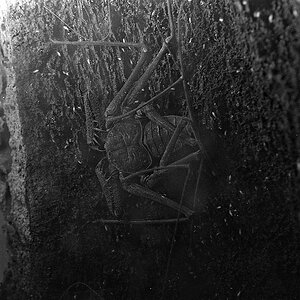
Next, wait for a suitable subject to come along before releasing the shutter. See Fig 2:

Fig 2
...........
So there you have it. Easy as 3.14159
First, find an interesting location and mark the area where the subject should appear with the letters SUB.
See Fig 1:
Fig 1
Next, wait for a suitable subject to come along before releasing the shutter. See Fig 2:
Fig 2
...........
So there you have it. Easy as 3.14159








![[No title]](/data/xfmg/thumbnail/31/31758-546fe80b548bda08983001811ab5be60.jpg?1734160480)
![[No title]](/data/xfmg/thumbnail/37/37611-325cc048f59de7016225f9d516b910ee.jpg?1734170737)
![[No title]](/data/xfmg/thumbnail/37/37609-a1984365804384f841d8245ae7e3b9a7.jpg?1734170735)