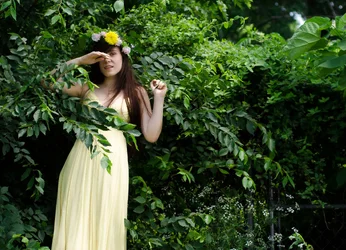
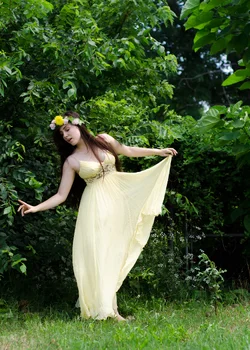
In my opinion, it will be more interesting is the background is a little bit blurred. At this stage, there is no mystery nor story to it apart from the pose and the dress of the lady. Props will make this more interesting....like smoke or fog in the background. Just me I suppose...sorry.
I agree with Izzy, I would have liked it more with a shallow depth of field.... I find the background distracting. I'm also not really a fan on really green-greens, so I would probably desaturate the green. I would also burn out that chain length fence. Just personal preferences though.....
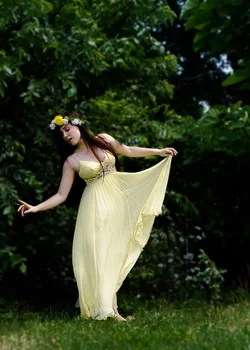
I too really like the framing a pose in #2. However, I don't think a shallow DOF in this one would have done the image any favors. I think having the forest in focus helps add context to the person, as she is clearly "in the woods." I think all the image needs is something to bring the focus in more, to the subject. I noticed you're ok with you photos being edited, so I did a really quick edit, which I think helps. I just used a radial filter in LR5, inverted the filter and brought the frame around her down by about 1.5 stops, and brought the shadows down a tad, as well as the clarity around her. I also brought the whites up just a touch. Here's what I came up with.
I'm with whats already been said.. 2 is really nice but I wish there were some more blur to your backdrop there. I like brights and colorfuls for greens but I do think this might look better if you bump down the greens some as someone suggested. Fun idea!
I did it in photoshop.. created a copy of it as a second layer.. added gaussian blur and erased her to reveal the original. this was after lil edits to darken the background.
I actually did the darkening to the background in lightroom.. brought down the greens saturation and played with the curves to get the darks darker. You could maybe use a brush with the clarity and sharpness down to blur the background very carefully in lightroom.










![[No title]](/data/xfmg/thumbnail/37/37604-7ad625e983f92f880eb65a264eeef5e4.jpg?1734170732)