What's new

Too Much Color? C&C

dumpweed

TPF Noob!
Joined
Sep 19, 2010
Messages
44
Reaction score
3
Location
Long Island
Can others edit my Photos
Photos OK to edit
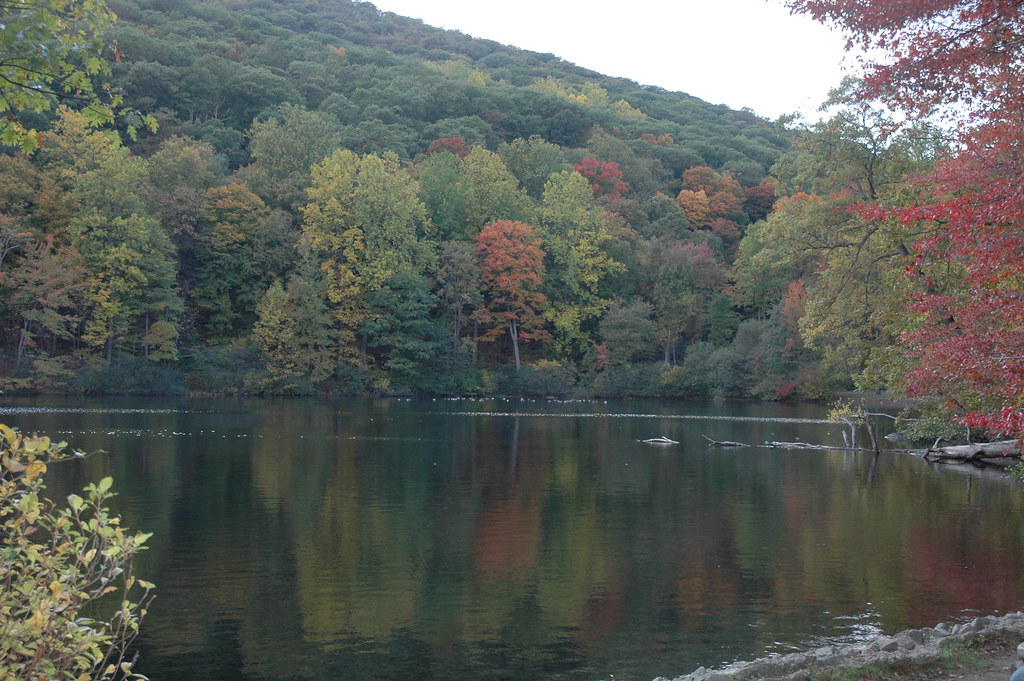
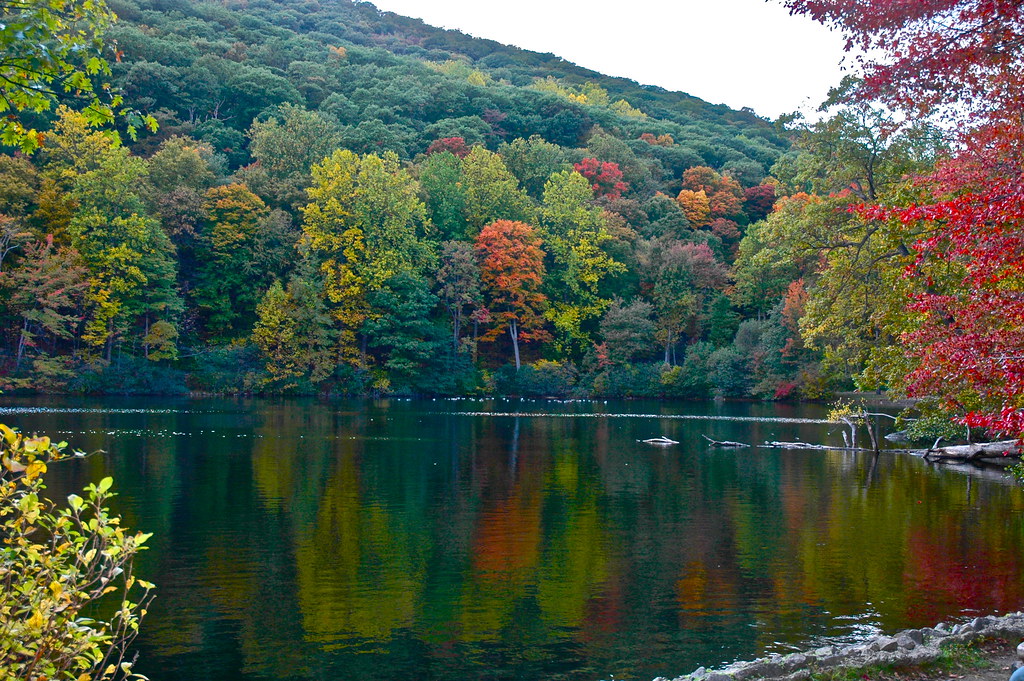
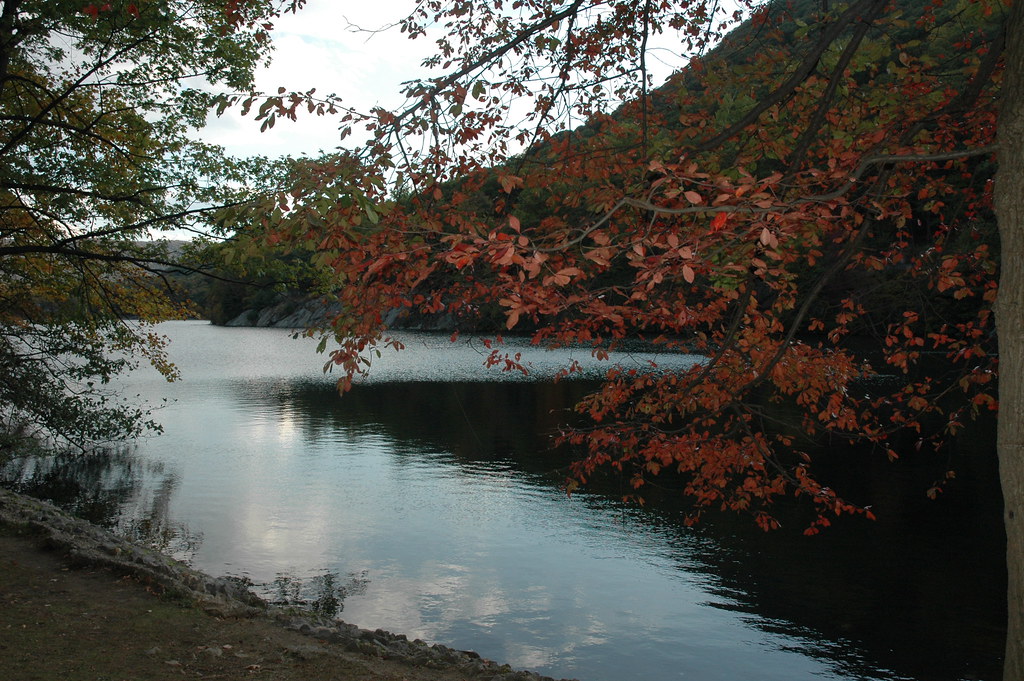
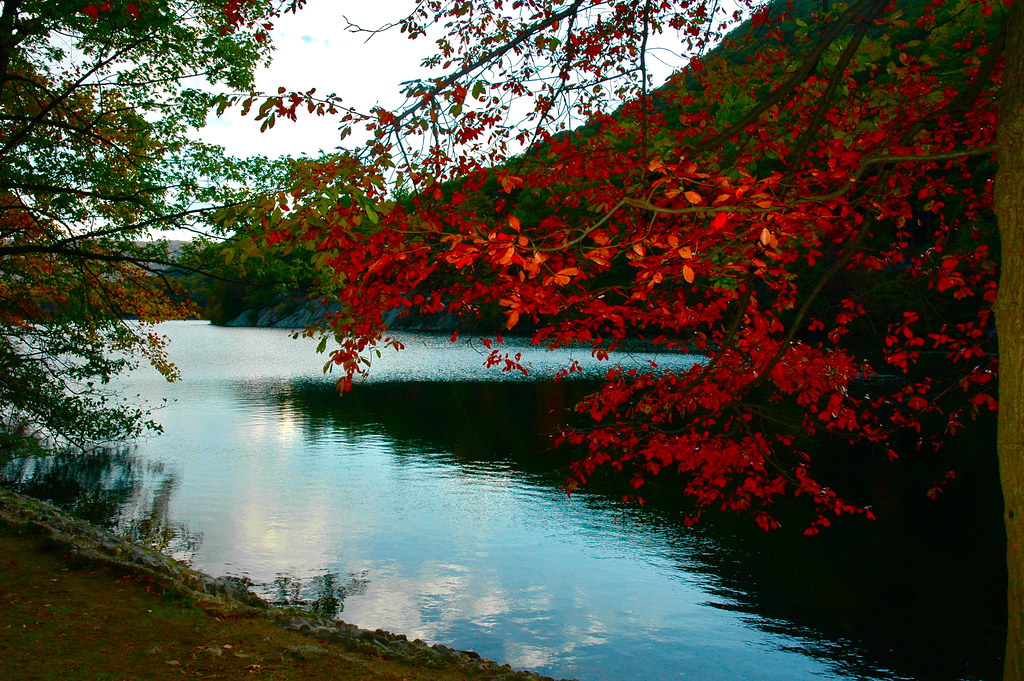
I recently had a debate with my pops about these pictures. He says they look better unedited. I say they look dull. I'm interested to see your opinions.

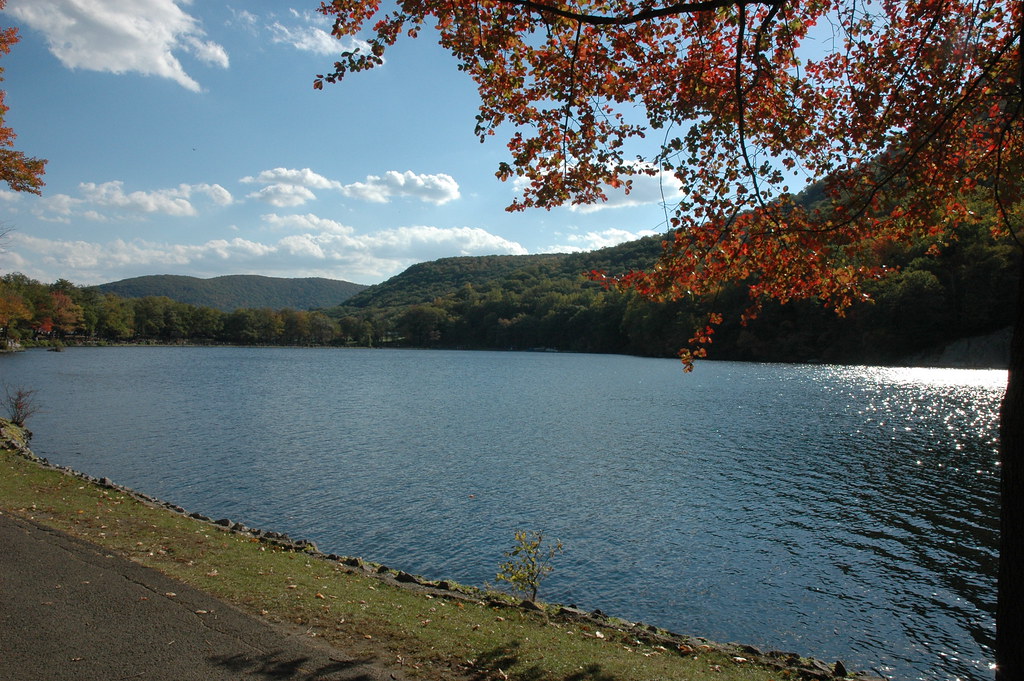
Original #1
5099631442_4809969fd3_b.jpg


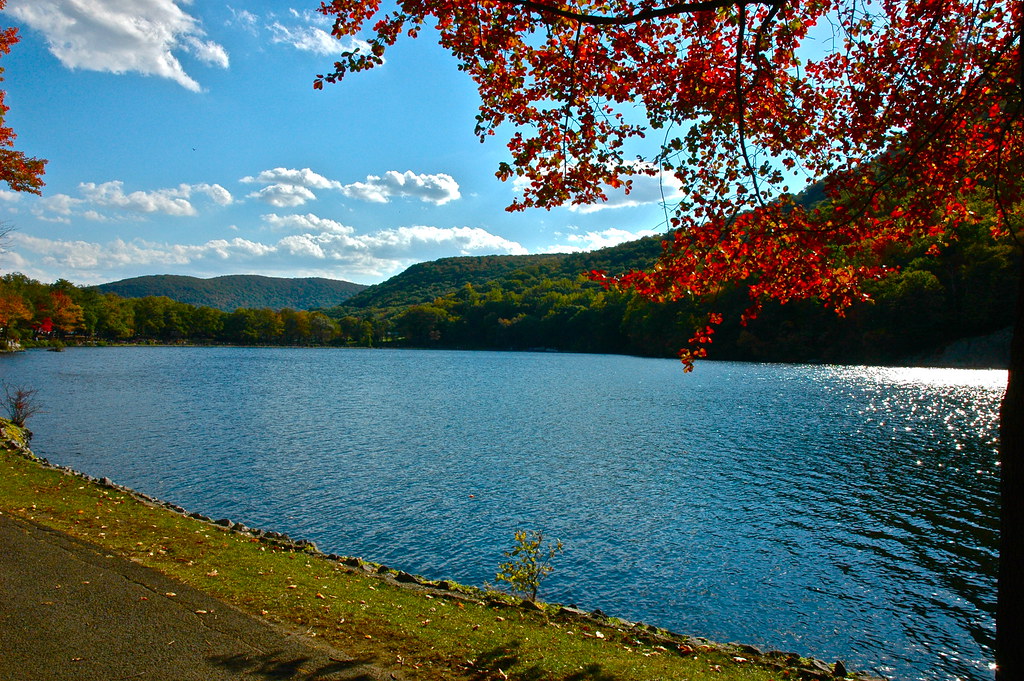
Modified #1
5099631616_ab3d6e92f6_b.jpg


Original #2
5099032279_bb2539c2e3_b.jpg


Modified #2
5099033199_fc4e294987_b.jpg


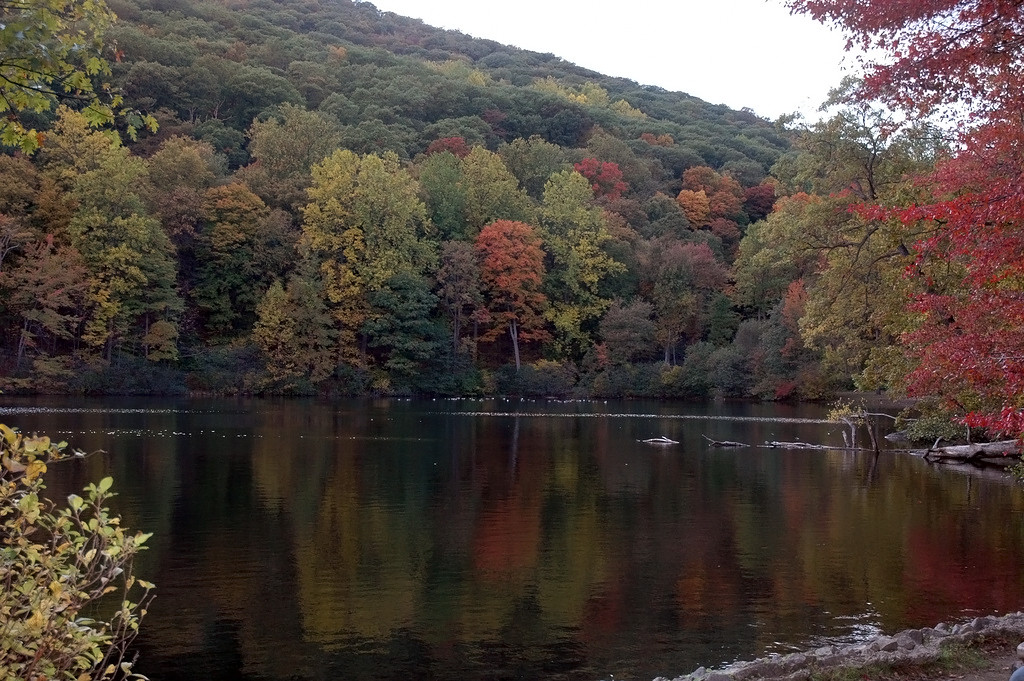
Original #3
5099030157_cbc6253e43_b.jpg


Modified #3
5099032787_f30ed032ac_b.jpg
 
I am only going to comment on the color since that seems like it is what you want discussed the most. First 2 just look off. The bright colors against the flatter colors in the backgrounds just throws them off. If you are going to fix a few trees you have to fix more or less all of the trees that are visible. The 3rd one looks way better than the first 2. All of the colors are brighter instead of just like 5. But I would say work on composing your photos a little bit better
 
I agree with you they seem very dull unedited. Personally I don't care for the first two, the over exposed sky in both of those is quite a distraction. You can try playing around in ps to improve this, the second photo I think will turn out nicely with a little more editing. I really like the last photo, nicely done. :-)
 
out of all of them i like the modified 1
 
Speaking towards the color specifically, I agree that the originals do look dull, however the processing doesn't necessarily help the photos IMO. For #1 I think the processed version is better, it definitely brings out the reflections in the water better and I don't think it's too over the top (accept for the blown out sky and the bright green shrub in the bottom left). For #2 and #3 though, even though the original is "duller" I like the originals better - the processed versions are just too saturated for my tastes. In #2 I love the red color of the edited tree, but shadow in the water seems way too dark and the blue of the sky reflected off of the water doesn't match the blown out sky in the photo which makes the water look kind of fake to me. +1 on the comment regarding the bright foreground colors and duller background colors in the first two. In #3 again I like the red of the leaves, but the edited clouds become too white and it's probably an optical illusion but the blue in the sky seems to cause some sort of a halo effect around the leaves of the tree (could just be my eyes, I zoomed in on it and it's not actually there but I definitely see it when I look at the picture on the screen). The cloud on the right also seems to cast a shadow in the sky in the edited #3, but it's not as prominent in the original. (But that's just my opinion)

 
I agree that the originals look a bit dull, but maybe find a medium between the original and modifieds, leaning more towards the originals. They just look unnatural to the point of not being pleasing at all to the eye. I see what you were going for though.
 
I think 2 and 3 are way over saturated. For some reason, I think #1 could work, but I would maybe mask the reflection in the water..it seems to vibrant. If using photoshop, duplicate the layer, mask the water in all black, and then lower the opacity of that layer until the colors are just muted a bit in the water.
 
After looking at the modified ones a bit more it does look way fake. I guess thats what happens when you get lazy during PP. I appreciate all the comments and I will definitely put them to use. Cheers :)
 
Something I noticed about all of them... they're all taken at about 6 feet above the ground. Just throwing that out there.
 
The edited version do look better, but I think number 2 is overdone for sure. Look in the bottom right where the water in the background is dark behind the leafs. See how much detail is lost vs the original?
 
Too much contrast.
 
This thread is popular....

I had to edit your image. You're WAYYYYY to aggressive in your editing.

Original #1
5099631442_4809969fd3_b.jpg


Modified #1
5099631616_ab3d6e92f6_b.jpg

Here's how I like it:
Rpa58.jpg


I literally opened the photo and hit control + L, control + B, and control + shift + L... basically auto tone, auto color, auto contrast. Photoshop decided you needed a SLIGHT bump in contrast and some warmer tones.
 
so difficult to say whats good whats bad whats right whats wrong.. its up to you mate =)

your the artist and you have to stick by what YOU think looks good.. not what others think.. art it too subjective and you'll go nuts trying to gain approval .. especially on a site of very diverse yet similar artists..

with that said..

i LOVE color.. and i love popping it out as much as possible.. so all your edits i feel are wonderful however.. bring out the greens in the grass.. everything else is so vibrant yet the grass still looks a bit ... dead in comparison.

your best critic should be your comparison of your own shot to shots that are published in the magazines your reading or hoping to get your photos into.. for this example i'll use this link
http://www.thegreenhead.com/imgs/total-landscape-care-1.jpg

notice how bold and vibrant the colors are.. how the greens are unnaturally green?.. you want to convey in your photo what your minds eye sees..

if your staring at a beautiful lush landscape thats full of color.. and your taken back by the fact of how colorful things are in that scene .. (while your standing in it)... then emphasis that in the post =)

make people see what you saw.. when you were there..


sorry for the rant
 
I second cyngus comment fight on the mark:)
 
Something I noticed about all of them... they're all taken at about 6 feet above the ground. Just throwing that out there.

is that a bad thing? I'm 6'2. Should I crouch down?

and Cyngus that was quite helpful criticism. I do find I get sucked into editing specific colors and I loose the overall picture.

Reznap, I like yours better then mine :)
 

Create an account or login to comment

You must be a member in order to leave a comment

Create account

Create an account on our community. It's easy!

Log in

Already have an account? Log in here.

New Topics

Back
Top Bottom